

Closed (fixed)
Project:
Sky
Version:
5.x-1.5
Component:
User interface
Priority:
Normal
Category:
Bug report
Assigned:
Unassigned
Reporter:
Created:
13 Oct 2007 at 22:49 UTC
Updated:
17 Oct 2007 at 22:17 UTC
Jump to comment: Most recent file


Comments
Comment #1
jacineThank your your compliment.
Actually, I primarily developed in Firefox 2 (on Windows XP), and throughly tested all the way down to IE6 for days. Feel free to check the demo site in Firefox, IE6, IE7, Opera, and Safari: http://sky.modernwebservices.com
In your image, it clearly looks like you changed the background color of the body tag in the style.css file on line 7. Are you sure, you are (a) using version 5.1, and (b) that you did not make the above change?
Comment #2
jacineExcuse my typos...
Are you sure you are using 5.x-1.5?
Are you sure you didn't change the body background color in the style.css file on line 7?
Comment #3
dan.thompson commentedI am sure that this problem occurred with version 5.x-1.5 and I did not change anything about the theme. Just unpacked the archive and uploaded it. Tried downloading the theme again and re-uploading just encase there was an error in the first upload. Same problem.
Comment #4
jacineI'm not sure what's happening on your end, but I just downloaded this file, and put it up on the live demo site (again), and I am not having the problem you describe. Here's a screenshot of the bottom of the demo site, in Firefox.
Comment #5
jacineDan,
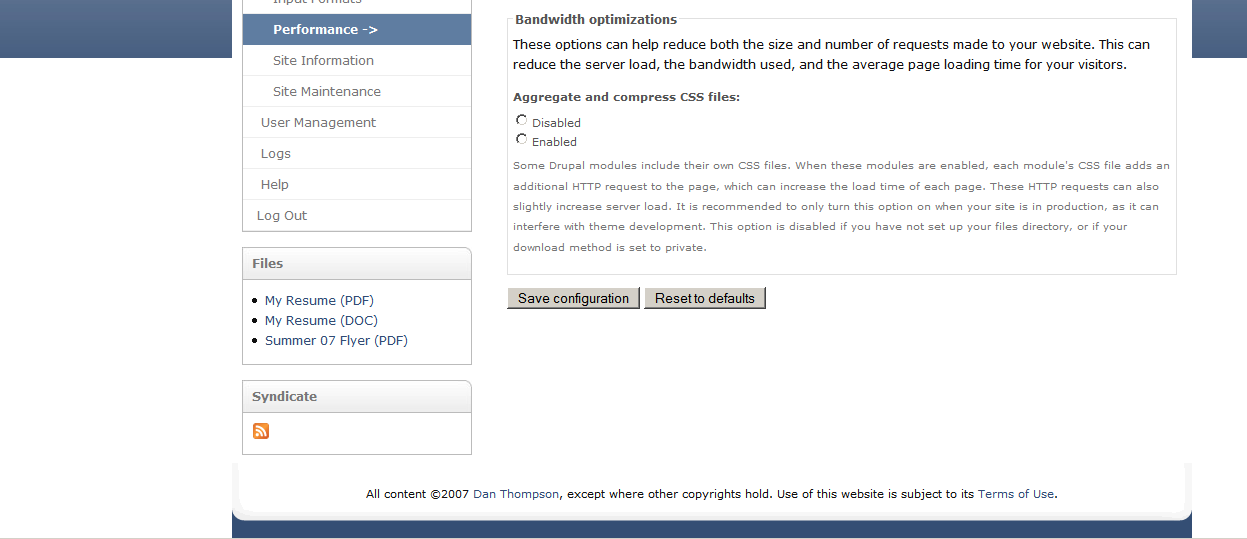
Upon further investigation, I found your site... You clearly made changes, to the exact spot I referred to when I first replied. See the attached screenshot of your own site for proof of this.
Your code:
body{background-color:white;color:#111;font:0.75em/170% Verdana, Arial, Helvetica, sans-serif;margin:0;padding:0;}The Sky theme's code:
body{background:#344E74 url("images/bg-body.jpg") repeat-x scroll left top;color:#111;font:0.75em/170% Verdana, Arial, Helvetica, sans-serif;margin:0;padding:0;}So, please don't come here stating that I didn't test in Firefox, and that your problem is a "bug," when you are obviously lying about making changes. If you need help with something, you are more likely to get it if you tell the truth and put in a support request.
Thank you,
jGirlyGirl
Comment #6
dan.thompson commentedYes, the version of your theme that is now on my website is indeed a modified version of your theme, exactly where you said. However, the version I reported the bug on was an unmodified version of your theme, downloaded straight from Drupal. The original version of the theme, with the issue I reported, was never made viewable by the public, it was just viewable from my user account. I don't generally make themes publicly viewable on my website until I know that they are going to work with everything I have set up. Thus, I attached screen shots of the issue. I was not lying, I was just using good web design practices. If you had bothered to ask me why my website was using a modified version of your theme, I would have gladly explained things. Instead, you accused my of lying. Most unfortunate.
Comment #7
publicme commentedIt pains me to see this conflict over how Firefox renders Sky. IMHO, Dan should have been ready to show a live test site, not a mere a screen shot, though screenshots have their place too. Maybe jGirlyGirl could have put off the request until Dan produced a live example, as really isn't a live site what make it possible for her to troubleshoot? Maybe jGirlyGirl deepened the problem too much by issuing the 'lie" comment. Anyway. I hope this conflict ends and we can focus on providing jGirlyGirl with the best feedback possible.
Comment #8
jacinePublicme, you're right I shouldn't have called Dan a liar. Dan, I'm sorry for that.
Dan's comments about "leaving Firefox out of the loop" really rubbed me the wrong way. Still, I double and triple checked and responded quickly (within 1 hour of Dan's comments). I've concluded that I'm 99.9% sure Dan's problem is due to changes on his end, since I cannot replicate this "issue" anywhere, and none of the versions I've released have had this problem. I hate to suggest the basics here, but maybe try clearing the cache, and reloading the page. Firefox requires a reload to update CSS. You can keep browsing the site on the old stylesheet for hours unless you do that.
Anyway, if there is really a problem with the theme, of course I want to fix it, but until someone details the problem, or lets me view a live site, there's nothing more I can do.
Comment #9
dan.thompson commentedApology accepted. I probably should have mentioned early on that the original theme was no longer public. I apologize for that and apologize for rubbing you the wrong way. It seems that the issue may lay on my end, which is strange since I did clear my cache. I check the theme out on my work machine and see what happens. Let's make sure that it isn't something at my end before I have you spend anymore time on it.
Comment #10
dan.thompson commentedOK. I looked at the demo site after wiping my cache, and it looks how it should (beautiful, I might add ). Uploaded the original theme to my site again, and I get the problem with the BG image not reaching the bottom. Even tried forcing a cron run and wiping my cache and dumping my cookies. No effect.
So ... I created an account that you can use to login to the site. The default theme on that account only is set to the original, unmodified Sky theme.
I take a looksee on my work compy tomorrow. Maybey there is something goofy with Daphne (my computer).
username: debug
password: f1xm3
login site: danscomputerrepair.com/user
Let me know if there is anything else you need from me. It seems as though you have great talent for writing Drupal themes. Hope to see more work from you in the future :).
PS: I don't mind posting tis login here, since the account can't actually edit anything that effects what the public sees.
Comment #11
jacineLOL! Daphne.
Well, you are 100% right... I'm not seeing the background color reach the bottom. It's the oddest thing because the style is set correctly. I can see it in Firebug.
Thanks for providing the login. I'm going to troubleshoot it and see what I can come up with. Be back soon.
Comment #12
jacineOkay, I've found and fixed the problem. It is a bug, a very odd bug at that. I still have no idea why it works on the demo site, and not yours, but adding the same background style to body,html fixes the problem on your site. Also found another bug with the mission. Fixed that too.
I put out a new release 5.x-1.6 with the fixes. If you could please check it out and make sure it's working properly, I'd appreciate it. I'll leave this open until I hear back from you.
Thanks again for helping me solve this one.
Comment #13
dan.thompson commentedYour fix works perfectly. Would have never been able to fix it on my own. That's probably why I don't code that much. :)
If you ever need to test another theme, just let me know. You can contact me on my site's contact form.
Yes. I did name my compy. It might be because I built her from parts ordered on the Internet.
Comment #14
dan.thompson commentedYour fix works perfectly. Would have never been able to fix it on my own. That's probably why I don't code that much. :)
If you ever need to test another theme, just let me know. You can contact me on my site's contact form.
Yes. I did name my compy. It might be because I built her from parts ordered on the Internet.
Comment #15
dan.thompson commentedOops. Sorry bout the double post. My connection burped in the middle of things.