
 The 2026 Drupal Business Survey is open. Your response will help shape the future of the Drupal business ecosystem.
How to translate site names?
You are browsing documentation for an older version of Drupal, which is not supported any longer, and the information may not be correct. See current documentation for Contributed modules
Extracted from http://drupal.org/node/1848864
Go to /admin/config/system/site-information. You should see two selector blocks above the form allowing you to switch between combinations of domains and languages. Select the combinations you want to change, and simply edit the value in the form.
The form field description for the sitename field should say "This is a multilingual domain variable". If it doesn't you need to go back to the variable realm admin pages, and add the sitename variable for both the language and the domain realm.
The domains settings "Override site name with name of domain" needs to be turned off.
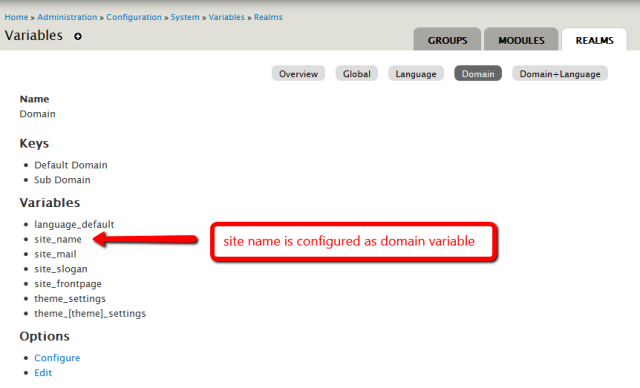
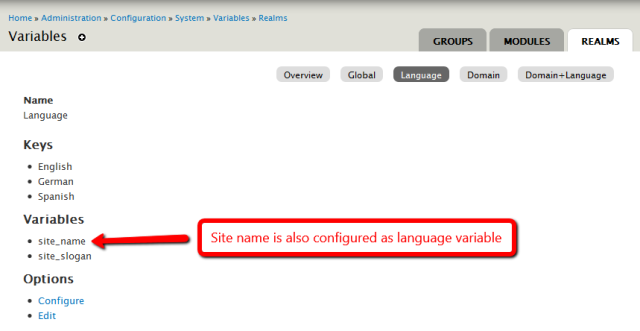
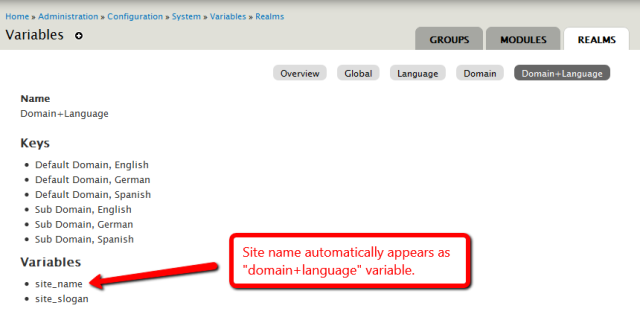
Provided you enabled the Domain+I18n Variables Integration sub-module, "Domain+Language" variables are automatically made up by the intersection of configured language variables and configured domain variables. You need to configure them separately on the domain/language configuration pages; i.e. go to admin/config/system/variable/realm/domain, and add the sitename variable, then do the same on admin/config/system/variable/realm/language.
Note that translation is not done via the localization interface (admin/config/regional/translate/translate), but directly on the respective settings page.
Here's a set of screenshots showing how it is supposed to work...




Help improve this page
You can:
- Log in, click Edit, and edit this page
- Log in, click Discuss, update the Page status value, and suggest an improvement
- Log in and create a Documentation issue with your suggestion
