

Closed (outdated)
Project:
Panels
Version:
6.x-3.9
Component:
User interface
Priority:
Normal
Category:
Bug report
Assigned:
Unassigned
Reporter:
Created:
8 Dec 2012 at 13:27 UTC
Updated:
25 Feb 2016 at 03:25 UTC
Jump to comment: Most recent, Most recent file

Comments
Comment #1
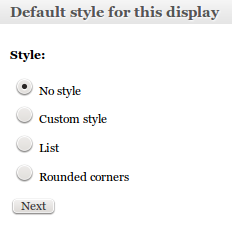
yan commentedHere is a screenshot that shows the options.
Comment #2
japerryClosing this issue as outdated as Drupal 6 ctools is not supported. If this issue is relevant for Drupal 7, feel free to re-open and mark for Drupal 7 (or 8)