
On this page
Improved Multi Select
User Interface
Note: A lot of this functionality is only available in the 2.x version.
The Improved Multi Select module replace the default multi-select boxes with two panel list and search. The first panel holds the options that are available, and the second panel holds the options that have been selected. Two panels are separated by "add" and "remove" buttons. You can select an item from the first box, click the "add" button, and add it to the second box. Likewise, you can select an item from the second box, click the "remove" button, and it goes back into the unselected box. Re-Ordering buttons allow users to move items that have been selected up and down.

A search box allows users to quickly filter the left column to find items. Admins can decide how precise users need to be when entering searches. Options include Exact Match, All Words, and Any Words. For each option, admins can decide if they want to allow partial words.
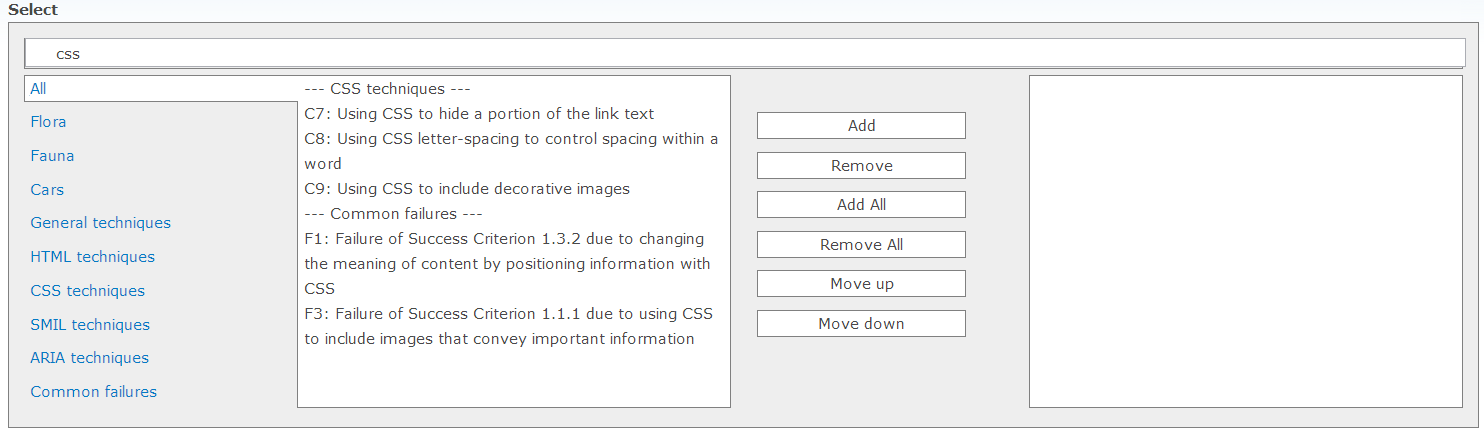
Grouping allows users to drill down by category to find items. This is especially useful when the user has a large list of items to select from.
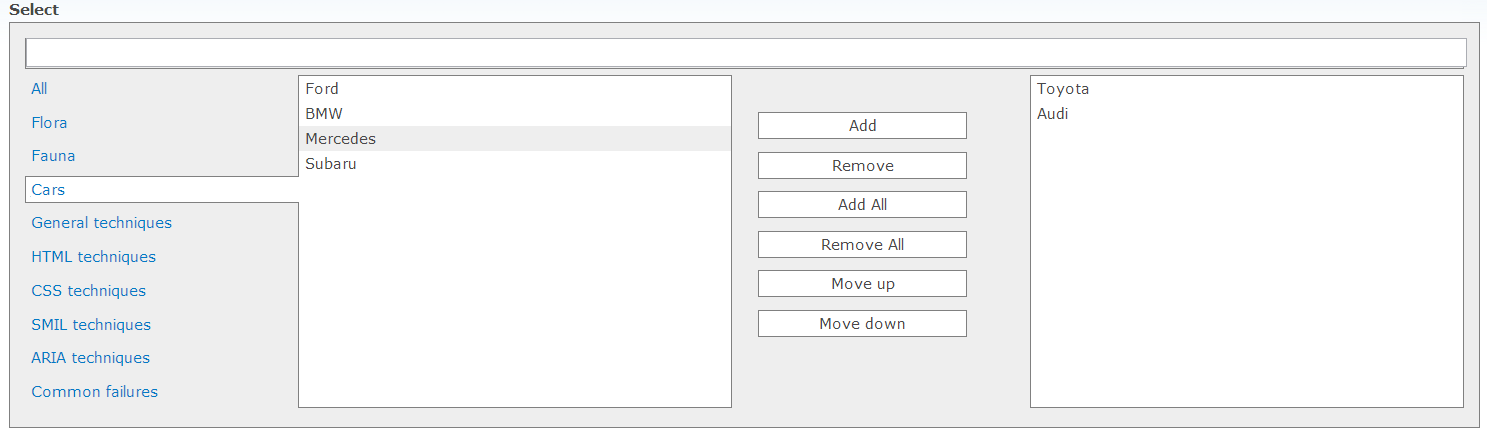
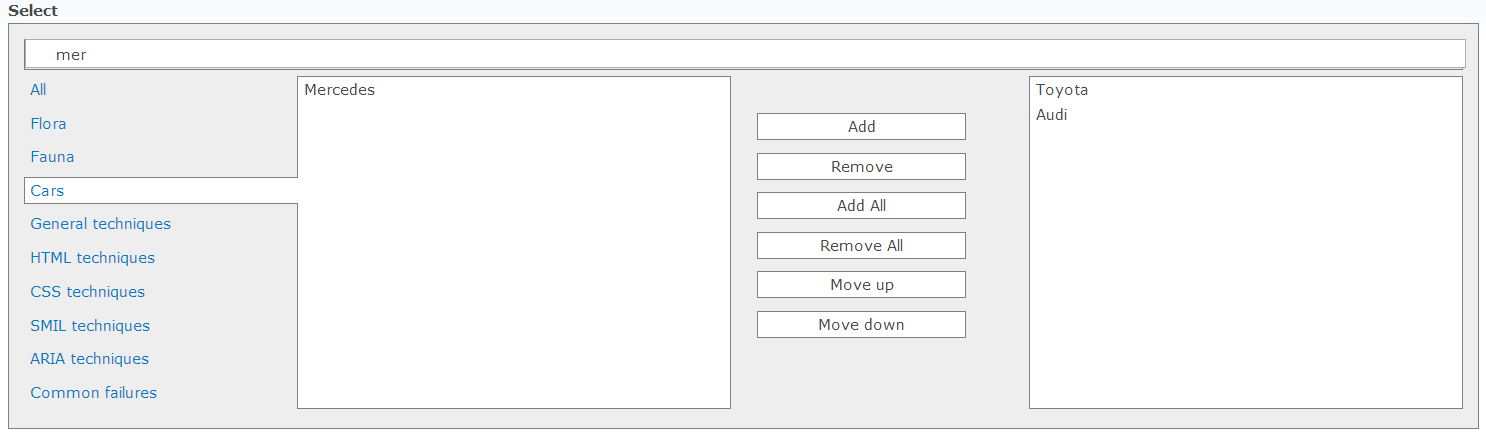
Grouping works with search to enable cross-filtering.
Admin Interface
Choose between "Replace all multi-select lists" or "Replace multi-select lists on specific page." Enter one path per line to specify pages.

"Filter functionality" allows admins to decide how precise users need to be when entering searches. Options include Exact Match, All Words, and Any Words. For each option, admins can decide if they want to allow partial words.

If "Allow re-ordering of selected items" is unchecked, the "Move up" and "Move Down" buttons will be removed. Also, if this box is unchecked, items will be added in the same order as they appear in the left column, as opposed to being added in the order they were selected.

When "Reset filter when selecting a group" is checked, the search box and groups will work independently of one another. If checked, clicking on a group will clear the current search. If unchecked, the search box and groups can be used together for cross-filtering.

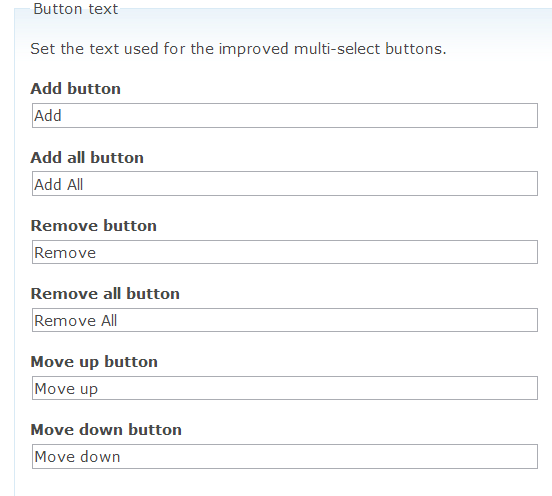
"Button Text" allows admins to customize the text or symbols for Add/Remove and re-ordering buttons
Help improve this page
You can:
- Log in, click Edit, and edit this page
- Log in, click Discuss, update the Page status value, and suggest an improvement
- Log in and create a Documentation issue with your suggestion
