Closed (fixed)
Project:
Openlayers
Version:
7.x-2.x-dev
Component:
Code
Priority:
Normal
Category:
Support request
Assigned:
Reporter:
Created:
12 Dec 2012 at 18:57 UTC
Updated:
18 Mar 2013 at 14:01 UTC
Jump to comment: Most recent file


I am a beginner of OpenLayers module.
Since I want to do a research about this module, I need to add a new type map of my country into this module.
Although I read a lot of materials about this module, I have no idea about adding a new map into it.
Cause I don't have any experience about developing a module.
Could anyone give me some suggestions or tips to solve this problem?
I am really confused about this!!
Thanks for helping!




Comments
Comment #1
polWhat kind of map ?
Comment #2
ifrikSome basic information is in the documentation: http://drupal.org/node/1636666
Do you mean
* a map that focuses on a specific region, so that mainly your country is visible?
* a different background (base layer) on which your data is displayed?
* a set of points showing locations in your country?
or something different?
Comment #3
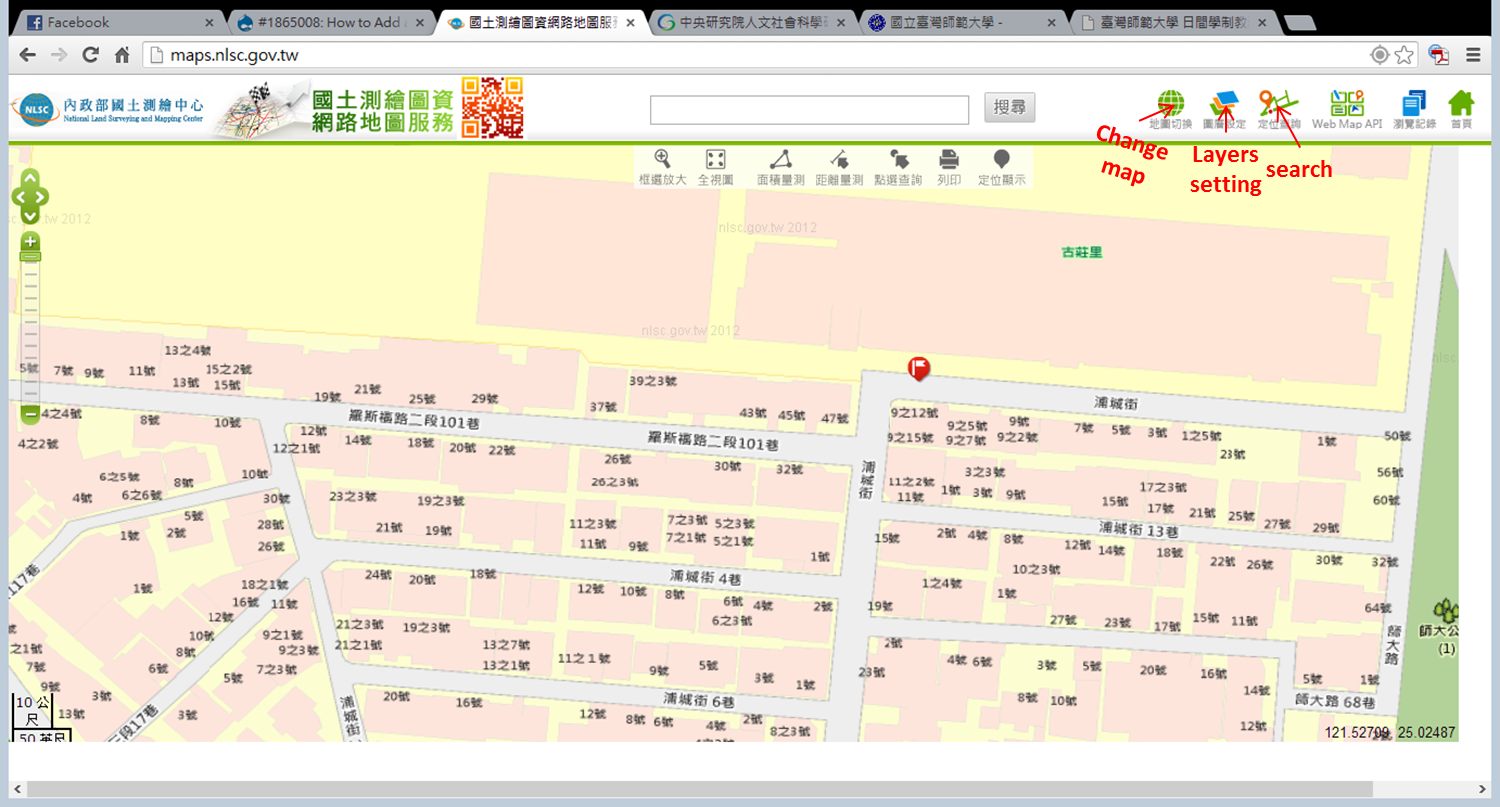
Ohoshi commentedI mean that if I can add a new type of map into OpenLayers module as a base map (like OSM, Bing map...)
I want to add these map as basic layer:
1. http://maps.nlsc.gov.tw/
2. http://gissrv4.sinica.edu.tw/gis/twhgis.aspx
(or other official published map)
then I can use this module with our map in my drupal website more easily.
Since my English is limited, I am not sure if I express my meaning correctly.
There are some screenshots in comment 5.
I hope that it can help me express my meaning.
Sorry for my late reply.
Thank you so much for the response!!!
Comment #4
Ohoshi commentedComment #5
Ohoshi commented1. http://maps.nlsc.gov.tw/
2. http://gissrv4.sinica.edu.tw/gis/twhgis.aspx
Comment #6
polIt looks like these are WMS layer that you can add through the OpenLayers UI.
See: http://maps.nlsc.gov.tw/O09/js/qt_map.js
There, I got it working: https://docs.google.com/file/d/0B7ugUjBv1lqHYXEzYkg2YXVFZHc/edit
Good luck.
Comment #8
Ohoshi commentedThanks for your response.
I have some problem about your comment.
"It looks like these are WMS layer that you can add through the OpenLayers UI."
Is there a "module" which called "OpenLayers UI"?
Or you mean that I can use OpenLayers module through its UI?
Sorry, I am really confused about this.
and may I e-mail you when I have questions about this?
Sorry for so many questions! Thank you in advance!
Comment #9
polOpenLayers is composed of 3 modules.
You have to enabled OpenLayers and OpenLayers UI.
Then, in admin/structure/openlayers, you'll be able to add "layers", WMS type.
I hope it helps. bye.