

 The 2026 Drupal Business Survey is open. Your response will help shape the future of the Drupal business ecosystem.
It's a pity when a product is out of stock it disable the add-to-cart button en rename it to out-of-stock but I use webform-commerce with a special field: Commerce product skus, in this way the button add-to-cart is shown in the form.
When the product is out of stock this buttons is stil enabled and the name is still add-to-cart.
In the attachement you see a printscreen of the same buttons of one product, the first is in the webform and the last is directly from the product.
| Comment | File | Size | Author |
|---|---|---|---|
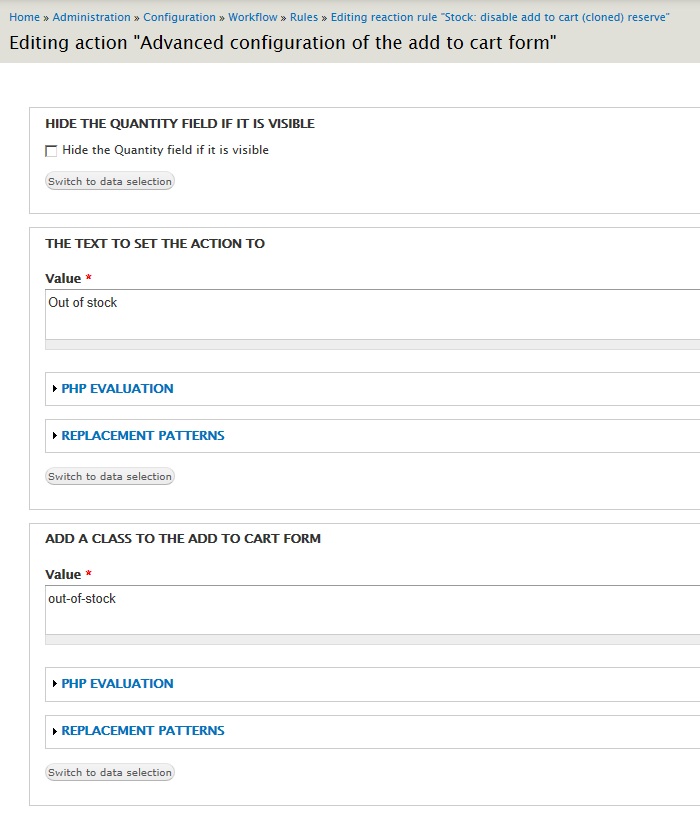
| #2 | Advanced1.jpg | 91.23 KB | PipB |
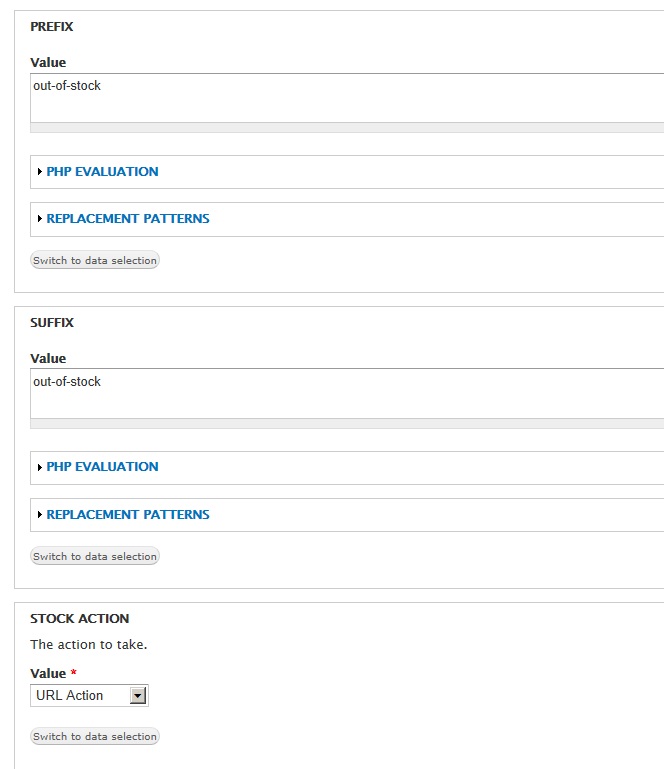
| #2 | Advanced2.jpg | 61.01 KB | PipB |
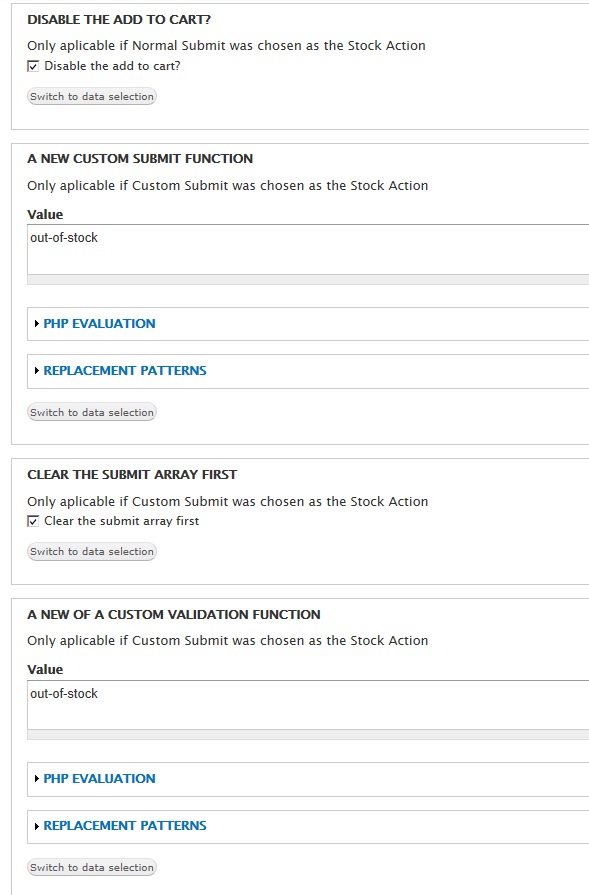
| #2 | Advanced3.jpg | 99.48 KB | PipB |
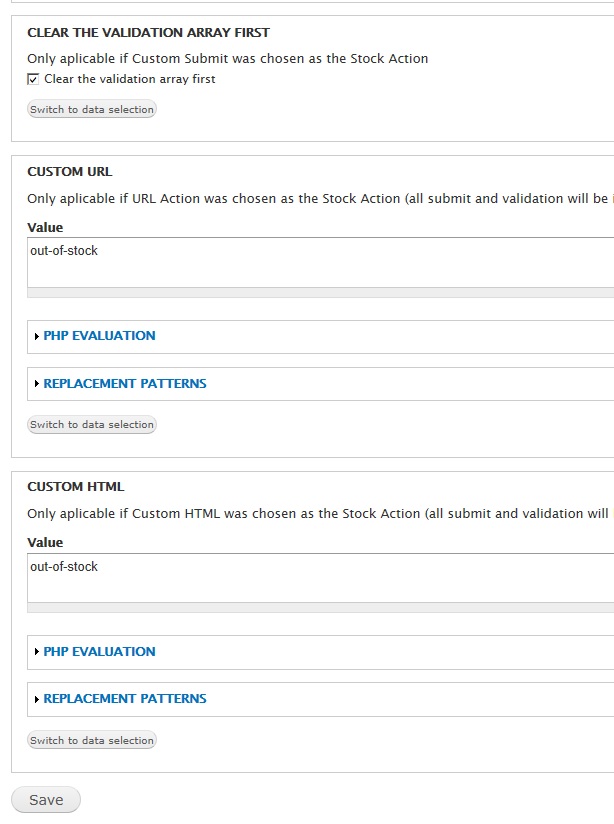
| #2 | Advanced4.jpg | 87.67 KB | PipB |
| #2 | Advanced5.jpg | 38.21 KB | PipB |



Comments
Comment #1
guy_schneerson commentedYou can easily do this by configuring the rule rules_stock_disable_add_to_cart and using the new "Advanced Add to cart form" instead of the "Set the state of the add to cart form"
let me know how you get on
Comment #2
PipB commentedThank you for you're quick answer!!!
But I didn't get it working with the rule "Advanced Configuration Add to cart form".
Using Commerce_webform: there are 2 different add-to-cart-buttons and you're commerce_stock module only reacts on one button and not the button from the commerce webform, I think.
You're button react on the add to cart buttons which belongs directly to the product.
The advanced configration changes only the add-to-cart button from the product, not the add-to-cart button from the webform.
The webform button was originally a Submit-button.
I'll show you the results of the settings in this rule and the settings in the attachements.
De first button is the webform button, the second the real commerce add-to-cart button.
This is a piece of source-code of the page from the two buttons:
Comment #3
guy_schneerson commentedHi @PipB
Sorry I didn't read the issue properly I will look into the Commerce_Webform in the new year I suspect it will be an easy update but weill need to look into it.
Comment #4
RKopacz commentedDid anybody ever resolve this? I have this exact issue, trying to use commerce webform and commerce stock. I would like to have the add to cart in commerce webform disabled when stock is out. I haven't tested it yet to see if it has been incorporated.
Comment #4.0
RKopacz commentedlittle change
Comment #5
bezlash@gmail.com commentedHey, did anybody get to the bottom of this as I'm in the same boat. Thanks