After upgrading CKEditor 7.x-1.9 to 7.x-1.12 (using ckeditor_4.0.1_standard) on various sites hosted on different servers the result invariably is a blank text area only when i want to edit a page, article etc that was created with CKEditor 7.x-1.9.
If I press save, all previously saved info is overwritten and lost.
It is however no problem to create new pages with CKEditor 7.x-1.12, all works fine.
Any clues or solutions? (apart of downgrading all sites to 7.x-1.9 again, that's not an option!)
Problem occurs on D7.17, D7.18, IExplorer, Firefox and Chrome alike.
Really hope someone can help, cause on a couple of sites in question there's a lot of activity.
B rgds,
Marinuske


Comments
Comment #1
drizzi commentedhello marinuske,
i had the same problem - solved through the last dev version of the ckeditor modul and the nightly build ckeditor.
greetings
steffen
Comment #2
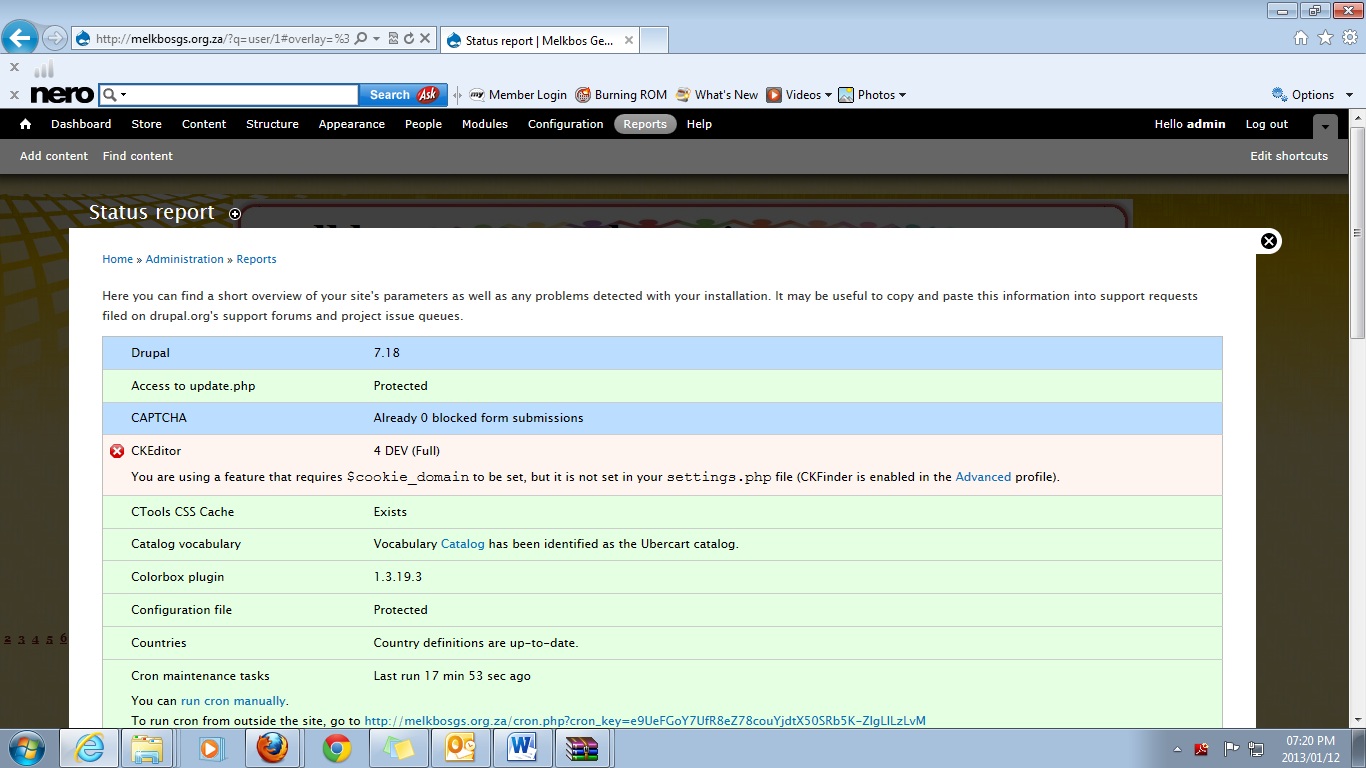
Nnilsson commentedI experience the same problem, I tried #2, Also tried issue #1885906 #1882396 #1885368 #1854454 how ever I seen something under reports. Please see attached jpeg, I was not able to find the Cookie in settings.
Comment #3
akamawa commentedHi Steffen,
Clever! Problem of empty area solved after de-installing both and reinstalling dev and nightly. Even toolbar (although imperfect) appears in it's complete form. Maybe not an elegant solution but a clever one whilst waiting for corrected version.
Thanks!
B Rgds Marinuske
Comment #4
mkesicki commentedAfter update from 7.x-1.9 to 7.x-1.12 did you run update.php script and clear drupal cache ?
@Nnilsson,
mentioned variable $cookie_domain is in durpal's settings.php file in sites/default directory.
Comment #5
hass commentedSave your CKeditor profiles again. Just edit, make no changes and save.
Comment #7
nicolas bouteille commentedFor me the problem was an error of the Meta Tags module that was preventing the update.php script to run properly and thus the CKEditor update to run.
I disabled metatag and deleted the module folder then was able to run the CKEditor update, cleared my cache, didn't have to resave profiles, it worked.