

Closed (fixed)
Project:
Commerce Kickstart
Version:
7.x-2.0
Component:
Documentation
Priority:
Normal
Category:
Support request
Assigned:
Reporter:
Created:
14 Jan 2013 at 06:18 UTC
Updated:
20 Mar 2015 at 13:56 UTC
Jump to comment: Most recent, Most recent file

Comments
Comment #1
vasikei'm not sure i understood. but, please, let me guess:
for the example you provided i can say that every size and color combination has its own image. in this case is the same picture (person). to have different pictures meant to have 3 persons of different sizes ;).
to test you just change an image for a variation (ex. green small)
- once you click on "edit" for the variation, you just have to upload a new image and the old image will be replaced by new one.
- then just save variation and then save (end of the big edit form).
- then you should see the new image when will make the right selection.
p.s. the documentation page http://www.drupalcommerce.org/commerce-kickstart-2/adding-images-variati...
it's about how you could use images for your own built Product display and variations and NOT how to edit/administer.
let me know if it worked. thanks
Comment #2
goodeit commentedThanks for your response. I have seen how to edit images for one variation, but I can't find how to add/remove an image for multiple variations.
Here is some clarification: on the example, you can see that every size of blue hoodie has the same 3 images. However, I cannot find where to edit those images - they do not show up under each variation. Where would I go if i wanted to remove one of those three images from all sizes of blue hoodie?
Comment #3
vasikecould you provide some printscreens of what are trying to do, please?
thank you
Comment #4
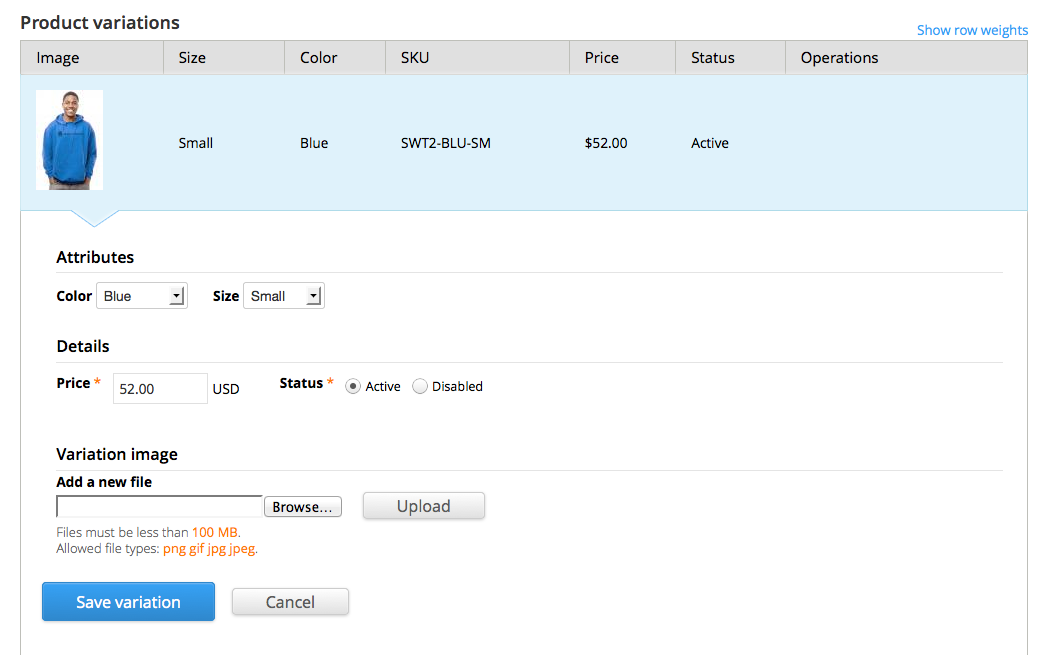
Poieo commentedI have the same confusion as goodeit. If you look at the attached print screen, this variation of the hoodie has an image display, but none actually attached as a file. I'm guessing this is because you've added it in the code of the demo store, not in the actual filefield.
On your demo, when the size of the hoodie is changed, the images do not update. However, when the color is changed, they do.
This doesn't seem to be possible to accomplish with Kickstart through the UI. As far as I can tell, the images are going to update with every attribute change. So, if a user selects a different size, the images update even when they are the same image as the previous size. This requires us to upload 5 identical images for 5 different sizes of clothing, when all we really care about is different images for different colors.
It would be nice if there was a way to set a default image for a particular attribute and not update the images when this attribute is changed...such as size.
Comment #5
goodeit commentedThank you Poieo, that is a great explanation of the question and the underlying goal.
Comment #6
joshmillerDocumentation Tasks Cleanup. This is on my list and will be done soon.
Comment #7
bojanz commentedI have fixed the bug mentioned here in #1899374: Images are not shown in the imagefield when editing the product variation.
See that issue for instructions on how to fix it.
Kickstart reuses the same image because it creates the products in code. You can't do that through the UI without additional modules.
Comment #8
spacerex commentedPoeio sez :
which is my main concern, as I'm doing dresses that come in seven different sizes.
Bojanz sez:
What modules?
I've been looking into http://drupal.org/project/commerce_bpc, but it seems that there's some very old bugs and a call a for co-maintainer. Any other solutions?
Comment #9
bojanz commentedFilefield sources.
Comment #10
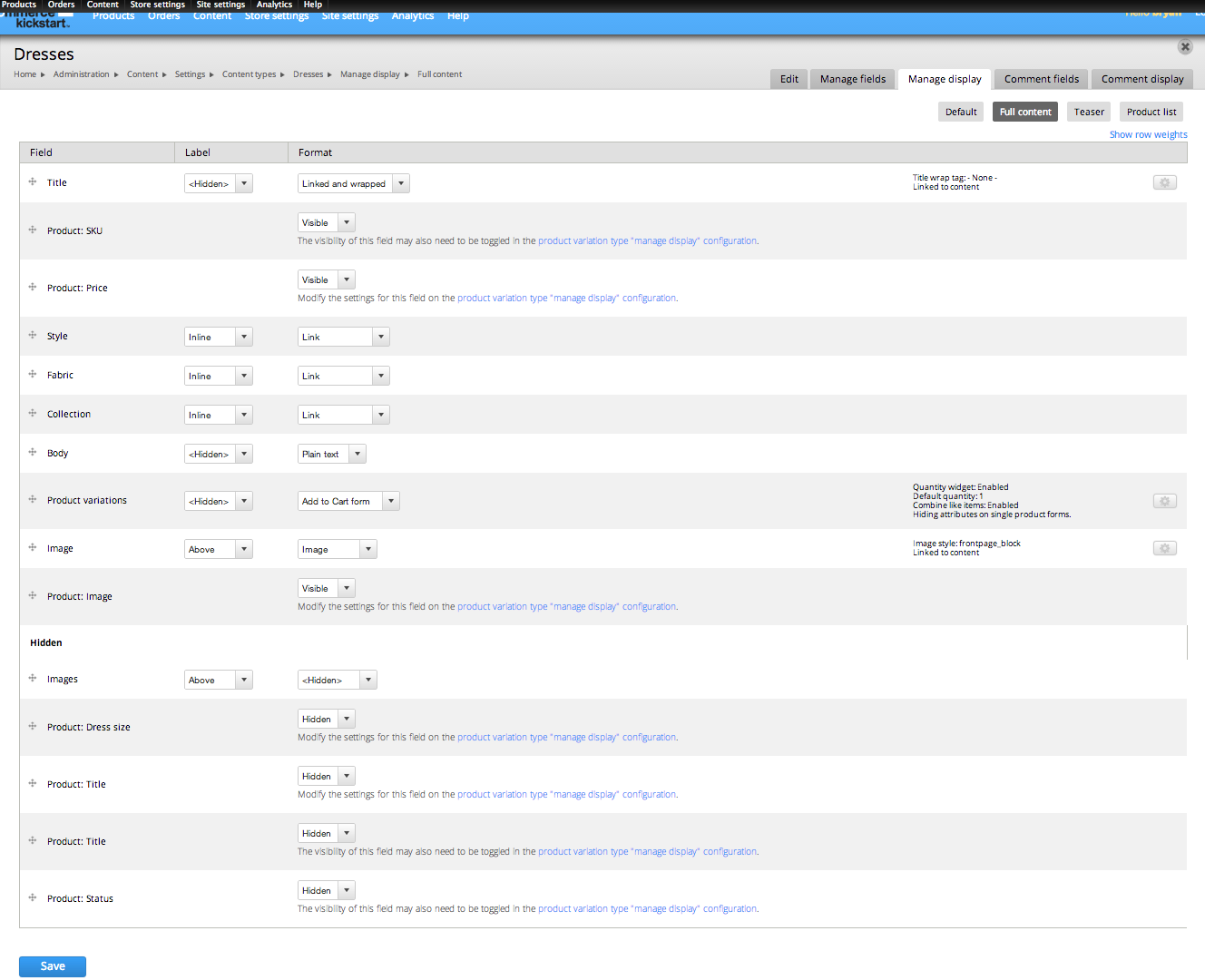
spacerex commentedThanks Bojanz. I installed filefield sources, but there's very little documentation at the https://drupal.org/project/filefield_sources page . I found this: http://www.lullabot.com/blog/module-monday-filefield-sources which helped some but it doesn't really address my particular problem - getting one set of images, which I have added to the product display [not the product variations within it] to show for the multiple size variations (or AT ALL for that matter). I want to believe that there's a better solution than adding the same exact images (or even image references -- which is what, to my un-expert eye, is what filefield sources does) to every size of every dress in my catalog. Please see attached image.
Can someone steer me to a tutorial, or give some more detailed instuctions? Thanks again.
UPDATE: I fixed this problem without using file fields. I set it up so that the images were added to the product display/not the product variation. I went through all the various custom display settings and checked my field displays against the sample store, changed them so that I was displaying the "images" and not "product images" and eventually it worked.
Comment #11
lsolesen commentedThere seems to be an answer in this thread, so closing.
Comment #13
rituraj.gupta commentedHi,
I am having the similar issue. suppose if user upload an image for a "XL" size variation and "Black" color variation and again he doesn't upload image for "XXL" size variation and "Black" color variation then if I change size for same color then How "XL" image (Which is default) will show on changing the size ?
Regard's
Ritu Raj
Comment #14
rituraj.gupta commentedComment #15
lsolesen commentedThis is outside the scope of the distro. Please do not open old threads which has been gloser.
Comment #17
rituraj.gupta commentedIf this is outside of the scope then please tell me the url where I can found the answer.
Thanks