

 The 2026 Drupal Business Survey is open. Your response will help shape the future of the Drupal business ecosystem.
By default, it would make more sense to display information for the groups the user belongs to as well as any groups/people he is following. Then, have the ability to filter by only Groups content or Not following (to include groups not in.)
| Comment | File | Size | Author |
|---|---|---|---|
| #4 | WhatGoingOn_2.jpg | 95.29 KB | Anonymous (not verified) |
| #3 | WhatGoingOn_1.jpg | 83.46 KB | Anonymous (not verified) |


Comments
Comment #1
ezra-g commentedCan you clarify how this is different from the current behavior?
Comment #2
Anonymous (not verified) commentedThe page currently defaults to all content I'm not following sorted by last udpated first. I have to select following and refresh.
Note: I wanted to do some screen shots here, but the button to apply the changes to this page disappeared in latest DEV release. :-oI just applied the LATEST dev version (Feb 2) and now the apply button appears when you make a change to the options. So, I'm attaching screen shots in an upcoming reply to better explain.
Comment #3
Anonymous (not verified) commentedThe first image shows how the page loads by default, which loads content NOT FOLLOWING.

Comment #4
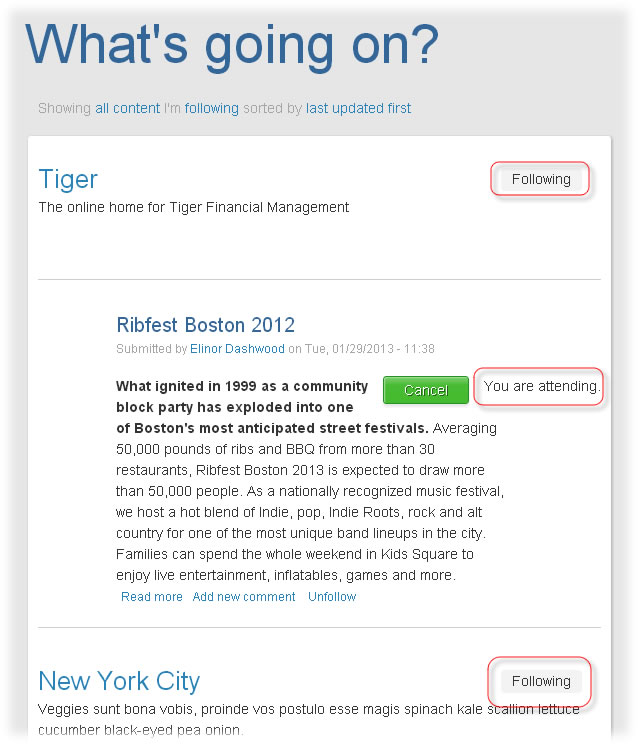
Anonymous (not verified) commentedThis second image shows that once I choose Following and apply, I then get the content for groups I'm following/member of or Events I'm attending:
Comment #5
Anonymous (not verified) commentedAs a further note, I tried changing it to Following and then closed the tab. When I went back to the site, it defaulted to Following. However, I logged out and back in and it defaulted to NOT Following again.
Comment #6
julie_vanscoy commentedWe also really don't like that the default is "not following" -- is there a way to change?
Comment #7
ezra-g commentedThis is a duplicate of #1921998: Show me content I'm *not* following by default?.