

Closed (fixed)
Project:
Commerce Kickstart
Version:
7.x-2.1
Component:
User interface
Priority:
Normal
Category:
Support request
Assigned:
Reporter:
Created:
25 Jan 2013 at 21:32 UTC
Updated:
22 Feb 2013 at 10:40 UTC
Jump to comment: Most recent file

Comments
Comment #1
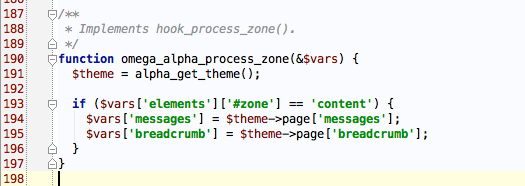
cookiz commentedAccording to my research, Omega by default does not allows you to handle the breadcrumbs out of the zone "content"
(see the caption called omega_alpha_process_zone which is in this place in omega theme : omega/omega/template.php)
If you want to put the breadcrumbs outside the content area you will have to override in your own theme template.php file this function...
You will also need to override the concerned tpl file in order to display the breadcrumb in the desired zone/region.
Comment #2
bojanz commented