
Step 4 (optional): Asset widget configuration
Last updated on
30 April 2025
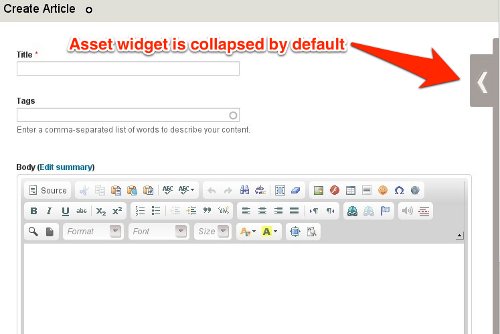
Asset widget module is included into Asset module package and is aimed to simplify Asset contribution and management.
All you need is to enable "Asset widget" module.
Module supported seven and rubik theme. Widget is not intended to work in front theme.

Widget will appear on content create/edit page if you have an appropriate permission and one of two next cases are true:
- Entity (node, taxonomy, etc) create/edit form contains Entity reference field with "Media Asset" target type and is set to autocomplete.
- Entity create/edit form contains CKEditor with enabled asset plugin for at least one of the input formats.
The detailed contributor instructions are available here.
Help improve this page
Page status: Not set
You can:
You can:
- Log in, click Edit, and edit this page
- Log in, click Discuss, update the Page status value, and suggest an improvement
- Log in and create a Documentation issue with your suggestion
