

Closed (duplicate)
Project:
@font-your-face
Version:
7.x-2.7
Component:
Google Fonts (provider)
Priority:
Normal
Category:
Bug report
Assigned:
Unassigned
Reporter:
Created:
20 Feb 2013 at 05:23 UTC
Updated:
29 Apr 2013 at 00:05 UTC
Jump to comment: Most recent file

Comments
Comment #1
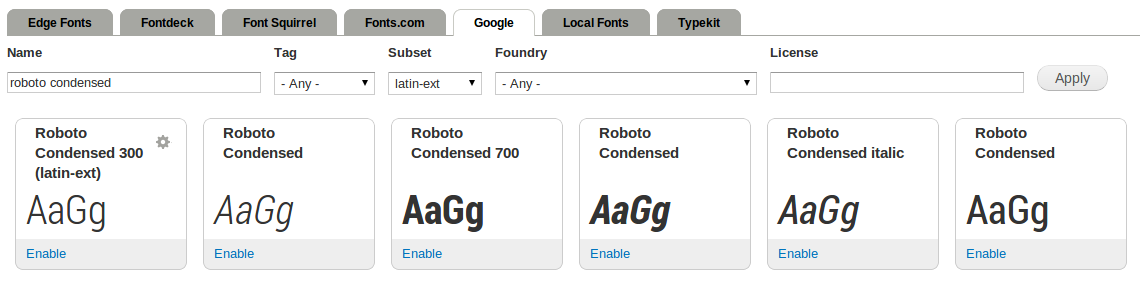
Drave Robber commentedWorks for me (tm):
Possible causes of malfunction:
Comment #2
tmsimont commentedI swear I'd cleared the cache after installing. It now works and I haven't even done anything... Last night I did turn off "Aggregrate CSS" in the performance settings, and then turned it back on. I wonder if that setting didn't initially conflict.
Comment #3
nodecode commentedI'm having the same problem. The first page of the font browser is the only page that shows proper previews. All other results just show a generic browser font (Times New Roman probably) and the actual font is not loaded.
Tried the "Aggregate CSS" trick but it did no good. Also tried clearing cache, no dice.
Comment #4
Drave Robber commentedSee #1373188: Font styles do not preview after first page in Views UI with AJAX; the easy way out is to edit the view to disable AJAX.
Comment #5
sreynen commentedLooks like this is now a duplicate of #1373188: Font styles do not preview after first page in Views UI with AJAX