

Closed (works as designed)
Project:
Scheduler
Version:
7.x-1.0-rc3
Component:
Code
Priority:
Normal
Category:
Feature request
Assigned:
Unassigned
Reporter:
Created:
24 Feb 2013 at 17:16 UTC
Updated:
24 Sep 2024 at 11:54 UTC
Jump to comment: Most recent, Most recent file



Comments
Comment #1
jonathan1055 commentedHello,
In order to look in to this I need to know which Calendar module you are using. A quick search via http://drupal.org/search/site/calendar?f[0]=ss_meta_type%3Amodule returns an entire page of projects with 'calendar' in the title. Please can you give the exact name and post a link here to the module you are using.
Thanks
Jonathan
Comment #2
xadag commentedHello,
I'm using this calendar module http://drupal.org/project/calendar
When i try to set a new calendar view from template base on the publish_on field, i had problems.
When i use a standard date field (like the created or modified date of a node), no problem.
Comment #3
jonathan1055 commentedOK, thanks. Now I know which date/calendar module you are using.
What exactly happens? Are there any error messages? Can you attach a screen shot here. You need to make it easier for us to help you :-)
Jonathan
Comment #4
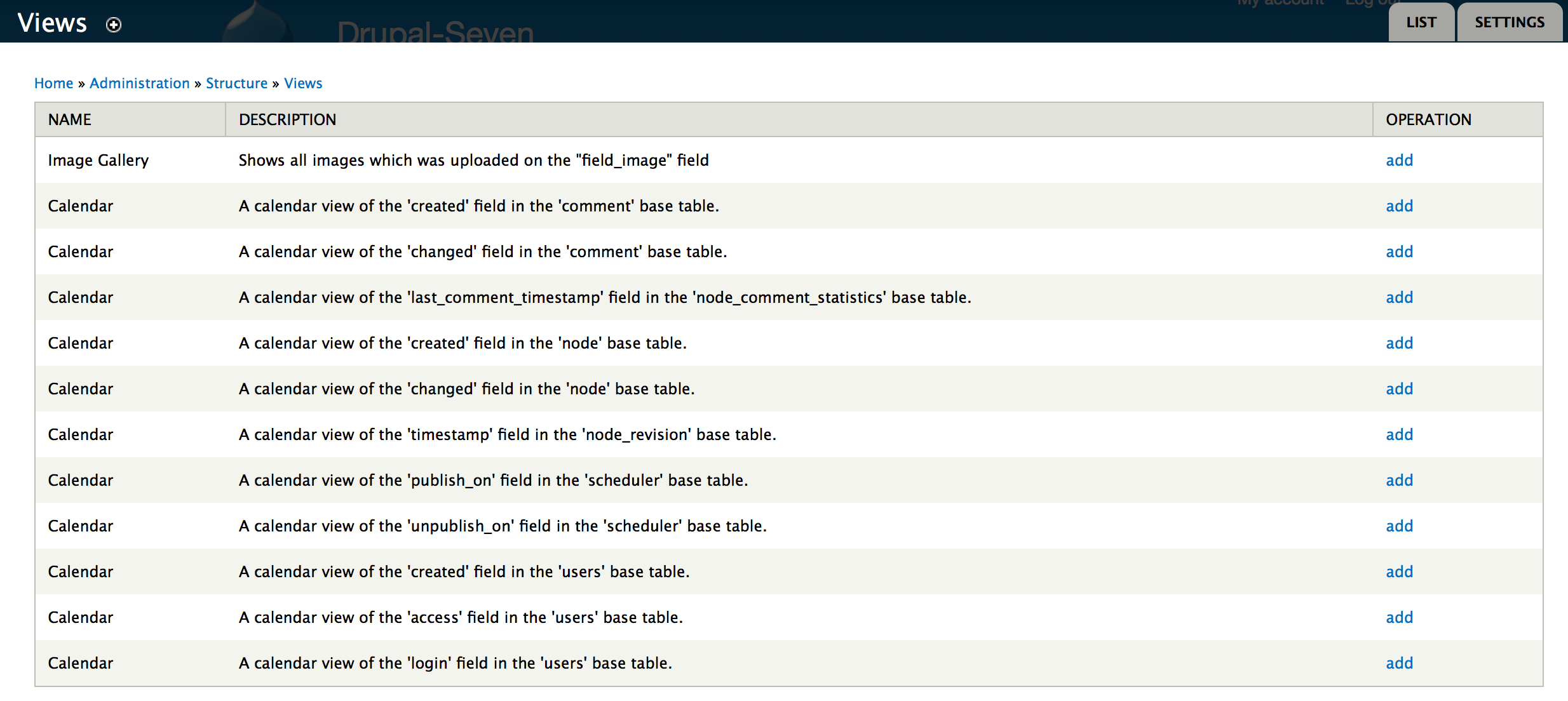
xadag commentedFirst i choose the option add view from template
After that i choose to create the template from the publish_on field from the base table scheduler (first screenshoot)
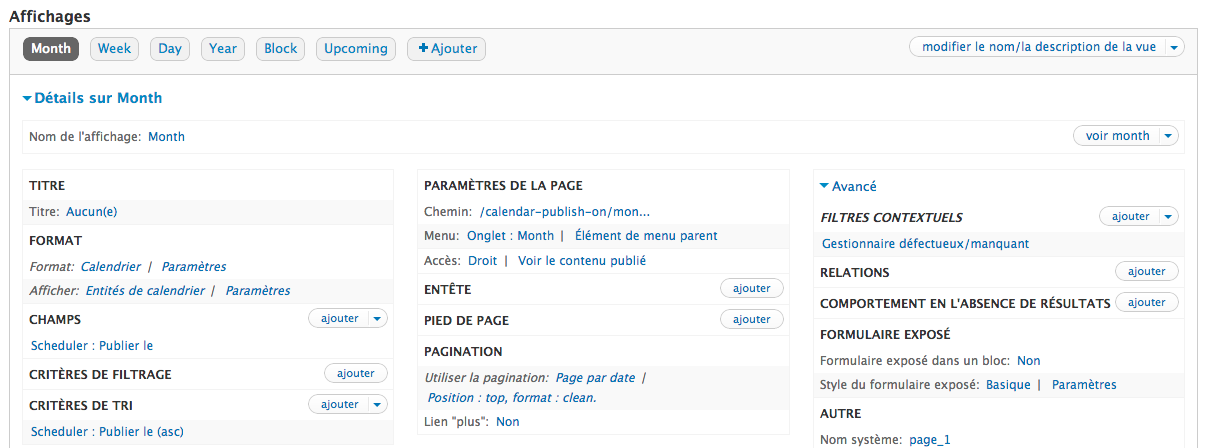
And then, after naming my new view, the screen with the configuration of each views displays says that the contextual filter is broken or missing.
This problem doesn't appear if i create it from the created, modified field of node.
Hope it will helps.
Comment #5
brenda003I had this same issue.
It turns out if you create from template a view using created instead of publish_on, and then manually change the Contextual filter, it works fine. It seems this is an issue with however that template is created, which I believe is an issue with Calendar.
Comment #6
xadag commentedWhere did you find the publish_on field when trying to update the contextual filter after creating the view from template based on create instead of publish_on. I'm unable to add a contextual filter on this field instead of created date.
Thanks!
Comment #7
brenda003@xadag, sorry I wasn't more clear. The contextual filter should still be:
Date: Date (node)
Click it to edit it, and you can select which date field you want to use. In this case, Scheduler: Publish on.
Comment #8
xadag commentedThanks !!
Comment #9
jonathan1055 commentedPleased you got it fixed.
Jonathan
Comment #10
jonathan1055 commentedI've just tried to replicate this for my own knowledge. I created a view from a template based on 'created' field in node base table.
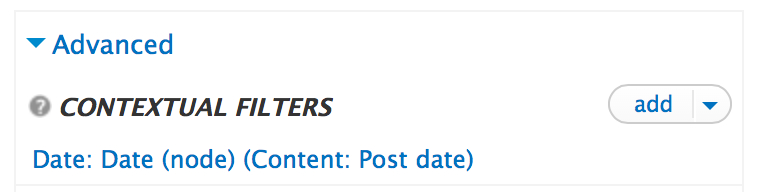
Then editted the contextual filter
scrolled down, unticked 'Content Post Date' and ticked 'Scheduler Publish On'.
Saved and the contextual filter confirms the new date selection
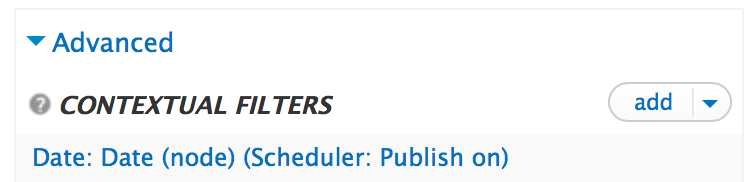
There were no errors but the scheduled content was not showing up in the calendar. Then I noticed that the nodes had a default filter of 'published=yes' which obviously has to be removed to allow the unpublished scheduled content to show.

Thought I would mention this, to assist anyone else, as displaying the scheduled content in a calendar is very nice way to present it
and I'm sure others will like to use it.
Also I put the status back to 'active' because it might be a problem in Scheduler that the view shows up in the template. There could be something we can do, and need to check with the Calendar module for more explanation, before closing this issue.
Jonathan
Comment #11
jonathan1055 commented[Editted the previous post to force the images to be shown with a better size]
Comment #12
jonathan1055 commentedChanging the title to better reflect the issue.
We know now how to create a view using a template for a different field then alter it to use one of the scheduler fields. But it would be nice to know how to fix the template that Views provides, so that users can create a view directly based on publish_on (which is the obvious thing to do, and which appears to be possible given the list of templates presented to the user).
Comment #13
jonathan1055 commentedClosing now as there is nothing to do on 7.x