Closed (fixed)
Project:
Drupal Commons
Version:
7.x-3.0
Component:
Theme
Priority:
Normal
Category:
Bug report
Assigned:
Unassigned
Reporter:
Created:
2 Mar 2013 at 22:15 UTC
Updated:
15 Mar 2015 at 15:04 UTC
Jump to comment: Most recent


Hi,
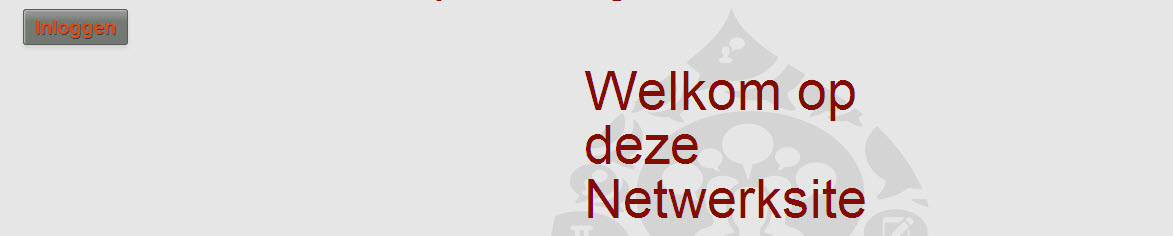
See Image, when I place something in the Welcome Text it is very large and aligned to the right, instead of just coffering the whole area.
Thanks a lot in advance for going into this.
Greetings,
Martijn
| Comment | File | Size | Author |
|---|---|---|---|
| commons_theming.jpg | 38.38 KB | summit |

Comments
Comment #1
summit commentedHi,
I found the cullpit:
In responsive.custom.css
I changed:
Why are those settings in the theme and not just using the panels layout?
Greetings, Martijn
Comment #2
ezra-g commentedMarking as "needs review".
Can you specify the browser where you're seeing this?
Comment #3
Zarabadoo commentedI am having trouble replicating this. I initially thought that your text had been put in the wrong pane, but I am not seeing a way to do so. I agree that we can likely do something with the CSS there, but there seems to be a deeper issue at work with your specific problem. In the default layout, the text should appear in the pane using the styling above the one you are pointing at.
Can you give us a walkthrough of the steps you took to edit this text?
Comment #4
ezra-g commentedComment #5
summit commentedHi,
may be I am misunderstood, sorry for that.
I see in the file I am referring to hardcoded the theme settings in responsive.custom.css like: float left, float right and min-height.
And of course these panes are then set accordingly.
But when you think, like with a other themes I have played with you could alter these settings only with the panele ui it is not working because of these hardcoded floats and height fix in the theme,
Greetings, Martijn
Comment #6
lsolesen commented