

Needs review
Project:
Commerce Backoffice
Version:
7.x-1.x-dev
Component:
Code
Priority:
Normal
Category:
Bug report
Assigned:
Unassigned
Reporter:
Created:
18 Mar 2013 at 21:19 UTC
Updated:
4 Aug 2015 at 09:16 UTC
Jump to comment: Most recent, Most recent file


Comments
Comment #0.0
ace11 commentedadded more info
Comment #1
jsacksick commentedI tried to reproduce the issue and I couldn't, I tried with a new variation type with and without the matching product display type and it worked.
Comment #2
ace11 commentedAny ideas what could cause this? How to try fix it? Or what kind of info I could give..?
Comment #3
jsacksick commentedTry to debug the theme function by adding dsm etc. and tell us what you get.
Comment #4
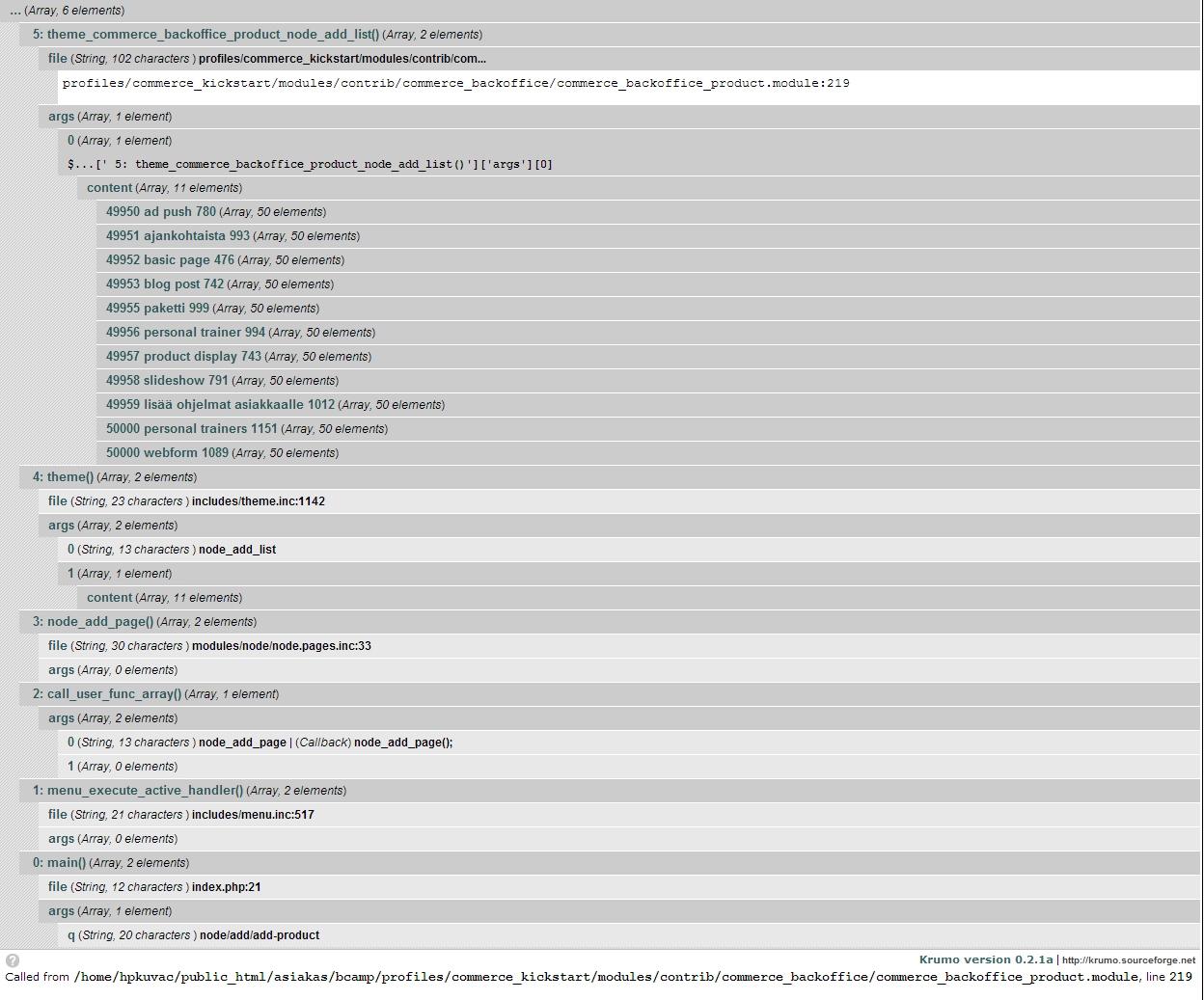
ace11 commentedDoes picture attached help?
Or do you need something more?
I noticed that there is 49965 personal trainer 994 and 50000 personal trainers 1151.
There should be only one and right one is 50000 personal trainers 1151.
49965 personal trainer 994 - this is the one I deleted earlier. I think that is causing Notice on backoffice?
I did search on database. And there is one hit for "personal trainer 994". It is in menu_links. Link path points to node/add/personal-trainer. And that content type is already deleted.
Comment #5
ace11 commentedOkey, took backups and deleted 994 from menu_links. And it is fixed. Cant see Notice any more.
Thanks!
Comment #6
VanessaM commentedI get this error when trying to add a new commerce product from Home » Administration » Store » Products --> add product:
Notice: Undefined offset: 0 in theme_commerce_backoffice_product_node_add_list() (line 219 of commerce_backoffice/commerce_backoffice_product.module).
I think it has something to do with the inline entity form because at some stage when I deleted all products and started adding them again from Home » Administration » Store » Products --> add product, I didn't get the error and then as soon as I started using the inline entity form from the product display and then tried adding a commerce product via Home » Administration » Store » Products --> add product, again, I kept getting the error. After that no matter how many times I deleted all products, I still kept getting the error.
I even disabled the inline entity form module and I still get the error
Comment #7
ace11 commentedHave you deleted your product variation types or product content types in some point?
You should also check with devel module what is going on. Check my attached image at #4.
Comment #8
VanessaM commentedYes I deleted the product variations and products display.
I am attaching my debug info.
Comment #9
VanessaM commentedAs soon as I disabled the product display module the error went away :)
Comment #10
vasikei can't reproduce this issue.
however i notice that Backoffice introduce the Creation of Product Display on Variation type creation.
But it will let me delete the variation type, without notice that this product type is used in product reference instance.
here is patch that disable the deletion in this case.
Could be this patch also part of Drupal Commerce : Product Reference module?
i'm not sure:
1. this is the place for this patch
2. if the approach is right. what about delete the Product Display togheter with variation type.
Comment #10.0
vasikefixed typos
Comment #11
geresy commentedI had the same problem! I first disabled the Commerce Kickstart Lite Product feature and after that I removed the Product Display content type.
The error disappeared after I reset the Product Display menu item in the Navigation menu. All good now.