Active
Project:
Agreservations
Version:
6.x-4.0-beta3
Component:
Miscellaneous
Priority:
Major
Category:
Bug report
Assigned:
Reporter:
Created:
27 Mar 2013 at 17:17 UTC
Updated:
27 Mar 2013 at 17:17 UTC


Hello everybody,
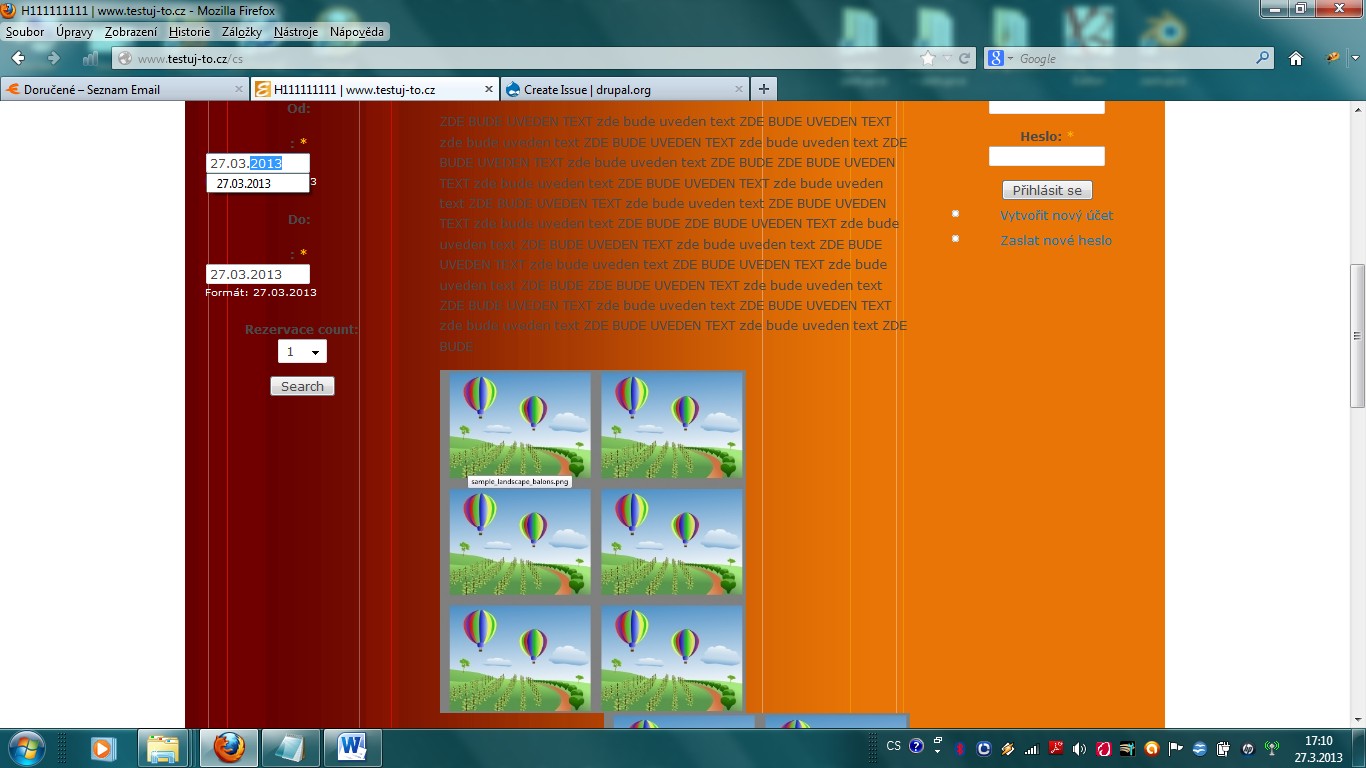
how to set up the selection date in pop up calendar (datepicker popup) in block "category search form for:" module to be ALWAYS showing the pop up calendar (datepicker popup) active?
Sometimes stays the pop up calendar hide and is neceassary to refresh the site with internet browser more than one time. Usually is showing open after I clean the cache memory and than check out.
But after few seconds is hide again.
Or I have to insert date manually and than by the check out date the pop up calendar shows right.
Pop up calendar is working right (in all language versions) when I am check in system as user.
Tried in different web. browsers (IE, Mozilla, Opera, Safari, Google Chrome) but the situation stayed same.
> agres-categories-searchwidget > datepicker popup >
try to reserve via the pop up calendar
Thanks in forward for answer.
Best regards
Pete