

Closed (fixed)
Project:
WYSIWYG Map
Version:
7.x-1.4
Component:
User interface
Priority:
Normal
Category:
Support request
Assigned:
Unassigned
Reporter:
Created:
4 Apr 2013 at 21:30 UTC
Updated:
12 Apr 2013 at 19:43 UTC
Jump to comment: Most recent file


Comments
Comment #1
scot.hubbard commentedHi enapoleone,
Have you tried turning off the admin overlay? I suspect this may be causing this behaviour.
Scot.
Comment #2
enapoleone commentedHi Scot,
Thanks for the reply.
Unfortunately it didn't work. I went to Admin > People, selected my User and then deselected "Use the overlay for administrative pages." Is this the procedure you are recommending or is there a more effective way of disabling Admin Overlay to correct this issue.
Thanks!
Comment #3
scot.hubbard commentedIt looks like you are doing everything as it should be done, so I am a bit confused as to why it is not working at the moment.
Are you getting any Javascript errors?
Comment #4
enapoleone commentedI took a look at it and it appears that I am getting some Javascript errors, most seems to be related to JQuery. Initially I had my Drupal installation running on JQuery 1.5.. I then upgraded to 1.7 and 1.8 and the following are the errors I get:
JQuery 1.5:
Uncaught TypeError: Cannot read property 'offsetWidth' of null > jquery.min.js:16
JQuery 1.7:
Uncaught TypeError: Cannot read property 'offsetWidth' of null > main.js:28 (maps.gtastic.com)
JQuery 1.8:
Uncaught TypeError: Object function (a,b){return new p.fn.init(a,b,c)} has no method 'curCSS' > jquery-ui.min.js:358
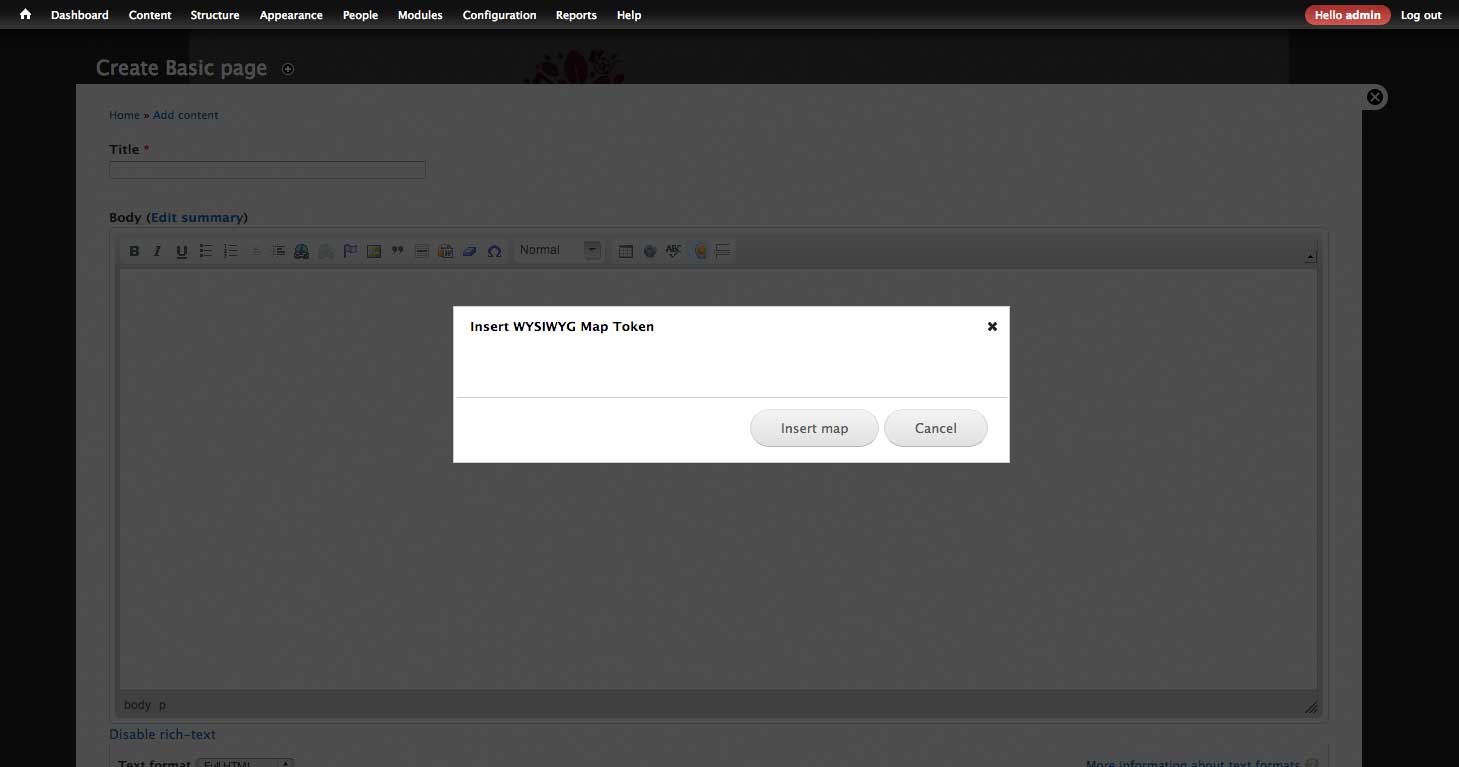
I really do not know what I'm supposed to see in the lightbox pop-up - I assume a map. The second error leads me to believe that it and the first might be related and it is failing because it cannot read the offsetWidth property. The last error leads me to believe it's just interface issue.
Comment #5
scot.hubbard commentedhmmm.
What is main.js? It does not belong to WYSIWYG_MAP project.
I am at a bit of a loss here - I can't replicate what you are seeing.
Comment #6
ssherriff commentedI'm also getting this same error.
I believe the main.js is actually the google maps javascript file. The stacktrace of the issue starts with this line:
wysiwyg_map_getMap(null, null, null, null, null);
Then where the error actually occurs seems to be here:
wysiwyg_map_mapTokenBuilder = new google.maps.Map(document.getElementById("wysiwyg_map_selector"), mapOptions);
An the actual error is:
Cannot read property 'offsetWidth' of null
UPDATE: Okay, just posted this, but editing to add some more information. I believe the error is showing up because the actual form isn't loading into the dialog box. I'm still not sure why. So what is happening, is when the javascript goes to try to write the map to a div, that div doesn't actually exist. The div that doesn't exist is 'wysiwyg_map_selector'. But again, the main problem is the dialog isn't getting the form written to it at all.
Comment #7
ssherriff commentedOkay, sorry for all of the comments all in a row. I should have just waited until I figured it out, but I didn't realize at the time I was going to work through the issue.
This has to do with line 69 of wysiwyg_map_tokenbuilder.js:
dialogdiv.load(aurl + " .content #wysiwyg-map-tokenbuilder-form", function(){
My theme doesn't have a .content element, and probably other themes don't as well. If I changed it to this, I got data in the dialog:
dialogdiv.load(aurl + " #wysiwyg-map-tokenbuilder-form", function(){
Comment #8
ssherriff commentedOkay, decided to just add a patch. I haven't done a patch in awhile for Drupal, not sure if I did it in the right format, but at least the initial work is done.
Comment #9
enapoleone commentedHi ssheriff,
This patch worked for me.
Thanks!
Comment #10
scot.hubbard commentedMany thanks for troubleshooting this issue. I have released 7.x-1.5 which includes other fixes too.