

Closed (fixed)
Project:
Openlayers
Version:
7.x-2.0-beta5
Component:
OL Layers
Priority:
Normal
Category:
Bug report
Assigned:
Unassigned
Reporter:
Created:
4 Apr 2013 at 22:04 UTC
Updated:
24 Apr 2013 at 22:00 UTC
Jump to comment: Most recent file




Comments
Comment #1
augustus.kling commentedI'm unable to reproduce a problem with misaligned tiles. Can you please attach your map configuration and the layer configurations in use?
Comment #2
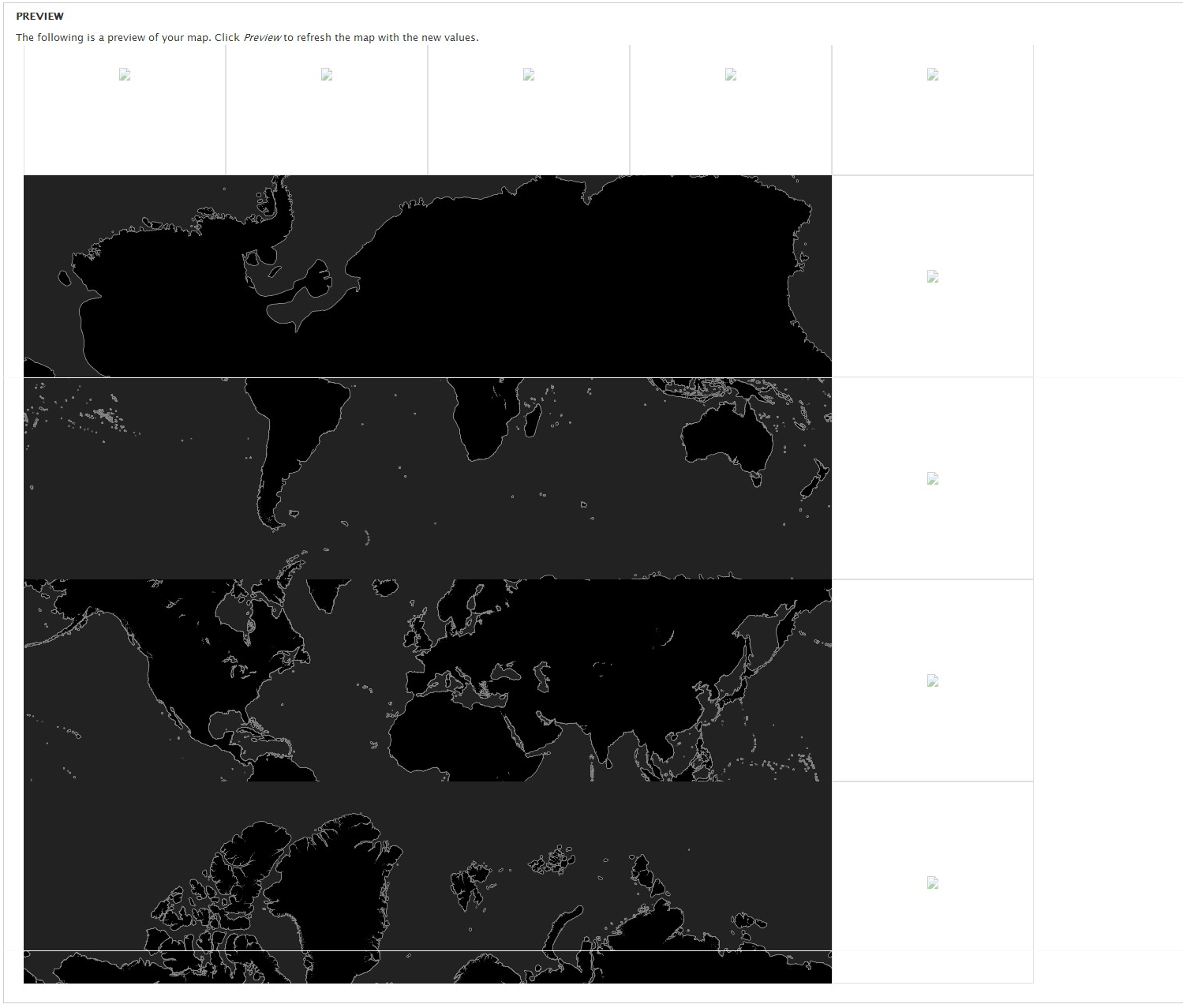
skchan2 commentedI attached two images, one for the openlayers settings and one for the mapbox layers setting.
I also have this issue:
"Not suggested compatible version. Though you are very welcome to use whatever version of the OpenLayers library you want, it is suggested that you use version 2.12. You are currently not using that version or we are unable to determine which version you are using. Update your library settings at OpenLayers settings."
Even though the external library is pointing to the correct 2.12 version.
Thanks for your help.
Comment #3
augustus.kling commentedI'm sorry but this layer configuration works perfectly for me.
Comment #4
skchan2 commentedweird, other maps work, only the mapbox maps have an issue with being misaligned.
tried changing the layer to be xyz and using the following base urls:
//a.tiles.mapbox.com/v1/mapbox.world-black/${z}/${x}/${y}.png
//b.tiles.mapbox.com/v1/mapbox.world-black/${z}/${x}/${y}.png
//c.tiles.mapbox.com/v1/mapbox.world-black/${z}/${x}/${y}.png
//d.tiles.mapbox.com/v1/mapbox.world-black/${z}/${x}/${y}.png
The map tiles shows but is still off on the Y axis
Comment #5
skchan2 commentedtried removing the module files, clearing cache and reinstalling, but all the mapbox baselayers are still not showing correctly.
it did seem to fix the issue with detecting the 2.12 release
Comment #6
skchan2 commentedAnyone have any idea whats going on?
Comment #7
polI just tried with a custom mapbox map, it works pretty good.
Could you export the settings of your layer ?
Thanks
Comment #8
skchan2 commentedThis is what exported for MapBox World Black
Comment #9
polDo you still have the old Mapbox module enabled ?
Comment #10
skchan2 commentedno, i disabled the module cause it was causing an error starting with beta4.
i disabled and removed the mapbox module.
Comment #11
polBefore going further, could you try to test your mapbox layer on simplytest.me ?
Choose OpenLayers, the right version, then it will provide a Drupal Sandbox for 30 minutes.
Try to create your map, with your mapbox layer and see if it makes also an error.
Comment #12
skchan2 commentedi get this when i try to edit a map
Exception: Projection 900913 lacks an authority code. Read http://drupal.org/node/1944074 for hints. in openlayers_get_projection_by_identifier() (line 996 of /home/s4bf8be4935233c1/www/sites/default/modules/openlayers/openlayers.module).Comment #13
polPlease, take the time to read: #1331410: Better Handling of Projections.
Comment #14
skchan2 commentedthanks for your help, i think i fixed it.
had to disable module --> uninstall --> clear cache --> reinstall
the mapbox maps seem to work now (although it still seems to pull broken image tiles but since i lock the map, the broken image tiles don't bother me)
attached is a screenshot