

Closed (cannot reproduce)
Project:
Webform
Version:
7.x-4.0-alpha6
Component:
Documentation
Priority:
Normal
Category:
Support request
Assigned:
Unassigned
Reporter:
Created:
8 Apr 2013 at 07:44 UTC
Updated:
3 Aug 2013 at 20:33 UTC
Jump to comment: Most recent file



Comments
Comment #1
luthien commentedTry to use the webform_conditional module, it does what you need.
Comment #2
quicksketchI'm assuming you've set up a conditional rule already for this field? Could you screenshot the contents of the conditionals tab and post it here?
@luthien: Webform 4.x has Webform conditional built-in, which is what I think @jramby is referring to.
Comment #3
luthien commentedops, I was talking about the wrong version, 7.x-3.18. Which one do you recommend for a production web site: 4.x or 3.x?
Comment #4
jramby commentedThanks for your answer. This is the printscreen you asked for :
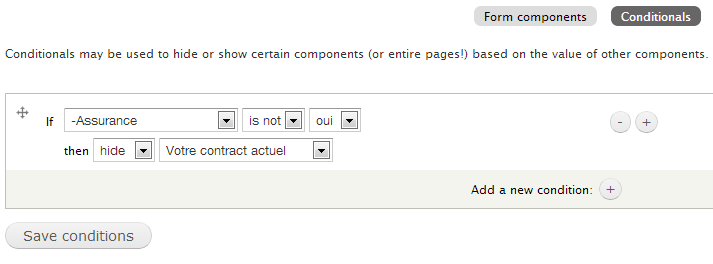
The fieldset real title is : "votre contract actuel" as you can see in the conditional form.
Cheers,
jramby
Comment #5
quicksketchThere's a note about this on the project page under the 'Obligatory "Which version should I choose" Notice' headline. ;)
Is this a select list, checkboxes, or radio buttons? I'm having trouble reproducing any problem. I've tried both a select list and a set of radio buttons that hide a fieldset with the same rule that you're using, but the fieldset hides by default like it should until I select the "yes" option.
Comment #6
jramby commentedHuh? that sounds very strange. "Assurance" is a radio button. Maybe the problem comes from another module... I'm going to try installing webform on a fresh drupal and gonna try to reproduce this...
Could it be a problem from colorbox ?, I think not, I'm showing my webform in a lightbox (colorbox)... I made each webform enabled as block, and shows each one in lightbox on a one and same page. The containing region is displayed none.
I also have a module uniform enabled... could it be from it.
I'll try installing without any other module first and I'll tell you. Thanks for you time.
Cheers,
Comment #7
jramby commentedI see now the source of the problem... When the webform is availed to be displayed in a block, the conditional properties disappears on this webform block.
Is there any possible fix of this?
Thanks for your answer.
Cheers,
Jonathan
Comment #8
jramby commentedOther thing, if the webform conditions aren't triggered if it is shown elswere than on its own page (Example: if node/1 is a webform, its conditional properties won't work apart from within the page "node/1")
Comment #9
mareks commentedI have a fresh D7 install with only minimal number of core modules enabled.
I also have these contrib modules:
* Webform (7.x-4.0-alpha6)
* Webform AJAX (7.x-1.1)
* Colorbox (7.x-2.4)
* Colorbox Node (7.x-2.6)
+ the ones that are required like ctools, libraries etc...
So I created a webform with a conditional field. Works just fine on a normal page.
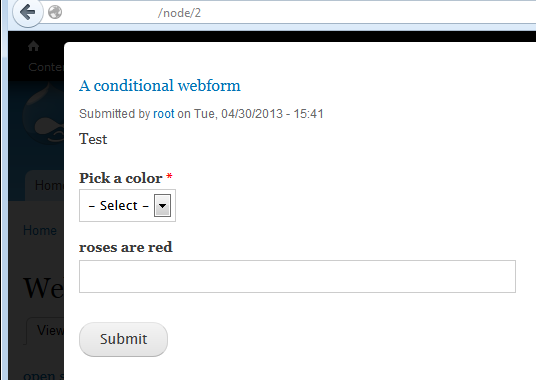
However, when I open that webform in a colorbox window then the conditional field is always shown.
Am I missing something or is it just not meant to work in the overlay modal window (colorbox).
I have not tried it with Lightbox yet but I have a feeling that it won't make any difference.
Any ideas? Thanks,
Comment #10
quicksketchHi guys, thanks for the updates. My guess is that the webform.js file isn't being added to the page. Although it's set up to be added correctly in the webform.module file... it's my best guess as to the source of the problem. @jramby: Are you using anything special to place your block on the page? Is it just using the normal block UI, or something like Display Suite or Panels?
@mareks, I'm guessing the same problem would apply in your situation, but I don't like to get into supporting Colorbox/Lightbox/etc.
Comment #11
jramby commentedI've allready tried to install webform in a fresh Drupal 7. I've put the webform block on the "sidebar left" with the block UI. I haven't installed something else than webform.
Thanks for your time.
Comment #12
quicksketchHm, I can't reproduce this problem. I set up a new Webform and enabled it as a block. I put it in the left sidebar (sidebar first) of the Bartik theme. Upon viewing the form, conditionals worked properly, including hiding a field (or fieldset) by default until some condition was met.
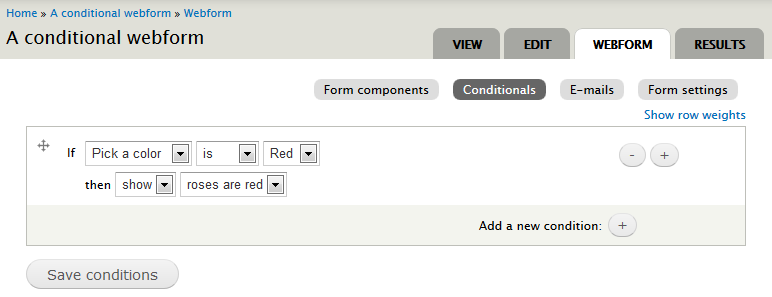
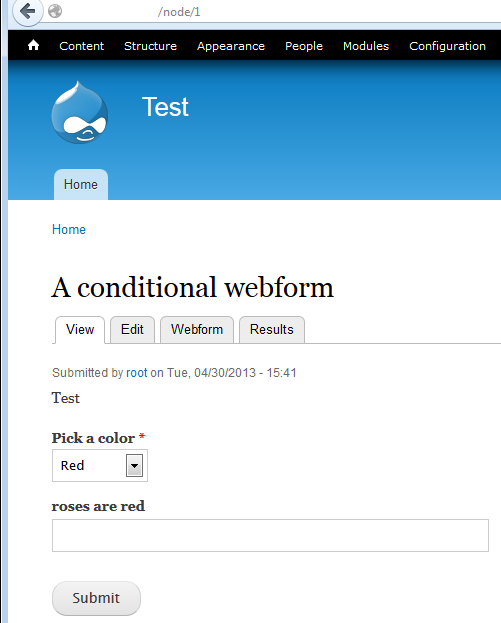
However I did find an issue where if the form was rendered *twice* on the same page (for example if I visited the node page while showing the same form in the sidebar), then only the copy in the sidebar worked. This is because Webform uses IDs to show/hide elements on the page and if the same form is shown twice, all the IDs on the second rendering are not what Webform expects. I made a separate issue for this problem: #2022869: Webforms rendered twice on one page do not work with same-page conditional actions.
For this issue I can't reproduce it, so I'm marking it postponed.
Comment #13
quicksketchClosing after lack of activity. Please reopen if more information can be provided on how to reproduce this issue.