Advanced Forum and Author Pane are installed on my site, hense Author Pane is shown in the comments to forum and to site. Then installed Countries module and added country field to user registration form. Installed Country icon module and in the country choise field added also country flag. In the forum file 'advanced_forum.silver_bells.author-pane.tpl.php ' indicated this field:
<span class="autorflag"><?php if (isset($account->field_country_user['und']))
       print render(field_view_value('user', $account, 'field_country_user', $account->field_country_user['und'][0])); ?></span>
The field is indicated but now I have to indicate a flag too (country icon). How should I change the code to indicate the flag?


Comments
Comment #1
johnvPlease check the formatter options of the field. No need for coding!
Comment #2
funtik44 commentedYes I know it and I did it but nothing changes. In user info this field displaying with icon flag, but in Author Pane displaying without the flag.
Comment #3
Rustan commentedIf your field is called "field_profile_country", do this in your advanced-forum-post.tpl.php:
<?php print render(field_view_field('user', $account, 'field_profile_country', 'teaser')); ?>Comment #4
alan d. commented@Rustan solution is correct (almost).
In D7 the signature is:
where $display is either the display settings (not recommended) or the view mode that uses the correct display with the name and icon. Just make sure that your referenced view mode exists, "full" is the only user bundle view mode defined by core.
If you really want to get your hands dirty, you can call this directly, but as an internal API, it may change without notice:
Comment #6
roball commentedI have installed the modules Countries 7.x-2.1, Country Icons 7.x-2.0-beta1 and (Country Icons) Shiny iconset 7.x-2.x-dev.
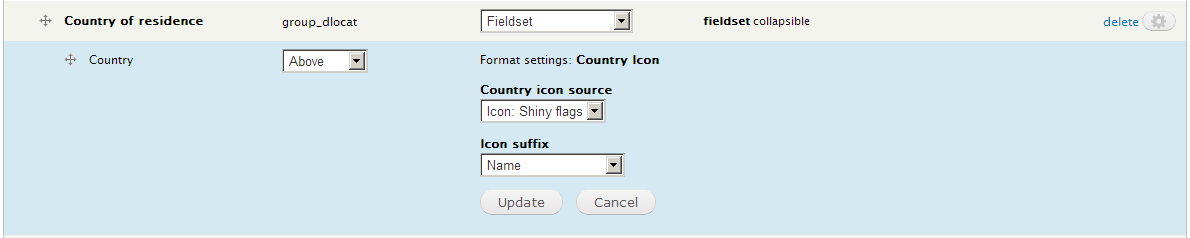
In a Profile 2 profile, I have added a field of type Country with the widget Select list. Under the Manage display tab, I have selected the Country Icon formatter. However, this resulted in displaying the message "Missing icon or spirte plugin" next to it.
Can you please give instructions on how to display a country with its icon?
Thanks.
Comment #7
alan d. commentedHi Rob, this sounds like a bug. I can have a play in the next couple of days to see if I can replicate.
As an aside, it is best to open a new issue rather than reopening old ones unless they are directly related :)
Comment #8
roball commentedHi Alan,
thanks for the prompt reply! I have opened a dedicated issue for this probable bug now:
#2050939: "Country Icon" formatter gives error "Missing icon or spirte plugin"
You are right, it's better to discuss the problem there. So I am re-closing this issue.