

Closed (fixed)
Project:
Metatag
Version:
7.x-1.0-beta5
Component:
Code
Priority:
Normal
Category:
Support request
Assigned:
Unassigned
Reporter:
Created:
13 Apr 2013 at 13:30 UTC
Updated:
14 Apr 2013 at 11:25 UTC
Jump to comment: Most recent file



Comments
Comment #1
maxchock commentedhere it show manual entered text "Hello world!!" works.
Comment #2
dave reidI'm not aware of [node:body:text] being a valid token. Are you using the entity tokens module for that?
Note that it looks like your title HTML tag is actually using token replacements just fine...
Comment #3
maxchock commentedHi,
I'm not sure about the [node:body:text], because originally it is suppose to be [node:body:summary] . Yet, you can see the Page title meta tag also show missing even though [node:title]|[site:name] are set in place.
Comment #4
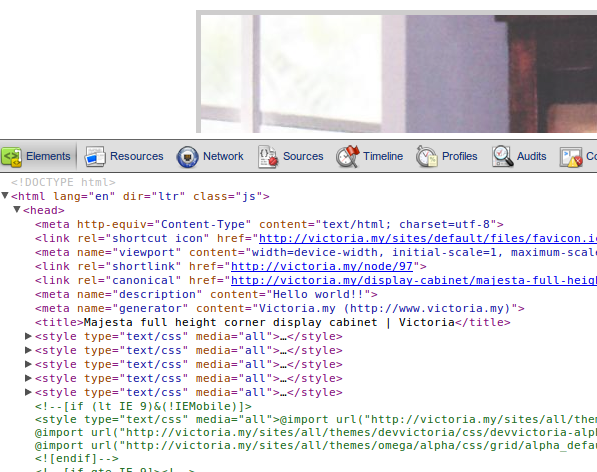
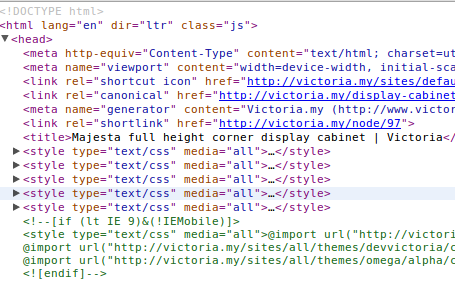
dave reidNo, the page title is there. I can see it right there in your screenshot being output as
<title>Majesta full height corner display cabinet | Victoria</title>which seems to match the pattern of[node:title] | [site:name]Comment #5
damienmckenna@maxchock: I think the solution to your problem is to make sure you have the latest version of Token installed and open the token browser from the link at the bottom of the Meta tags tab.
Also, why do you have Metatags Quick installed too?
Comment #6
maxchock commentedhaha, I just follow the SEO Checklist...
Comment #7
damienmckennaComment #7.0
damienmckennatypo error