

Closed (cannot reproduce)
Project:
CAPTCHA
Version:
7.x-1.0-beta2
Component:
Miscellaneous
Priority:
Normal
Category:
Support request
Assigned:
Unassigned
Reporter:
Created:
19 Apr 2013 at 13:44 UTC
Updated:
13 May 2015 at 20:35 UTC
Jump to comment: Most recent, Most recent file

Comments
Comment #1
soxofaan commentedFrom those symptoms, I would say it's a (page) caching problem.
What cache did you clear?
Comment #2
TravisJohnston commentedCleared all. Used drush cc all and the GUI cache clear provided by the admin menu dev tools mod.
Comment #3
soxofaan commentedJust FYI, cross-linking a maybe related issue: #1874038: drupal captcha always disappear, return when clear performance cache
Comment #4
TravisJohnston commentedThanks @soxofaan
I will check out that post and see if I can apply it to my problem over the weekend and update this one afterwards.
Comment #5
elachlan commentedDid you manage to fix your issue TravisJohnston?
Comment #6
TravisJohnston commentedThis had fallen to the waist side over the last few months because I got so busy with other things. I have been getting a lot of spam emails and comments though on the site so I am going to work on this finally because I am sick of all these emails. Will work on this tonight but won't have a response until Friday.
Thank you for reminding me!
Comment #7
dibyadel commentedI failed to save captcha parameter . Is there any conflicting module which can prevent administrator to configure CAPTCHA?
Comment #8
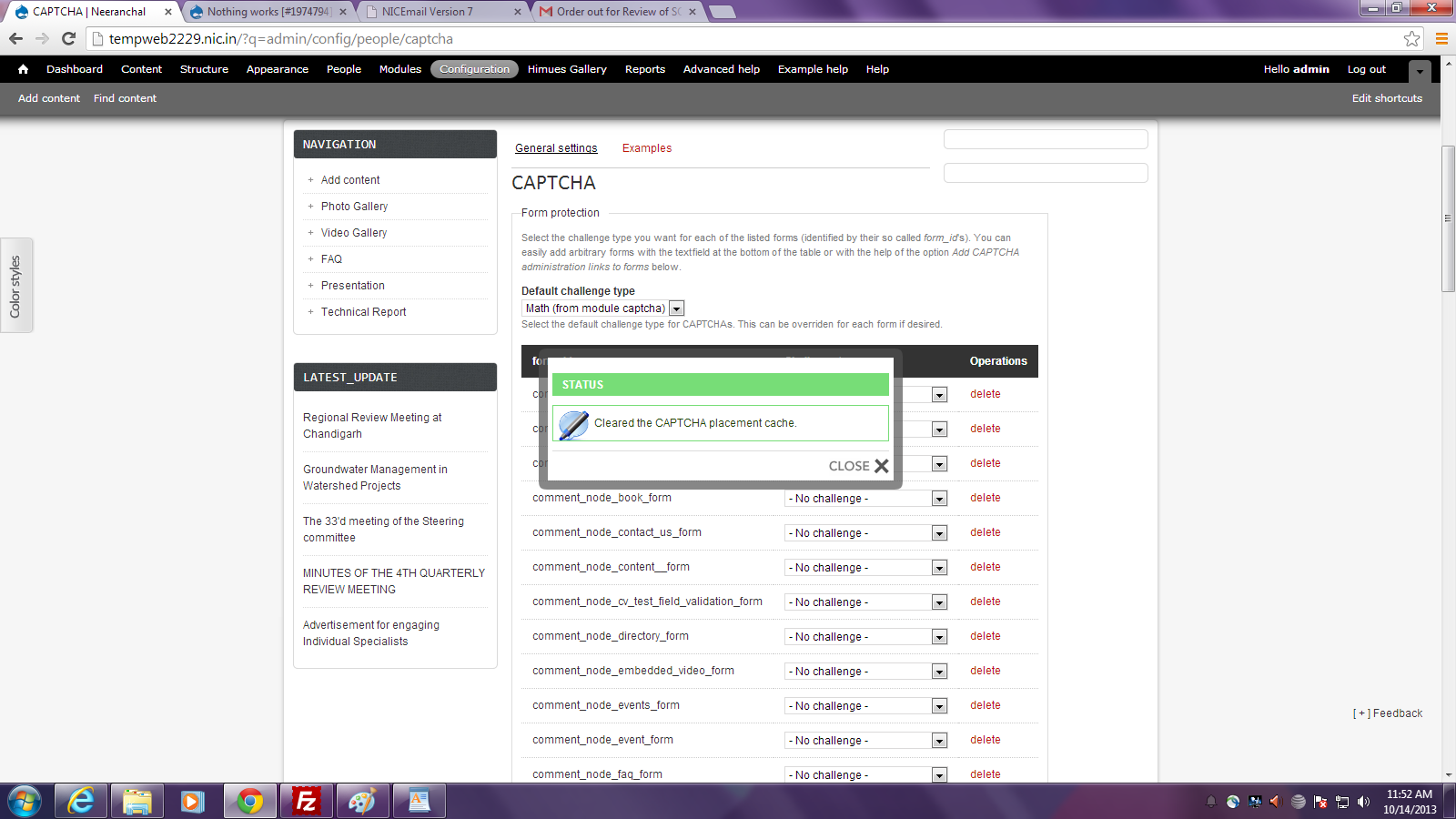
dibyadel commentedThe general settings failed to save instead it give an status report viz. "Cleared the CAPTCHA placement cache." The screen shot enclosed.
Comment #9
dibyadel commentedI created a different module folder and it worked. So it seem that there must be some conflicting modules which prevent Captcha to work properly.
Comment #10
hass commented