When I go to `admin/config/media/image-styles/edit/medium`, I get this error:
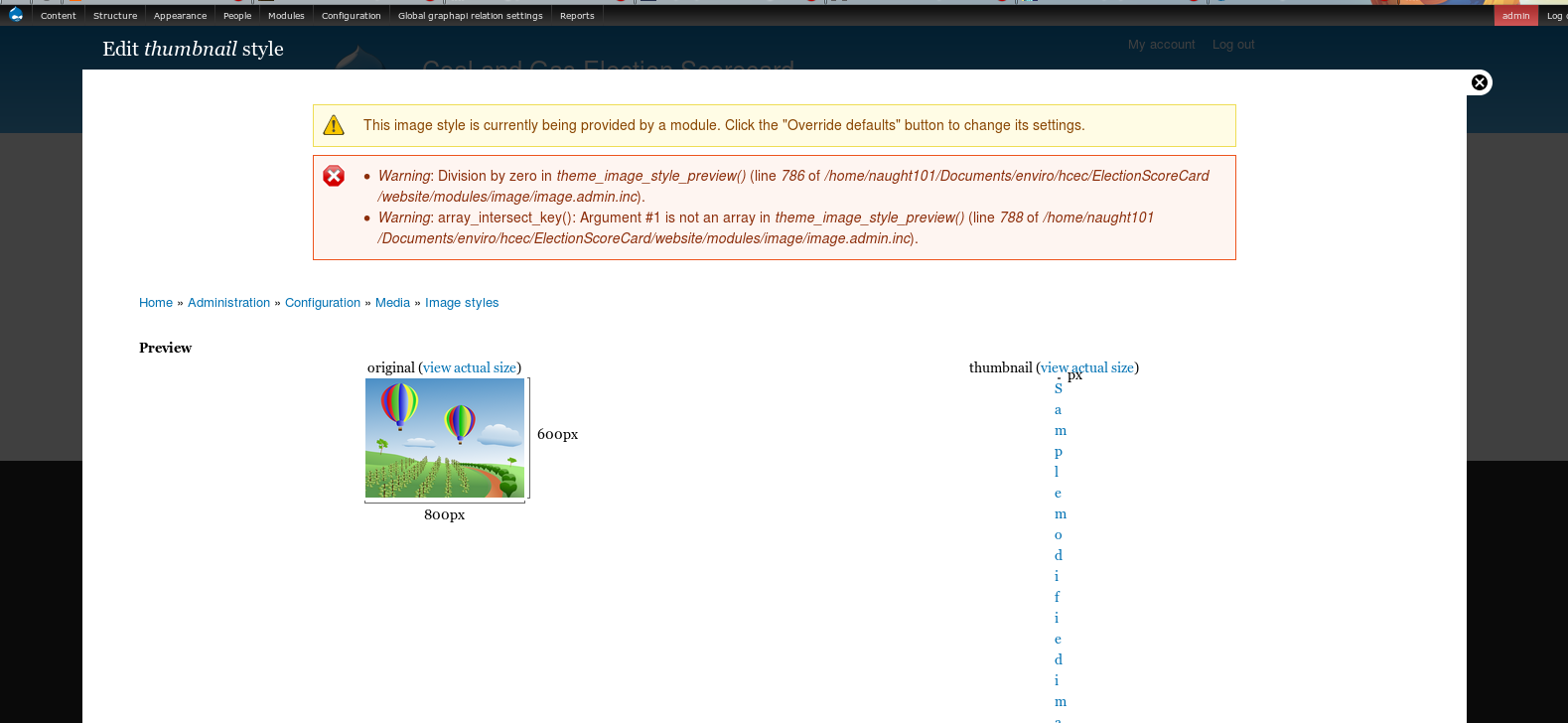
    Warning: Division by zero in theme_image_style_preview() (line 786 of /home/naught101/Documents/enviro/hcec/ElectionScoreCard/website/modules/image/image.admin.inc).
    Warning: array_intersect_key(): Argument #1 is not an array in theme_image_style_preview() (line 788 of /home/naught101/Documents/enviro/hcec/ElectionScoreCard/website/modules/image/image.admin.inc).
This happens for all the default styles.
I'm running drupal 7.x-1.x (git, up to date as of a few minutes ago) with no image related modules (modules available installed are `admin_menu, ctools, devel, entity, fivestar, geophp, markup, openlayers_field, proj4js, relation, token, views_hacks, coder, date, efq_views, field_collection, geofield, libraries, openlayers, pathauto, rate, relation_add, views, votingapi`). Drupal is running on kubuntu raring. Relevant parts of status report:
Drupal                                    7.23-dev
Install profile                           Minimal (minimal-7.23-dev)
CTools CSS Cache                          Exists
Database system                           MySQL, MariaDB, or equivalent
Database system version                   5.5.31-0ubuntu0.13.04.1
GD library rotate and desaturate effects  2.0
PHP                                       5.4.9-4ubuntu2 (more information)
PHP extensions                            Enabled
PHP memory limit                          256M
Web server                                Apache/2.2.22 (Ubuntu)


Comments
Comment #1
donutdan4114 commentedDo you have a sample.png file in your image module folder? If that file is not there, or has non-read permissions, the division by zero error will occur.
Comment #2
donutdan4114 commentedI'm going to mark that as fixed unless you can reproduce this with the sample.png file existing.
Comment #3
naught101 commentedThe image is there:
It even shows on the page:
I have even tried
chmod a+rwx modules/image/sample.png, and that doesn't work either. Permissions are clearly not the problem. Also, the image reads fine (in the browser and in gwenview), so it's not broken.git statusshows no changes except added modules in sites/all/modules.I understand that this is probably a set-up problem, and I'm thinking that it's because I moved to raring, but I don't really know where to start looking for the root cause.
Comment #4
johncs commentedI have this same problem in 7.22
Here is my research:
I added some debugging code to drupal/modules/image/image.admin.inc
I discovered the file does not exist, and line 783 is executed.
I used strace on Apache:
[code]
strace -f -e trace=file -o /tmp/trace-httpd $(ps xa | awk '/httpd/ {print "-p " $1}')
I grepped the trace and located sample.png
Comment #5
donutdan4114 commentedWhat are your permissions for the default/files directory?
For the image style to be created, Apache needs to be able to create directories and save images in there.
Comment #6
naught101 commentedYep, that was the problem in my case, thanks donutdan4114. Not sure whether this should be closed, because it's my fault that the permissions were screwed, or left open because the error message isn't very intuitive...
Comment #7
donutdan4114 commentedI agree, the error message isn't clear.
However, to have a specific error message for every type of thing, like missing image, bad folder permission, bad file permission, etc... I think all places on the site assume folder/file permissions are set properly.
In fact, if you had checked /admin/config/media/file-system, it probably would have shown an error relating to your public folder permissions. Not sure.
Comment #8
naught101 commentedHurr. Been here before. Stupid. #873838: theme_image_style_preview() and image_requirements() should check whether style directories are writable.
Comment #8.0
naught101 commentedUpdated issue summary.
Comment #9
skribbz14 commentedSetting "sites/default/files/styles" permissions to 775 fixed the issue for me. Thanks naught101.