I kindly need help on an issue I’ve been stuck-with and unable to solve for several weeks.
With’Drupal7’, I put together a query-portal using ‘webform’ to make inputs for a database. Here’s the scenario; Assuming I have a webform with the following input fields:
Name (Textfield)
Gender (Select-field [male, female])
Grade (Select-field [plat1, plat2, plat3, plat4, plat5, bron1, bron2, bron3])
After keying-in data for 53 persons, how do I generate a report using ‘views’ to list-out all the AVAILABLE options of the ‘Grade’ field and its corresponding number of male/female in each option. i.e:
Grade Male Female
plat1 5 3
plat2 3 2
plat3 0 4
plat4 12 6
plat5 2 1
bron1 0 0
bron2 7 4
bron3 2 2
Total 31 22


Comments
Comment #1
ravi.kumar88 commentedPlease follow the steps to solve this issue.
1. As you know webform values are not shown in the view so we need to install mysql views,data and schema modules.
Please follow the procedure as described in the post http://drupal.org/node/1658784.
2. By following the steps in you will be able to create a view in database named as webform_views__.
3. But as you want to group and show the count of males and females in each grade, you need to use Global:PHP by view_php module.
4. So Create a new view and under advanced settings add relationship as Webform views : Sid
5. Now add first field as Webform views : Grade
6. Add second field as Global:PHP and under the output code we need write the following code to get the count of the no of males in the particular grade
Note:If in the page you get multiple rows with same result then you need to select the Distinct->Pure Distinct under the Advanced->Query settings.
7. Similarly add anothe Global:PHP field and get the count of females also.
8. Finally add attachment to get the last row of total count and in attachment also get the total count of male and female using Global:PHP field.Sample code to get the total count of male is as follows:
Comment #2
eeakpabio commentedThanks for the assistance, I really appreciate.
While following your instructions and succeeded up to instruction number 4, i encountered an issue i believe is a prerequisite in being sorted before i can continue;
The issue is that my view randomly generates and displays values for all 53 persons like this:
SID Grade Gender
1 plat5 male
2 plat5 male
3 plat3 male
4 bron3 male
5 bron2 female
6 bron2 male
7 plat3 male
8 plat4 female
9 bron1 female
10 plat1 male
11 plat1 male
. . .
. . .
. . .
52 bron2 male
53 bron1 female
'SID' refers to the submission id
How do I generate a view that will only list out all the options of the grade (as listed in the select-field without repetition) in the first column - whether or not an option has been selected for a person, and a corresponding number of males & females for each option - on the second & third column respectively, instead of the above display that i currently have?.
I currently use PHP Version 5.2.9-1 & MySQL Version 5.1.32
Thanks in anticipation
Comment #3
ravi.kumar88 commentedHi,
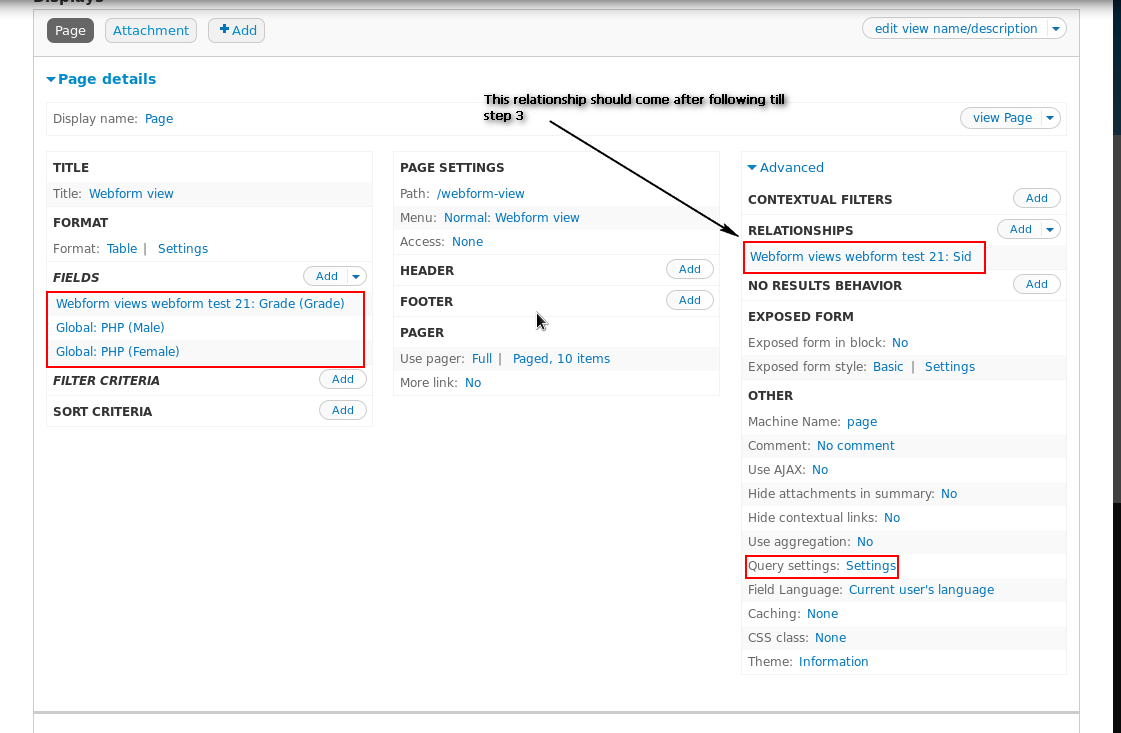
I think you are missing on the query settings under the "advance" option.You have to select both the Distinct and Pure distinct under the query settings.Also please check the view settings in the screen shot.Please check the highlighted settings.
Thanks
Comment #4
eeakpabio commentedThank you very much, am happy you desire to see me succeed with this. Apparently, it looks like am the one not explaining my issues properly; as I should have also properly explained a sample view of what I desire to have.
To better explain my issue, I created an entirely new project and a new webform, and so far, I've keyed-in data for only nine persons. However, the 'Grade' select-field has sixteen options (plat1, plat2, plat3, plat4, plat5, plat6, plat7, plat8, bron1, bron2, bron3, bron4, bron5, bron6, bron7, bron8), while the 'Gender' select-field has two options (male, female). The display I currently have is displaying report for the 9 submissions with the sid coming up as a default display:
SID Grade Gender
1 plat5 male
2 plat5 male
3 plat3 male
4 bron3 male
5 bron2 female
6 bron2 male
7 plat3 male
8 plat4 female
9 bron1 female
But below is how I want my generated display to look like (of which am having difficulties with):
Grade Male Female
plat1 0 0
plat2 0 0
plat3 2 0
plat4 0 1
plat5 2 0
plat6 0 0
plat7 0 0
plat8 0 0
bron1 0 1
bron2 1 1
bron3 1 0
bron4 0 0
bron5 0 0
bron6 0 0
bron7 0 0
bron8 0 0
Total 6 3
First and foremost, I want it to List out ALL the options of the 'Grade' select-field (16 of them); whether or not data has been keyed-in against an option. If i can get it to do this, i believe the next step of my using Global:PHP to separate the number of females from the males as well as to have totals, will go easier.
Currently, when I add the Grade as a field, it displays ONLY selected grade-options of a keyed-in data (instead of listing all 16 grade-options) inline the submission id of the 9 persons, and their corresponding gender-option.
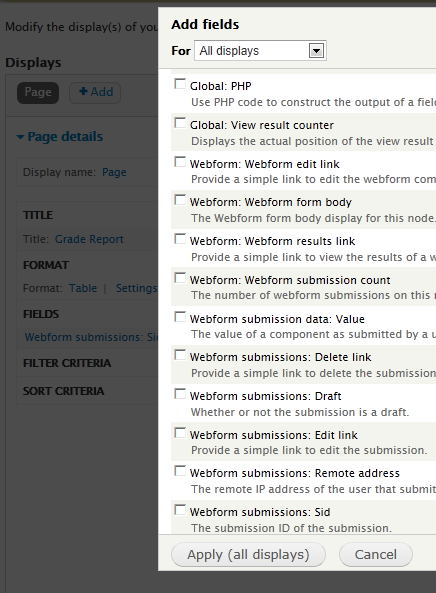
I guess its also important to mention and show the view's 'Show' options, the 'add relationships' options and the 'add field' options (as attached), that are currently displaying to me.
Thanks for an anticipated help!
Comment #5
Mołot commentedSo, basically, you need to change inner join to outer join. Maybe that will help you in searching docs. I don't quite know how to do it using modules you have, so that's all I can give you now. Hopefully ravi.kumar88 will be able to provide further assistance to you.
Comment #6
eeakpabio commentedHelp!
Comment #7
eeakpabio commentedWondering if this is possible at all!
Is there anyone who knows how to get this done?
Comment #8
mustanggb commented