

Closed (fixed)
Project:
Google Chat
Version:
7.x-1.x-dev
Component:
Miscellaneous
Priority:
Normal
Category:
Feature request
Assigned:
Unassigned
Reporter:
Created:
2 May 2013 at 14:25 UTC
Updated:
1 Aug 2013 at 06:50 UTC
Jump to comment: Most recent file


Comments
Comment #1
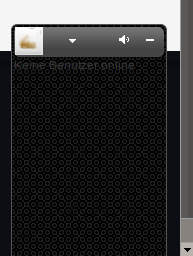
ankitchauhan commentedcurrently you can minimize chat panel cliking on - sign next to sound icon. The state of chat panel has been managed by session cookie. So until unless browser is closed, the state of chat panel is managed automatically.
Comment #2
fraweg commentedHello ankit,
thanks for your feadback and awesome support!
Yes, ive seen that. This is not a "must have" but a "nice to have" feature request. :-) . If I have a site, maybe the people don't want to click on the minimize-button first. They want to have a look on the site befor they do something like chat or minimize the chat. And they have to minimize every first log in. It would great if the admin can choose it.
Best regards
Frank
Comment #3
ankitchauhan commentedadding this feature to next release
Comment #4
fraweg commentedHello ankit,
thnaks a lot for your awesome support!
Best regards
Frank
Comment #5
ankitchauhan commentedTry beta12. I added this feature in this release. If it works, mark this issue fixed.
regards
Comment #6
fraweg commentedHello ankit,
the chat is closed now, but not complete as you can see it in the screenshot. The "chat (0)" message is still shown.
Best regards an many thanks for you great work!
Frank
Comment #7
ankitchauhan commentedyuup, chat(X) is the counting of online user in chat, because chat is by default is minimized after login so it is necessary to show the count as I think.
Let's have the feedback from other users as well, if it looks awkard then I'll removed this count.
Comment #8
fraweg commentedHello,
maybe it is better to move the count on another place like the screenshot to make the non active chat smaler..
Best regards
Frank
Comment #9
ankitchauhan commented