

Closed (fixed)
Project:
Backup and Migrate
Version:
7.x-2.x-dev
Component:
User interface
Priority:
Normal
Category:
Task
Assigned:
Unassigned
Reporter:
Created:
19 May 2013 at 18:08 UTC
Updated:
28 Nov 2025 at 10:54 UTC
Jump to comment: Most recent, Most recent file

Comments
Comment #1
colinstables commentedComment #2
invisibleink commentedI had the same issue on a bitnami drupal stack site, where the unix socket file is defined in settings.php.
Fixed by making a sym link from the default location (/tmp/mysql.sock) to the one defined in settings.php
Maybe backup_migrate is not checking for the non-standard socket file location in the databases array?
By the way, this is an indespensible and highly-loved module! We all sleep better because of your work. Thanks!
Comment #3
zmove commentedSame issue here.
The 2.5 version works, the 2.7 doesn't. So I think it's a backup and migrate issue only.
Regards,
Alex
Comment #4
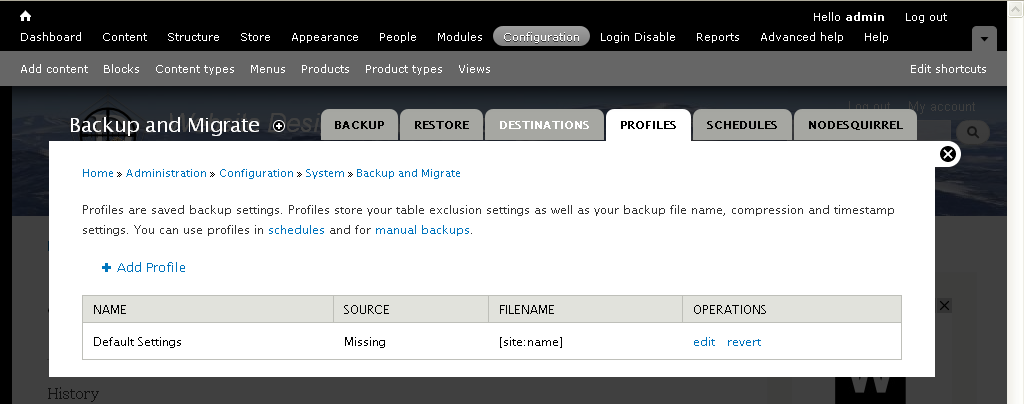
ronan commentedI'm consolidating the missing db issues in 2.7 to this issue: #1999410: Could not run backup because the source 'db' is missing.. There's a patch there to try out.
Thanks
Comment #5
colinstables commentedThanks for all your comments i fixed the problem and for all those who have the same problem here is what i did.
1. Make sure you have an download from your control panel the data base PHPMyAdmin or an old data base from Backup and Migrate.
2. Download sites folder from your drupal installation
3. Delete data base and drupal installation
4. Install new database and drupal installation
5. Check that source 'db' is NOT missing
6. Restore data base
7. Upload sites folder
That's it should now have Fixed the problem have fun
Regards,
Colin
Comment #7
ivnish