

Closed (works as designed)
Project:
Administration menu
Version:
7.x-3.x-dev
Component:
User interface
Priority:
Normal
Category:
Support request
Assigned:
Unassigned
Reporter:
Created:
20 May 2013 at 09:38 UTC
Updated:
18 Jan 2014 at 11:19 UTC
Jump to comment: Most recent




Comments
Comment #1
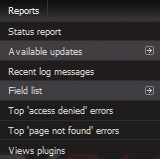
christopher james francis rodgers commentedThe easiest way to improve the legibility
is to 'zoom'-in.
With systems running windows:
Hold down the 'Ctrl' keyboard key,
and spin the mouse wheel up to increase size,
and spin the mouse wheel down to decrease size.
Or;
Hold down the 'Ctrl' button,
and press one of the '+' keyboard keys to increase size,
and press one of the '-' keyboard keys to decrease size.
Or;
With FireFox, click the main-menu choice 'View' >> 'Zoom' >> 'Zoom in' (or 'Zoom out')
Your browser will likely remember and automatically display
the zoom level you last used for each website,
and will use that zoom level for all pages on that site; so...
Note: To reset all of a website's pages back to the default normal size,
hold down the 'Ctrl' button,
and press the '0' (zero) keyboard key.
Or;
With FireFox, click the main-menu choice 'View' >> 'Zoom' >> 'Reset'.
---
You could also adjust the font's color to being 12% brighter,
and make the font 'bold'
by specifying a CSS rule of:
Comment #2
matas.k commentedNo, it would zoom entire page. I solved this by enabling the 'Administration menu Toolbar style'.