
 The 2026 Drupal Business Survey is open. Your response will help shape the future of the Drupal business ecosystem.
Asset Import
Last updated on
30 April 2025
Make sure you have the asset (http://drupal.org/project/asset) module installed and activated, both the “asset” module and the “asset import” module (Administer>Site building>Modules).

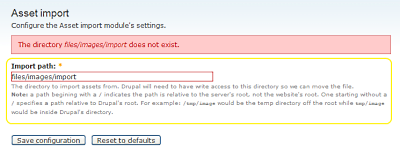
Now go to Administer>Site configuration>Asset import and configure the folder path settings. Then create the folder if it isn’t already. Now upload your files to that folder.
Go to Administer>Content management>Asset import. Select the pictures you want imported, change any captions or copyright fields you want.

Push "import" to import your files. Now you can use these files in your content.

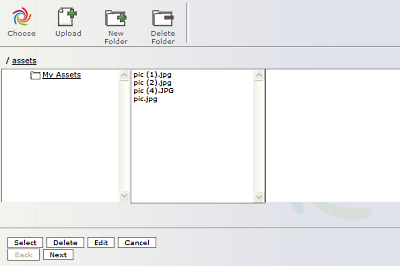
To use your imported files just bring up the asset wizard when creating a content and they’ll be there.
Help improve this page
Page status: Not set
You can:
You can:
- Log in, click Edit, and edit this page
- Log in, click Discuss, update the Page status value, and suggest an improvement
- Log in and create a Documentation issue with your suggestion
