
Asset YouTube
Last updated on
30 April 2025
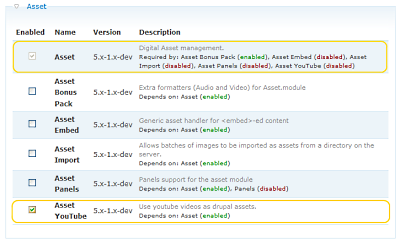
Make sure you have the asset (http://drupal.org/project/asset) module installed and activated, both the “asset” module and the “asset youtube” module (Administer>Site building>Modules).
Now go to Create content>Page or Story and click “Insert asset”.

Then push the “YouTube Embed” button.

Select the folder, the video provider, and insert the embed code from youtube. You can also fill in the title and author, then push next and then finish.

Don’t forget to select the correct input format (see asset handbook page for more info)..

Help improve this page
Page status: Not set
You can:
You can:
- Log in, click Edit, and edit this page
- Log in, click Discuss, update the Page status value, and suggest an improvement
- Log in and create a Documentation issue with your suggestion
