

 The 2026 Drupal Business Survey is open. Your response will help shape the future of the Drupal business ecosystem.
I am on a 5.x site, and have installed both the location module and the gmap module. I have configured the locations module, the gmap areas, and built a gmap macro.
There is a page on our site, where we need a map to show up with the map as it's been configured in those areas. The map shows up when I put the code snipet in from the google map API page. The map displays as I need it to. What does not display is the point on the map. I have searched the documentation and the other postings for how to make this show up, and cannot find what I am looking for. I did find something about making a CCK nodetype and fields, but I can't find a field type that has anything to do with gmaps or maps/locations in general.
We just need to display one point on the map. Where our offices are. Any suggestions?
Thanks, in advance...
| Comment | File | Size | Author |
|---|---|---|---|
| #1 | buildmapmacro_1.png | 418.18 KB | anawillem |
| #1 | buildgmapmacro_2.png | 188.45 KB | anawillem |
| #1 | gmaplocation_1.png | 254.94 KB | anawillem |
| #1 | gmaplocation_2.png | 219.24 KB | anawillem |
| #1 | locations_main.png | 287.46 KB | anawillem |



Comments
Comment #1
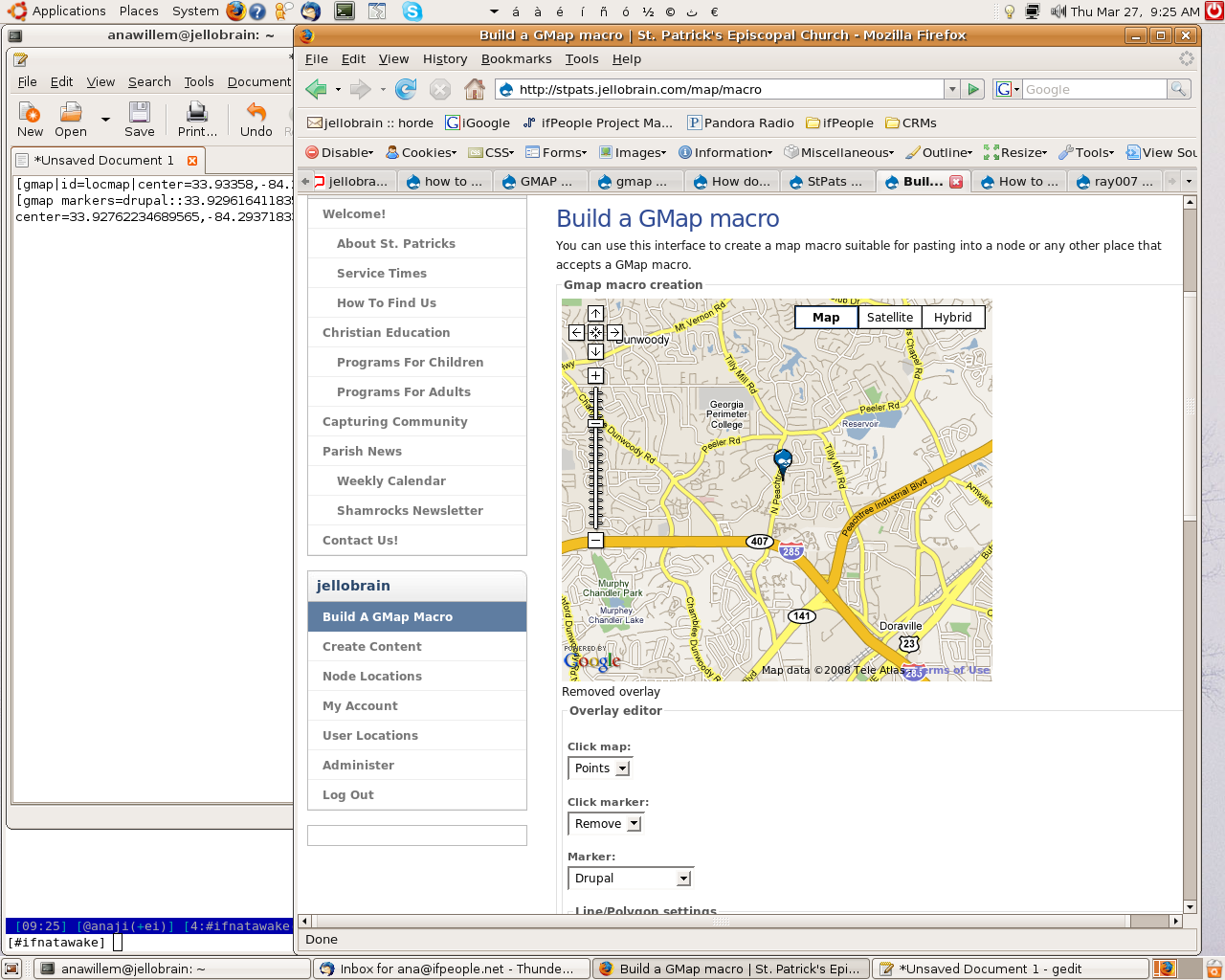
anawillem commentedwhen you see 'find_us' i put that in as a last ditch effort...used to have something like:
[gmap|id=locmap|center=33.93358,-84.294816|zoom=3|width=100%|height=400px]
[gmap markers=drupal::33.92961641183505,-84.29431915283203 |zoom=14 |center=33.92762234689565,-84.2937183380127 |width=450px |height=400px |control=Large |type=Map]
i appreciate the help.
Comment #2
robertguerra commenteddoesn't work anymore for me either.
Comment #3
mcantelon commentedAre all the necessary Javascripts getting included?
v5 version of GMap requires more Javascript includes than the v4.
I ran into this issue.
-Mike
Comment #4
crandell commentedOn my site, the markers don't show up in the www version. They only show up at http://domain.com. Have you tried that?
Comment #5
tom_o_t commentedI suspect that the problem is to do with your input filters.
For the GMap Macro to be turned into a map you have to change your input filter to include the GMap macro filter.
Go to your input formats config page at admin/settings/filters
Click 'configure' next to the input format that will be used for the content where the map is to be included (typically filtered HTML)
Check 'GMap filter' and save
Now when you insert a gmap macro into a page it should automatically turn into the map with your marker.
If this solves your problem please come back to this support request and change the status to closed. Good luck!
Comment #6
jenlamptonMy markers aren't showing either, and I'm not using a macro. I'm printing my_theme_node_map_maker() directly into $vars['content'] and the map shows correctly, but no marker. The only documentation I could find on how to programmatically print a marker on a map was from this post How To: Custom Maps on Each Node But I wonder if this syntax is correct...
Comment #7
Mark Linden commentedsame here - have you found the fix?
Comment #8
pbarnett commentedWhich browser are people having problems with?
I found that though the maps were fine in FireFox, the markers didn't show up until I modified page.tpl.php to include
in the page header.
See http://mongolia.charityrallies.org/en/cr_maps_routes
Pete.
Comment #9
Mark Linden commentedRunning 5.7 with the latest GMap beta.
XP all browsers = markers present
Mac Safari = markers present
Mac Firefox = map only, no markers (note: recent log entry of "undefined/markers")
Mac Firefox without www in url = markers present
Comment #10
bdragon commented@ #9: You sure mac firefox wasn't caching? http://drupal.org/cvs?commit=116996 should have fixed domain specific issues for good...
Comment #11
Mark Linden commentedcould certainly have been a case of ff caching.....although I started seeing markers again (at the www level) only after deleting and reinstalling the GMAP module. Maybe left-over code from previously installing & subsequent uninstalling of the Dev & Add-on's modules?
Comment #12
shenzhuxi commentedI use Drupal 5.8 and 5.7, gmap beta2, latest location and view. I can use gmap for latitude and longitude. But no markers showed on gmap view.
see hotopeople.com/?q=map/node
I can't add markers, draw lines on the "Build a GMap macro" too.
see http://hotopeople.com/?q=map/macro
However, I embedded a macro in the content for test. Lines and polygons can be display but not markers.
see http://hotopeople.com/?q=node/1
Comment #13
gagarine commentedI use location and gmap. I display map with contemplate http://drupal.org/node/177963#comment-853158 After the update the marker are not any more displaying.
Comment #14
summit commentedSubscribing, greetings, Martijn
Comment #15
pbarnett commentedMarkers, custom markers, lines and rollovers all working fine using 5.x-1.x-dev and a few lines of custom code...
See http://mongolia.charityrallies.org/en/teams/blogs for a map of SMS blogs!
Pete.
Comment #16
shenzhuxi commented"a few lines of custom code" is what needed for close this bug. Can you post them?
Comment #17
pbarnett commentedHi.
This is the code I'm using on http://mongolia.charityrallies.org/en/teams/blogs using GMap 5.x-1.x-dev :-
Comment #18
shenzhuxi commentedFinally, I got it.
Gmap 5.x-1.x-dev create a file markerdata.js at yourdomain/?q=map/markerdata.js. But the module assume that the clean urls is turned on, so ref "yourdomain/map/markerdata.js".
Solution:
If your host doesn't support clean url, change gmap.module line 80 into "drupal_add_js('?q=map/markerdata.js');"
Fixed?!
Comment #19
bdragon commentedIt ain't fixed until the fix is in cvs.
Good catch, I'll have it patched up in a moment..
Comment #20
bdragon commentedok, NOW it's fixed. :P
http://drupal.org/cvs?commit=127697
Comment #21
gagarine commentedYeah i confirme it work like a charme :)
Comment #22
vangorra commentedI'm using 5.x-1.x-dev and none of my markers are showing up. I am creating a gmap array and trying to have that show up. Here it is..
Array
(
[id] => report-map
[maptype] => Map
[width] => 600px
[height] => 500px
[controltype] => Large
[align] => Left
[mtc] => none
[baselayers] => Array
(
[Map] => 1
[Satellite] => 1
[Hybrid] => 1
)
[autozoom] => 1
[latitude] => 21.2990
[longitude] => -157.6990
[behavior] => Array
(
[locpick] =>
[nodrag] =>
[nokeyboard] => 1
[overview] =>
[scale] => 1
)
[markers] => Array
(
[0] => Array
(
[text] => TEXT
[longitude] => 47.5750
[latitude] => -122.3930
[markername] => green
)
[1] => Array
(
[text] => TEXT
[longitude] => 48.1040
[latitude] => -122.7940
[markername] => green
)
[2] => Array
(
[text] => TEXT
[longitude] => 21.2990
[latitude] => -157.6990
[markername] => green
)
)
)
Comment #23
vangorra commentedEEEK! Nevermind, I was being stupid and reversed the lat/lon.. Ignore my post please.
Comment #24
Anonymous (not verified) commentedAutomatically closed -- issue fixed for two weeks with no activity.
Comment #25
alextronic commentedYes sir, this was it!