I want to have a GoogleMap display in each user/profile, but I'm stuck. Here's what I've done so far:
Installed cck_map (http://drupal.org/project/cck_map), edited the User Profile content type - created a new group "My Map" and new field "My Location" using the new cck field type 'Map Location' - see attached image #1 below.
Which also successfully gave me the new edit group in ?q=user/1/bio#fieldgroup_tabs-6 (I'm using tabs for groups ala http://drupal.org/project/cck_fieldgroup_tabs) - see image #2 below.
Then I edited the User Profile panel page content @ ?q=admin/panels/panel-page/userprofile/edit/content - I want the user maps to display in the left-center section (above "My Posts" [renamed from "Topics I've Participated In" std]) so I clicked the "+" icon to add content (new pane) in than panel, and then chose Node context/CCK Group type, then clicked on "Override Title" and entered "My Map" for the pane title - for "Which group:" I chose "My Map (uprofile)" then submit button. ALL THAT DID at least, was successfully produce the new pane - see image #3 below.
HOWEVER, THERE'S NO CONTENT - see image #4 below - showing the pane shows in the profile - BUT NO MAP!
AND HERE'S THE WEIRD THING - I know the map was created and can be viewed by a user with "access content" perm but WITHOUT "access user profiles" perm (my anonymous users). They, evidently, are limited to see just the actual node (bio node?) that's created - but can't see (aren't "re-directed to" via AdvProfile/Panels) the userprofile (node?) - see image #5 below.
In other words, say user/x, created a userprofile (bio node) which was ID'd as node/xx. When an auth'd user with "access content" and "access user profiles" perm is logged in and sees a link to user/x's User Profile post (as in 'Recent posts', ?q=tracker), that link is to ?q=node/xx. But, as a user with "access user profiles" perm, the link redirects him to ?q=user/x - where he DOESN'T see user/x's map as in image #4 below.
HOWEVER - an anonymous user with "access content" perm only (no "access user profiles" perm) clicks on the same ?q=node/xx link, that's exactly where he goes, and sees the actual (bio) node/xx as in image #5 below.
Does that give anyone any clues to this dilemma?
Why doesn't the map show when viewing user/x's profile in the My Map pane/My Location field like it does when viewing node/xx?
Anybody?
Thanks




Comments
Comment #1
rhimes commentedperhaps a clue to those with more insight than me (wouldn't take much),,,,
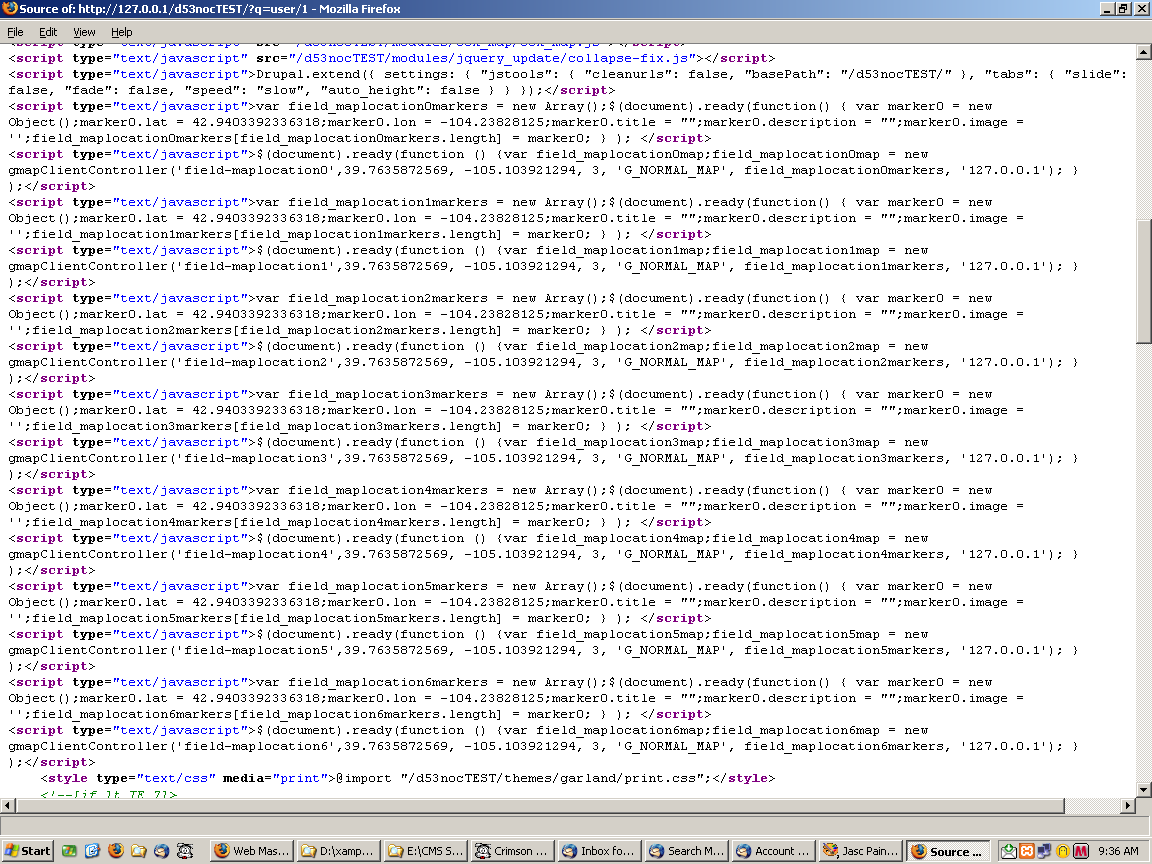
I'm attaching the page sources of both the profile/pane (no map, user/x view as in image 4 above) and the direct bio/node (shows map, node/xx view as in image 5 above)
You'll (help!, whoever!) notice the repeated js loads in user/x page source (7 times), which are there only once (each) in the node/xx source:
Does that help anybody?
Thanks
Comment #2
michelleThis really has nothing to do with advanced profile. You might want to try moving it to the queue of the map module you're using.
Michelle
Comment #3
rhimes commentedwell, before you shrug this issue off so fast - and I'm willing to move/repost it elsewhere - but WHERE may be the real question.
I started it here because I was following your instructions from AdvProfile basic setup, where it says:
"Advprofile can create the profile content type for you.....[and/or]... edit this type to add or remove fields." [and]....
"The default panel page that comes with advanced profile is set up to use the CCK groups ..... You can then replace them .... or adding one CCK group at a time"
That's what I'm attempting to do.. add a CCK field group. It's a "group" that has but one cck field, happens to be a map field. I'm trying to add it to the "panel page that comes with advanced profile".
I was further confident that I could do this because of your post in PanelsGroup, which says:
"If you use the dev version of CCK that has my patch, you can put individual CCK field groups into panes."
(in fact I'd replied to that post which asked "where" I might better post this issue)
Additionally, as I've demonstrated in the orig issue post above, the cck_map field IS CREATED successfully and does display successfully on the actual bio node. So I figured that an issue post at cck_map might very well also receive an "it's not my issue" reply.
So, reasoning that it's AdvProfile that "grabs/glues" the content (groups) from the bio node to display them within it's panel page, I figured here was as good a place as any to post this issue. See my dilemma?
Indeed, I'm baffled as to why/where/what the problem is exactly, only that I cannot successfully add my particular cck field group as a pane to the supplied AdvProfile Panel Page as I thought was possible from the instructions.
Thanks,
Rick
Comment #4
michelleAdvanced profile provides a base panel page for a profile and some bits you can add to it. It's meant as a base to get you started. Further customizations are up to you. I am only one person working on this module for free in my very limited free time around full time care of two young children. I simply don't have the time to help everyone with every possible thing they might want to add to their user profiles. If you can't pin the problem down to a particular module, try the forums.
Michelle
Comment #5
rhimes commentedI'd like to keep this active, if you don't mind Michelle.
As you can see by my posts, I was asking for help from anybody, doesn't have to be you (i.e. "that give anyone any clues", "Anybody", "to those with more insight than me", "You'll (help!, whoever!)" & "Does that help anybody?").
Don't believe I'm really "customizing" - I'm not trying to add a custom pane, but a cck field group pane as per your instructions - so perhaps others are attempting the same thing and may be able to shed some light.
Comment #6
michelleActually, I do mind very much. Setting an issue back to active after the maintainer has set it won't fix is rude. But I don't have time to deal with this or the issue queue right now so whatever. I'll come back and won't fix it when I have time to clean up the queue. For now, I'll just ignore you.
Michelle
Comment #7
michelleCleaning the queue. If you want it active, move it to the appropriate queue.
Michelle
Comment #8
alb commentedfor rhimes
... edited the User Profile content type - created a new group ... and new field ... using the new cck fieldWhich and how module you use for to create user profile?
This because with the default profile.module isn't possible to use cck field; but above you write that you
edit User profile with insertion of a cck field.