

 Come together with the global Drupal community in Rotterdam, 28 Sept – 1 Oct 2026. Sessions, contribution, connection, and Early Bird savings until 8 June.
This has taken me about three hours to figure out, so forgive me.
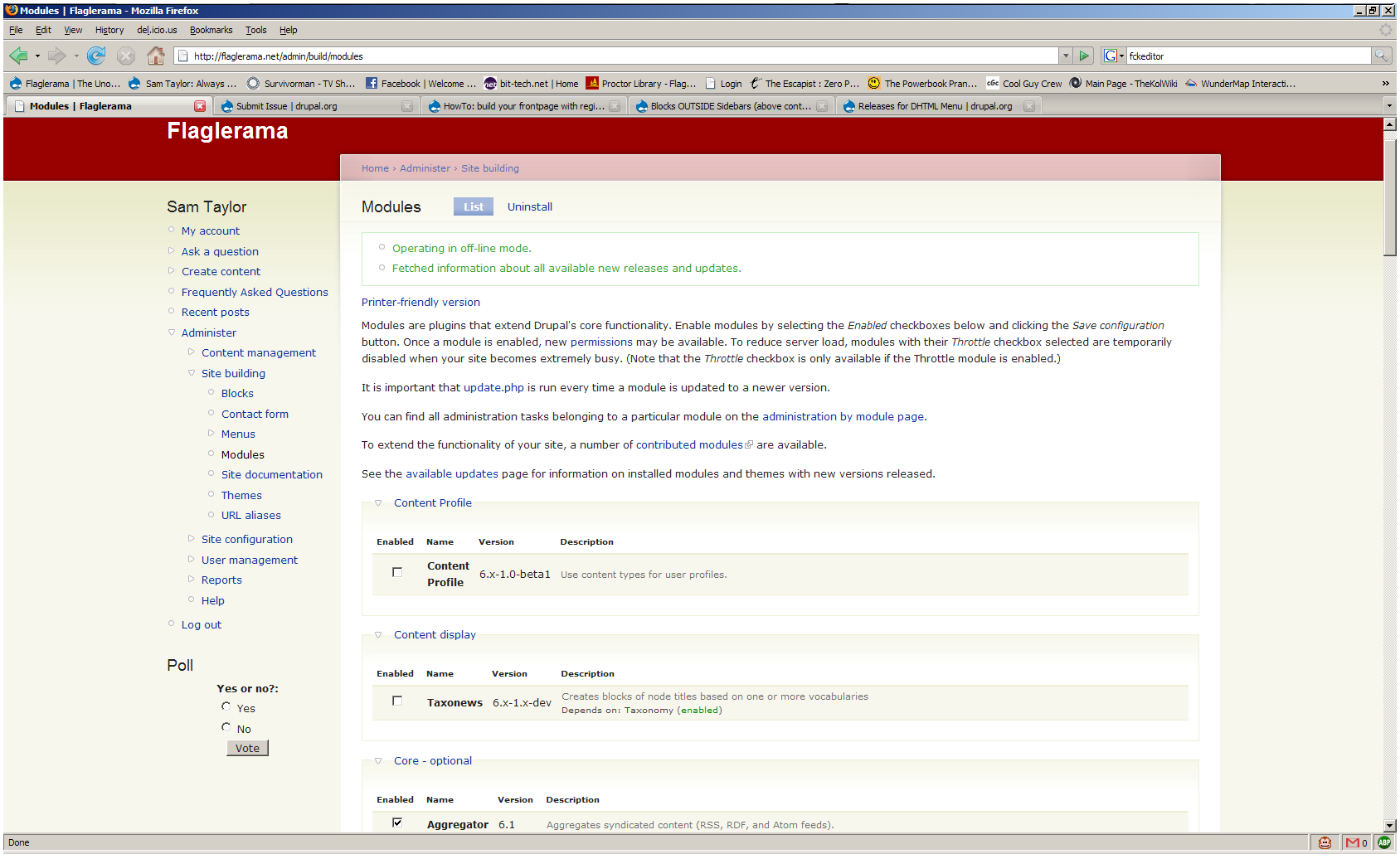
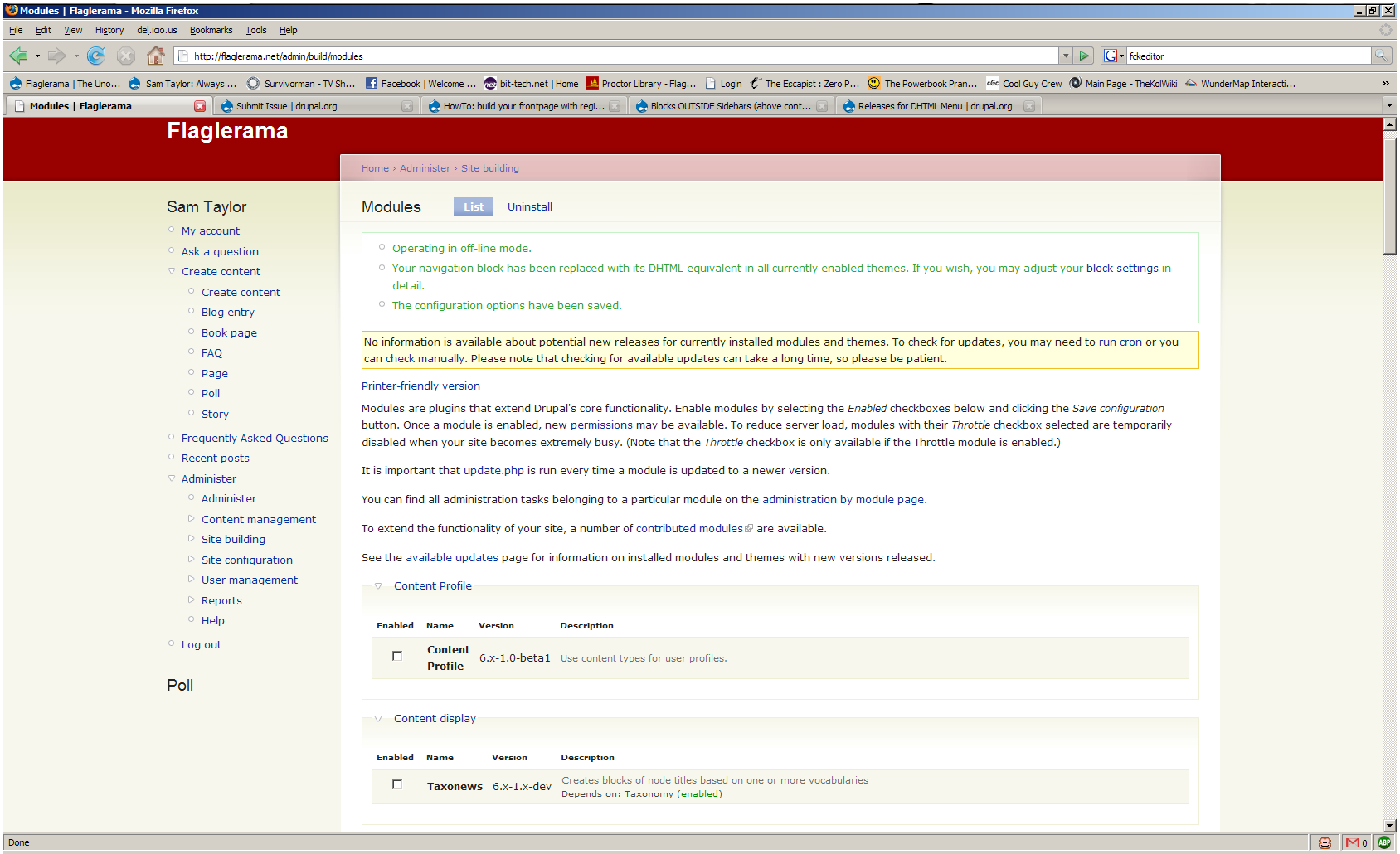
After I upgraded - I think it was from 1.02 - I was, I must admit, very happy with the new ability to use DHTML in any menu. However, I noticed that the other blocks I wanted to display won't do so! The title will show, if I have it enabled, but the contents of the block will not. (Screenshots attached, look at "Poll" on the left sidebar)
I first noticed this with the Book Navigation block (I don't use many blocks and the site is in development) but then noticed it happens with just about every other block except for normal menus.
I used the process of elimination to narrow it down to DHTML Menu, however, I don't know if it's necessarily conflicting with another module or not. I can provide a list of installed and enabled modules if you would like.
| Comment | File | Size | Author |
|---|---|---|---|
| dhtml_off.png | 96.27 KB | samtaylor | |
| dhtml_on.png | 98.74 KB | samtaylor |

Comments
Comment #1
brmassa commentedSam,
im going to check this out. what blocks are getting affected? i need a way to reproduce it.
regards,
massa
Comment #2
samtaylor commentedThe book navigation block, the "most recent poll" block, and a Latest News (list of most recent blog posts) block on my main page.
I have also found another bug on my site which I'm sure was not there before. The only significant changes I have made were using a new theme (Artists C01) and Super Nav (but only for the admin account.)
In this theme, the navigation menu is on the right hand side. For some reason it's different between DHTML and non-DHTML. This is how it looks:
-Link
-Link
-expandable heading
-Link
-expandable heading
-Link
For some reason any heading that can be clicked on and expand with DHTML is either indented or aligned right. With DHTML disabled, all links and headings are aligned left within the block as they're supposed to be.
Thanks for your help.
Comment #3
samtaylor commentedOkay, the formatting did not come through in my previous post, but the "expandable headings" were supposed to be shifted to the right.
Sorry, I just caught that now.
Comment #4
jgossage commentedI am also experiencing this problem. I am in the process of building a new site and I installed DHTML 6x-1.05with Drupal6.2. As soon as I enabled the DHTML module all blocks which needed content such as "Recent Comments" "New Users", "Who's online", as well as the "User Login" block would only display their titles but no content. However the "Search" block did not seem to be affected. When you disable DHTML, everything reverts to normal immediately.
I am running on Ubuntu 8.04 with Apache 2.2.8, PHP 5.2.4 and Firefox 3.0 Beta 5.
Jonathan Gossage
Comment #5
cburschkajgossage, samtaylor: If you have access to CVS, could you please try if the problem still occurs with the current CVS HEAD? I have fixed some potential bugs from the DRUPAL-6--1 branch.
Comment #6
cburschkaThis bug does not exist in 6.x-2.0.
Comment #7
Anonymous (not verified) commentedAutomatically closed -- issue fixed for two weeks with no activity.