

Closed (fixed)
Project:
Page Title
Version:
5.x-2.0-alpha5
Component:
Code
Priority:
Critical
Category:
Bug report
Assigned:
Unassigned
Reporter:
Created:
15 Apr 2008 at 19:05 UTC
Updated:
3 Jun 2008 at 13:36 UTC
Jump to comment: Most recent file


Comments
Comment #1
nicholasthompsonErm... Thats very odd! Are you definately using Alpha5 and not Delta?
Does this happen on, for example, the admin/build/view page?
Comment #2
Witch commentedI am sure that i am using the latest version Alpha5.
It occurs on a story node. On one story node the title is correctly on another one it shows "view".
I will check whether it depends on the title or vocabulary. do you have any ideas?
Comment #3
nicholasthompsonNone whatsoever... What is your token template for the story node type configured as?
Comment #4
Witch commentedi set the default pattern [page-title] | [site-name]
Comment #5
Witch commentedMay it be that there is a correlation between special chars like "? : ; ! etc." and the "View".
It seems to me that the title is wrong given, if some of these chars are inside the title. But i am definately not sure.
Comment #6
nicholasthompsonI'll have to take a look this weekend - I cant see ANY reason why this'd happen!
Comment #7
Witch commenteddid you find any reason why this happens?
Comment #8
nicholasthompsonSorry - had a few REALLY busy weekends (barely had time to sleep).
Let me refresh my memory on this...
So you have Page Title 2-alpha5 installed. You have Tokens. You're running Drupal 5 (which sub-version?)... Have have ONLY the default page title pattern set (?) and it is set to
[page-title] | [site-name]. Every page is picking up the Page Title (ie the in the ) as View, regardless of the page.Could you possibly provide the
_phptemplate_variablesfunction in your template.php?What happens if you change the default template? Does it have any effect?
Comment #9
Witch commentedHi nicolas,
thank you that you try to solve this problem.
-Yes i have only the default pattern set.
- Changing the theme has no effect. The Error with "View" occurs with every theme i tried
- On some story nodes the title is correct given on other it shows "view"
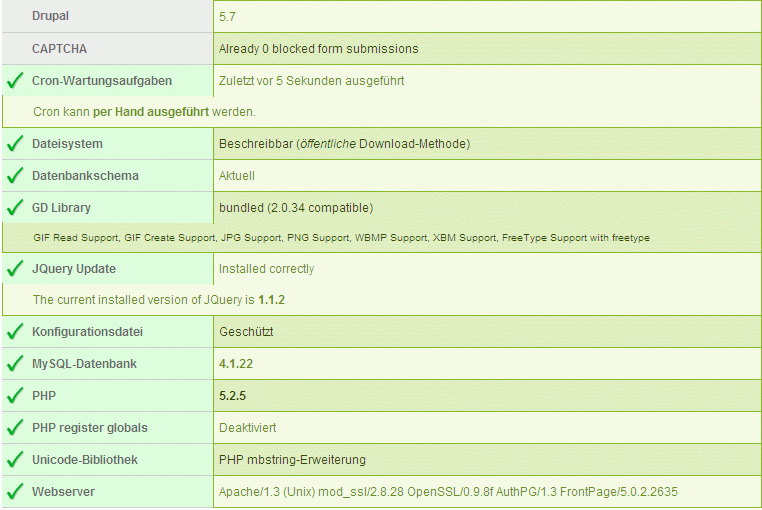
At first i attached my drupal-configuration. The theme i use is Green n Black
These are the modules and version-numbers i inastalled:
Token 5.x-1.10
Panels 5.x-2.0-beta3 (My story nodes are panel pages)
Page Title 5.x-2.0-alpha5
Comment #10
nicholasthompsoncould you provide the
_phptemplate_variablesfunction from your theme's template.php file?Cheers
Comment #11
Witch commentedhere it is
Comment #12
nicholasthompsonSo you dont have a
_phptemplate_variablesfunction?!Unfortunately in Drupal there is no "hook" to allow a module to access the page level variables. This means you need to add an entry to th
_phptemplate_variablesfunction in template.php - but seeing as you dont have you, you need to create one... You should try reading the README.txt. Step 4 instructs on how to add the code to template.php.If you need further help, please reply back to this post.
Comment #13
Anonymous (not verified) commentedAutomatically closed -- issue fixed for two weeks with no activity.
Comment #14
TimeBandit commentedi am having what appears to be the same or very similar issue except with 5.x-1.1.
I have a list view that displays: "node:title", "CCK imageField" and "node:body". Originally i had this setup to only show "node:title" and all was well with the page title tag. However, when i adjusted the list view to add in a "CCK imageField" and "node:body" i noticed the title tag changed. I ditched the CCK from the list to no avail. however when i deleted the node:body from the list the title tag reverted to what it should be.
I can recreate this issue by adding/deleting "node:body: from the fields displayed in this list view. When "node:body" is NOT present the title tag is correctly displaying "[whatever view name i chose] | [site name]", but when "node:body" is present the title tag reads "[title of last item in list] | [site name]"
What is more odd to me is that I have another list view set up, a glossary, which shows the node:title and node:body without causing any issues with the title tag. So it can't be simply the presence of node:body causing the issue. Also, both these views are using the same theme. Template.php contains:
Comment #15
nicholasthompsonThis is actually a different issue completely. Your problem, TimeBandit, is actually due to PageTitle relying on nodeapi with the View operation. When a node if viewed (as it would be if the view includes the full node body I imaging) then its going to change the page title.
Please open a new issue for this if you need further support.