

Closed (works as designed)
Project:
DHTML Menu
Version:
6.x-2.x-dev
Component:
User Interface
Priority:
Normal
Category:
Bug report
Assigned:
Reporter:
Created:
16 Apr 2008 at 23:04 UTC
Updated:
12 Jul 2008 at 00:17 UTC
Jump to comment: Most recent file



Comments
Comment #1
dajul commentedSame issue here. Create content and Administer page works fine, but there are no DHTML: blocks as before.
Drupal 6.2
DHTML Menus 6.x-1.05
Pathauto 6.x-1.x-dev
Taxonomy Menu 6.x-1.0
Token 6.x-1.10
Token actions 6.x-1.10
Comment #2
anthonyp commentedYes, same behavior here
Drupal 6.2
DHTML Menus 6.x-1.05
Comment #3
gringorick commentedSame here.
Drupal 6.2
DHTML Menus 6.x-1.05
Comment #4
brmassa commentedGuys,
i will take a look on this.
regards,
massa
Comment #5
LindenLion commentedSame here with DHTML version 6.x-2.0
Comment #6
FAF commentedStatus?
Same problem here with D6.2 and DHTML 6.*-2.0.
Comment #7
silurius commentedSubscribing (same issue here).
Comment #8
cburschkaI will recreate a test site from scratch and try to duplicate this problem.
Comment #9
cburschkaProblem identified. The checkbox is indeed without effect. The tricky part here is that on a fresh installation, the effect is added by default automatically. So I can't switch it off.
You upgraded an old site, presumably?
I'll have a patch ready in a bit.
Comment #10
cburschkaProblem analyzed further. There is a red herring here, which is that the checkbox does not display changes. That is because the checkbox loads its state from a variable that has a typo in it. The checkbox therefore always shows up as empty.
This should have no effect on what value is actually saved, however. I've fixed the problem I described, but it stands to reason your problem is not yet wholly fixed. Please download the new version and repeat.
Comment #11
cburschkaThis patch fixes the typo.
Comment #12
cburschkaI know it sometimes works. I'll just keep posting comments until the upload gets through.
Comment #13
cburschkaOh BOTHER.
Here's the code of the patch.
Comment #14
cburschkaCommitted.
Please update your version from CVS or patch it with the code above, and then try to reproduce the problem I still can't duplicate. If this issue gets closed without more problems in two weeks, I'll release the new version as bug-free.
Comment #15
silurius commentedFor me, on a brand new (never upgraded) 6.2 site, using a brand new instance of DHTML Menu, the effect was added by default as you say. At some point it seemed to somehow turn itself off.
I manually edited dhtml_menu.module, fixed the typo, replaced the file on the site and ran update.php just in case. The effect is still disabled despite the checked/unchecked state in settings.
Comment #16
silurius commentedSetting to active since it still appears to be broken.
Comment #17
cburschkaThe "seeming to turn itself off" might have happened if you ever saved the block settings for that block. The bug I fixed would have unchecked the checkbox when the form was loaded, so if you saved without manually re-checking it, the effect would have been turned off.
I am assuming that the checkbox will now show up as checked if you load the settings form, but the DHTML effect is still missing. Is this correct?
Comment #18
cburschkaDebugging help: Since I can't reproduce it and you're comfortable with editing the code manually, could you add some debugging output to the function dhtml_menu_preprocess_block in your site? Just dump the $dhtml_menus system variable:
I'm not sure if your problem is that the preprocessing function is not called at all, or that the variable is somehow not set. Since your checkbox is checked, it should be the former. Perhaps try emptying the {cache_block} table...
Comment #19
mikeormerod commentedI see the same issue on a brand new installation of 6.2 and DHTML_menu-6.x-2.0
Comment #20
cburschkaThat didn't add much. There is a known bug in 6.x-2.0 that got fixed since then.
What is interesting is whether you still see the bug in 6.x-2.x-dev. If it's gone, the bugfree version will be released as 6.x-2.1, but I'm not releasing a bugfix as official before I know it actually fixes the bug.
----
I have tried again to reproduce the bug described by silurius in #16, and have failed. I am using a completely new installation of CVS DRUPAL-6 with the CVS HEAD of dhtml_menu enabled, and nothing else. It works without an issue.
Comment #21
FAF commentedThe checkbox is checked here on D6.2 with the latest CVS HEAD of dhtml_menu enabled (23 June 08).
For my part, the issue is fixed. Didn't test it further though, but so good so far.
I'm using a clean D6.2 install.
Thx for the bugfix.
/FAF
Comment #22
cburschkaI'm assuming that you tested at least enough to know whether the menus actually opened or closed, since it's hard to miss that. In that case, fixed.
Comment #23
silurius commentedArancaytar, thanks for the debugging info. Here is the result of adding the dump line above to that section of code (appeared in my header after editing the file and refreshing a page):
Prior to the above debugging, I had just downloaded the latest dev (June 23), upgraded the module with it and then visited the DHTML admin page. I unchecked, saved, rechecked and saved again. No change to the behavior. Oh and I just verified that the cache_block table is already empty.
Incidentally, I wonder if my drupal 6.2 revision is up-to-date, since that has come up recently in this issue since my last post. All I know is I downloaded 6.2 from one of the main pages on June 10.
Comment #24
cburschkaThe debug output shows that DHTML is disabled for Navigation, but enabled for the other two menus.
By "DHTML admin page", surely you mean "admin/build/blocks/configure/user/1", which is the configuration page for the Navigation block, which is the place where you enable or disable DHTML behavior for that block? The settings page at "admin/settings/dhtml_menu" merely allows you to enable and disable a variety of special Javascript effects that have no effect on which menus actually use the functionality.
Comment #25
silurius commentedAh, I totally missed that the effect is enabled on a per-block basis now in 6.x, and was further confused by the fact that the behavior seemed to be enabled by default and then became disabled for reasons unknown. I had been checking admin/settings/dhtml_menu only, and until now had merely scanned the readme. Sorry to have wasted your time, Arancaytar. Thanks for clearing that up for me.
Comment #26
silurius commentedComment #27
cburschkaNot at all! Thank you for your usability report. In response to this, I have already added a setting to that page (#276775: Global enable/disable switch for DHTML Menus) that will actually switch it on globally, as you and most people would expect. :)
Comment #28
Anonymous (not verified) commentedI am new to Drupal, however I have literally spent days and hours trying to learn Drupal from the book "Building powerful and robust websites with Drupal 6". When get to chapter 3, it tells me about DHTML. I downloaded DHTMLv2.1 and enabled it. As instructed by the above mentioned book, I am supposed to see the disabled DHTML Navigation, Primary Links and Secondary Links in the Blocks section of Site Building. These are not showing up.
Can someone help me? Explanation in layman's terms would be appreciated. I am 60 year old guy trying to learn Drupal without any formal experience in HTML PHP etc. I am just learning
Thanks
Comment #29
cburschkaSorry, but Drupal books are perpetually in danger of becoming outdated. DHTML Menu is a contributed module, which means it is changed faster than core.
You will need to enter the configuration settings for the normal Navigation block and activate the checkbox for DHTML functionality. :)
Comment #30
Anonymous (not verified) commentedThanks for your quick response.
What you are trying to say forget the book re this issue, just enable DHTML by clicking the DHTML box in the module section?
I still have to follow the book cause I am trying to learn Drupal. I have to re-build my wife's website.
Have a good day
:)
Comment #31
cburschkaIf you're installing the module for the first time, it should do everything automatically.
If you've upgraded from an old Drupal 5 site, you may need to actually enter the block settings for the Navigation block and check the checkbox manually.
Comment #32
fiockthis commentedI am having the same problem as ahoodnick.
This is not an upgraded site.
I just downloaded Drupal 6.2 yesterday, and am using the same book as ahoodnick.
I downloaded the DHTML Menu module. I enabled it in modules, but the DHTML Navigation, the DHTML Primary links and the DHTML Secondary links are not showing up in the Blocks section. Just like in the screenshot provided by adhoodnick.
I entered the configure for the Navigation block, the Primary link block and the Secondary link block, and "Use the DHTML effect" is checked. Yet still no DHTML.
Any ideas?
Comment #33
fiockthis commentedDefinitely a bug.
Check this: http://drupal.org/node/279321#comment-911766
Comment #34
cburschka- What precise version of the module are you using? If you are downloading from CVS, which branch?
- Open the page source and search for a script tag that includes the Javascript file dhtml_menu.js. Is it there?
Comment #35
fiockthis commentedI downloaded this: http://drupal.org/node/279854 from Drupal.org
And yes, I see the file dhtml_menu.js
Comment #36
cburschkaAnd in admin/build/block/configure/user/1, you see a checkbox saying "Use DHTML Behavior", which is checked? And yet the navigation block does not have DHTML functionality, either opening collapsed items or closing items that were loaded as open?
Comment #37
fiockthis commentedI don' know what you mean.
But yes, there is a checkbox next to "Use the DHTML effect", and it is checked. And this is in the Configure menu for Navigation in:
Administer/Site Building/Blocks/Navigation - Configure
Comment #38
cburschkaThis is increasingly confusing.
- Could you test it with other browsers?
- What precisely happens when you click on a menu item that should expand, such as "Administer"?
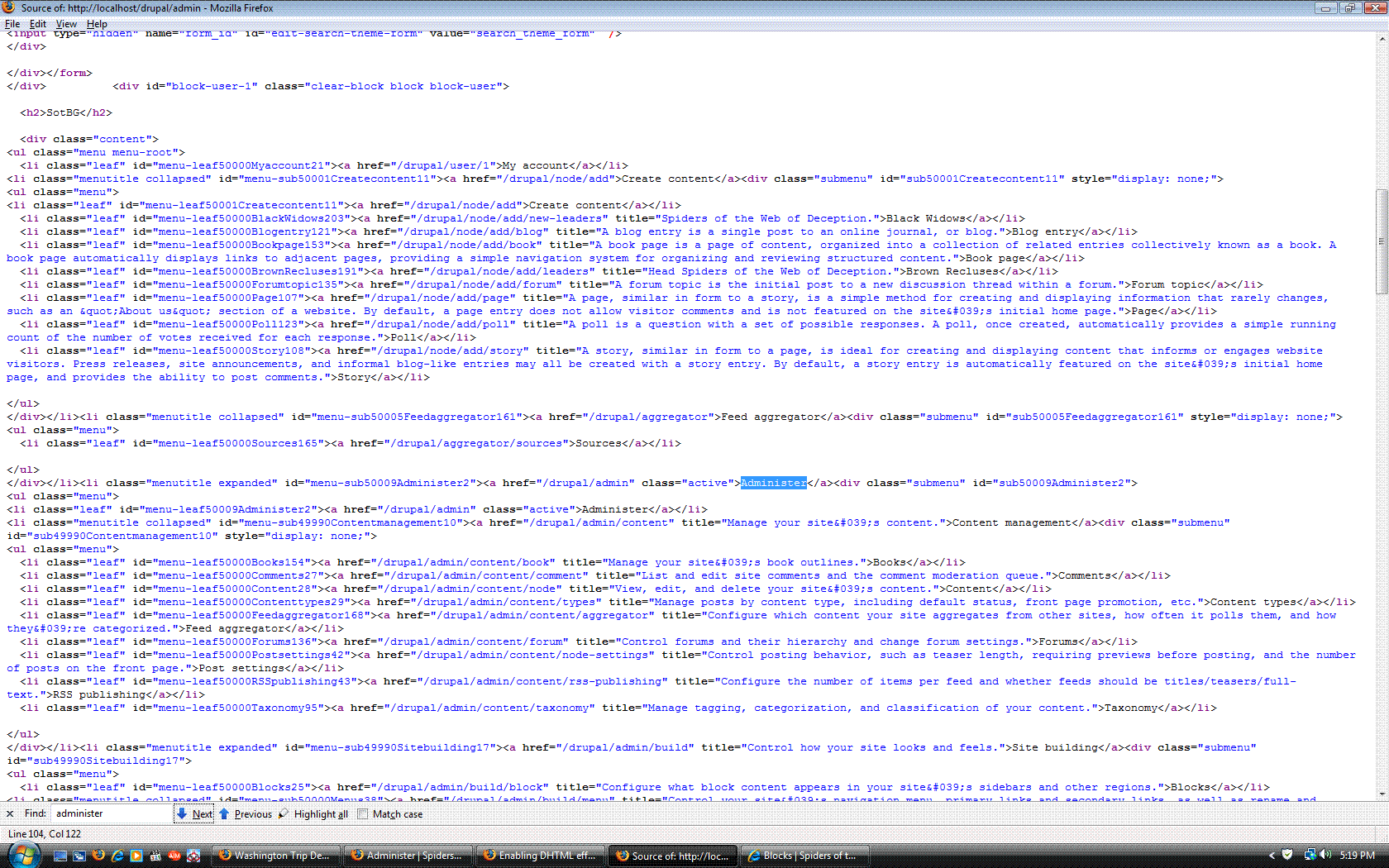
- Please open the page source on the main page, search for the "Administer" link and paste the surrounding HTML code here. It's still not clear whether this is a server or a Javascript problem.
Comment #39
fiockthis commentedI've tried it both in Firefox and IE.
When the "Use the DHTML effect" box is checked, and I click on a menu such as Administer.. the menu opens up, but a page does not load. If I double click it, the page loads.
When the "Use the DHTML effect" box is not checked, and I click on a menu such as Administer.. the menu opens up, and the page loads.
Have you checked these posts: http://drupal.org/node/279321#comment-911766 ? I guess the -dev version fixes the problem, but I haven't downloaded the -dev version, because I'm new and don't wanna mess up my site.
I hope I uploaded what you need.
Comment #40
cburschkaSo far, all is as it should be.
That is surprising. No Javascript effects are supposed to happen, since they are switched off for that block. I will see if I can reproduce this bug. Meanwhile, I'm relieved that at least this is a relatively minor bug as it does not impact functionality.
Comment #41
fiockthis commentedIt definitely impacts functionality.
The DHTML Menus do not show up in Blocks. That is the problem.
A screenshot is included of the Blocks section.
No DHTML menus are visible.
Comment #42
cburschkaSorry, but are you serious?
- It has been explained in this issue and on the forum that "DHTML Blocks" have not existed since version 6.x-1.04, and that the module works with the normal Navigation block.
- You have just said yourself that the module is in fact working as it should be on your site, as shown by the fact that the menu expands when you click it!
What more do you want? :)
Comment #43
fiockthis commented"..'DHTML Blocks' have not existed since version 6.x-1.04, and that the module works with the normal Navigation block."
Sorry, never read this.
This is my first time using Drupal, and I've been following the book: "Building powerful and robust websites with Drupal 6", and they use an older version of this module.