I am attempting to include a PicLens module generated view into a Panel using the Panels module. I pass one argument from the Panel to the view I have created with the PicLens module, so I have two arguments in the view, one from the PicLens module and the one I am passing. I am successful in getting the view to appear in the panel (with the images) and successful in getting the "Start Slide Show" link and button, but when I click on the "Start Slide Show" button PicLens launches but hangs on "Loading....", and there is not little blue icon on the pictures in the Panel/View to start the slide show in that way.
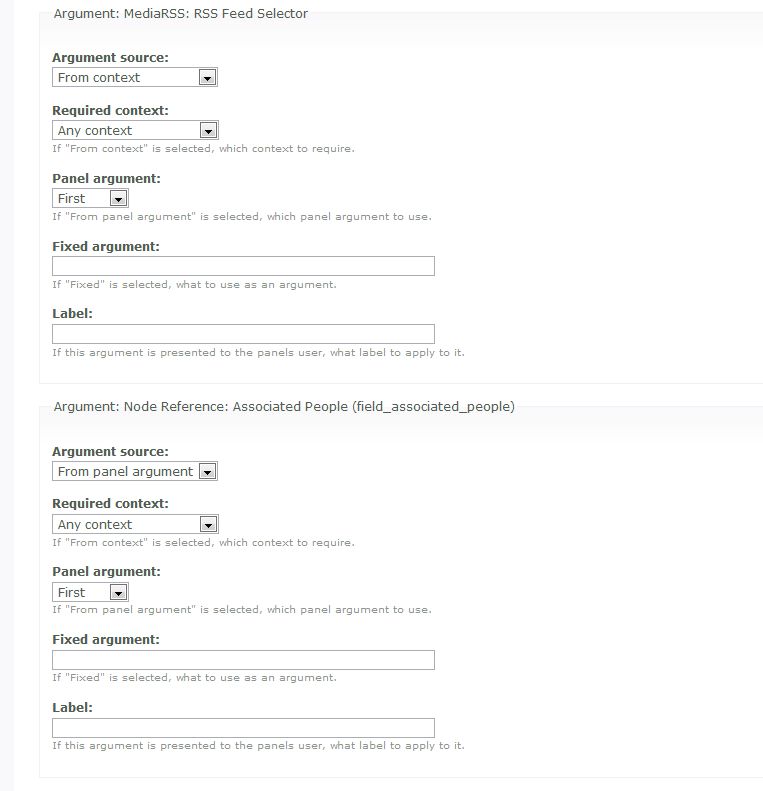
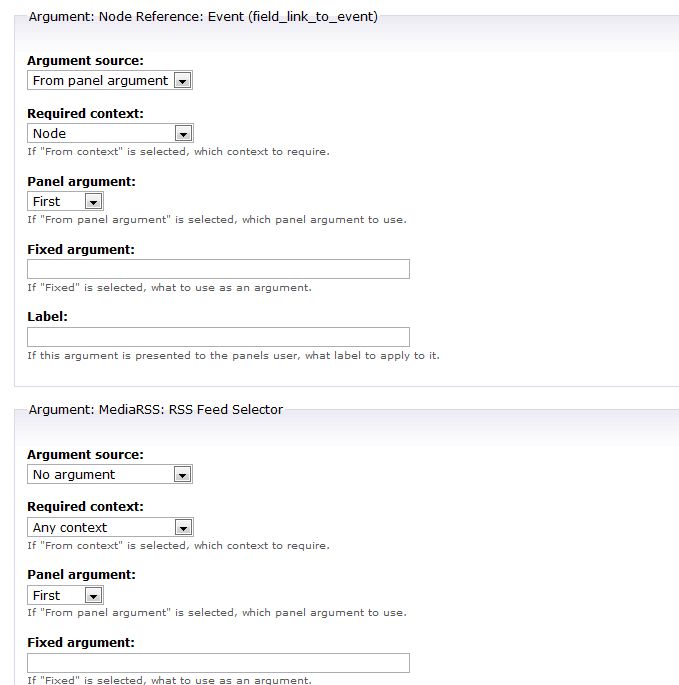
I have attached a screen shot of the argument setup in Panels.
The view works fine on its own when it is not embedded in the panel.
Thanks for any ideas you might have
And again, thanks for a great module.



Comments
Comment #1
swentel commentedI'll have to install panels first to test this, I have really no idea what the problem could be.
Cool for testing it with more modules, makes the challenges cool for me :)
Comment #2
swentel commentedThis is panels 2 right ?
First test here did not work out too, then again, I'm not using panels often, so I'm still guessing a bit.
One thing I noticed though: I added a second argument to my testview, and when this is the first in the arguments list and I go to my view directly, my piclens feeds also stops working. This is probably due to the fact that I don't pass any arguments into my own implementation of the piclens views.
Is the node argument the first or second argument in your views ?
Will do some more tests this weekend as this is quite complicated, but challenging :)
Comment #3
vanderlip commentedYes. Panels 2.
I've tried both ways with the node argument first and the piclens argument first. Did not have luck either way.
Thanks
Comment #4
vanderlip commentedI am still trying to get this to work, without much luck.
Using 5.x-1.x-dev, I can place a view in a Panel, with my own argument as the first one and RSSMedia as the second argument, I get the correct view (i.e. the right pictures), so the view is getting the argument, but RSSMedia is not producing a feed that takes the argument into account and produces the feed for PicLens as if no arguement is being passed. PicLens then works but with the wrong pictures.
If I use RSS Media as the first argument, and mine as the second, PicLens says this site is not supported.
I have attached to files showing the set-up that almost works i.e. produces the correct view but not the correct PicLens Photos.
Any ideas?
Comment #5
vanderlip commentedTo simplify things, I took Panels out of the equation, and I am not able to pass an argument to a view. As above, if I pass a argument to a view in the URL, the view works fine, but Piclens module produces a feed that does not take the argument into account.
Thanks again.
Comment #6
swentel commented@vanderlip
A fix has been added for views and arguments (cf #268828), can you test this ?
Comment #7
vanderlip commentedThanks a lot for your continued support on this great module.
I indeed was able to create a view and pass an argument and successfully place that view in a panel. So that is great! This makes the Piclens Module very powerful, enabling tremendous flexibility using the Imagecache-Views-Imagefield framework. This fits my needs. The one remaining issue with this setup (which is not that important for my use) is that it appears that the link to slideshow still appears as a Drupal system message which makes it difficult to use in the context of panels. It would be great to have that link appear in the view itself to make it more clear for the user, but again not high priority in my mind.
However, for some other reasons, after I had got this set-up working, I had a need to moved to Imagecache 2.x and Imagefield 2.x. Upon upgrade, Imagecache makes some changes to the available options for selecting imagecache option in views. I have been unable to make Piclens work with the new Imagecache 2.x.
With Imagecache 2, I now have different choices in selecting imagecache options in views: , imagecache name as link to node, imagecache name as link to image, path to imagecache name, and url to imagecache name. I have tried all of them, and matched everything up in the RSS Media/Piclens group on the view and the closest that I can get is to select the " as link to node" which gives me the little blue arrow on the image, but no thumbnails or "originals" in PicLens itself when launched.
Again, sorry, I am not much help in diagnosing and fixing the issue.
Any ideas?
Comment #8
swentel commented@vanderlip
I've also got these and some other issues with imagecache, I'm going to look into that this friday.
I also have a lead on the panels issue, which I'll probably won't be able to solve fully. I'll be able to detect if we are on a panels page and then hide the drupal message. Getting it into the context where the views is located probably won't be possible, but more news on that later!
Comment #9
swentel commented@vanderlip
The drupal message is now hidden when looking at a panels page with an embedded view that has piclens support! (next dev built has this fix)
However, there is no way for me to add the link into the pane where the view is located, but a simple solution is this:
add custom content and copy/paste the html of the slideshow link into that box and put the box above the view in the same pane.
Closing this issue. For the imagecache issue cf http://drupal.org/node/256126 , that's what I'm going to tackle now!
Thanks for the report and testing !