Using XML Sitemap with ModSecurity™
ModSecurity™ is an open source intrusion detection and prevention engine for Web applications (or a Web application firewall).

You are browsing documentation for an older version of Drupal, which is not supported any longer, and the information may not be correct. See current documentation for Contributed modules
XML Sitemap can notify search engines when your site map changes.
Go to http://www.example.com/?q=admin/config/search/xmlsitemap and choose the Search engines tab.
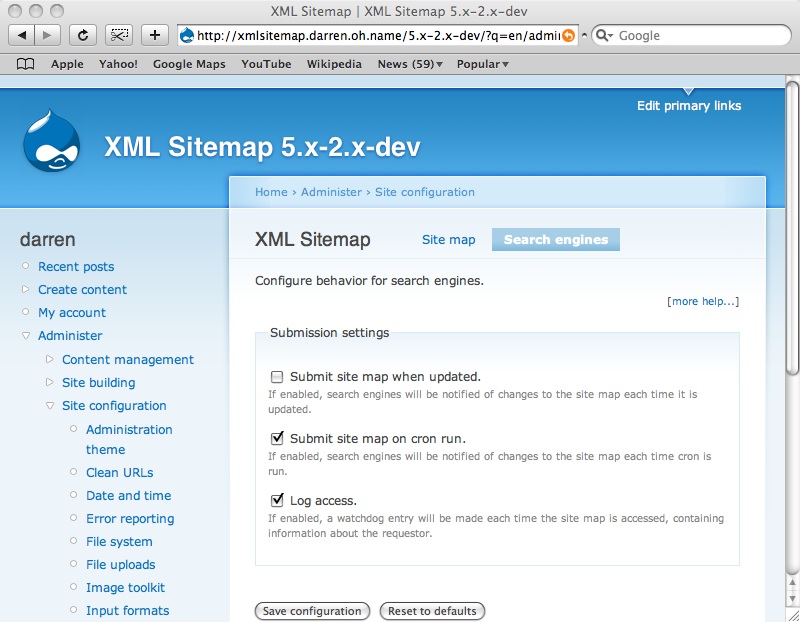
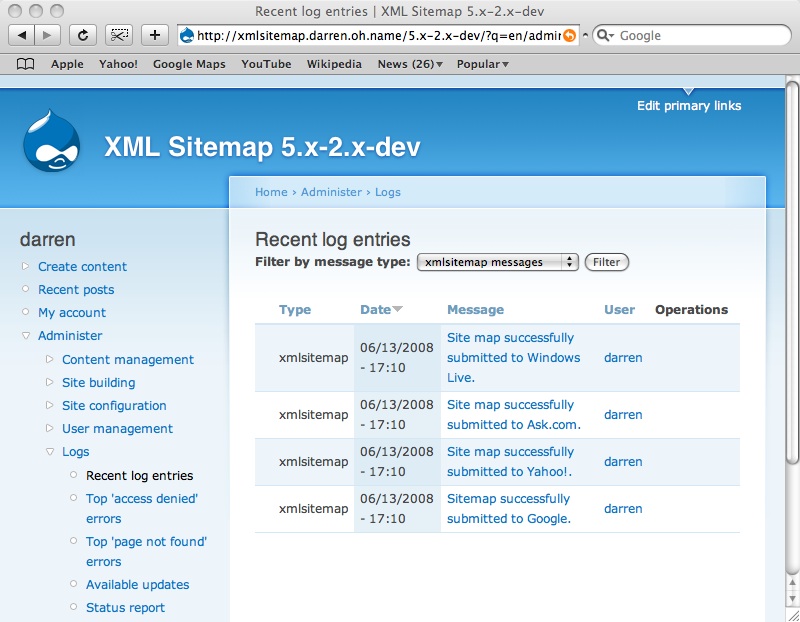
If you have enabled access logging, you can see the access records at http://www.example.com/?q=admin/logs/watchdog.

The full log message will provide details of when, by whom, and from where your site map was downloaded.

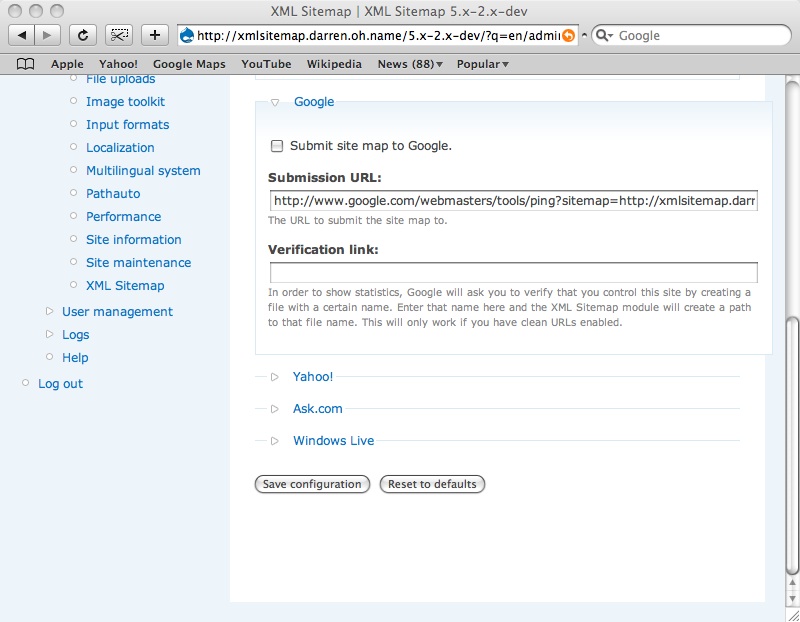
XML Sitemap can submit updates to any search engine. The included XML Sitemap: Engines module supports four search engines: Google, Yahoo!, Ask, and Windows Live.


Users who have not enabled clean URLs have reported receiving an “Unsupported file format” error from Google. The solution is to replace ?q=sitemap.xml at the end of the submission URL with index.php?q=sitemap.xml. Submission URLs for each search engine can be configured at http://www.example.com/?q=admin/config/search/xmlsitemap/engines.


ModSecurity™ is an open source intrusion detection and prevention engine for Web applications (or a Web application firewall).
Drupal is a registered trademark of Dries Buytaert.
