Active
Project:
Fotonotes
Version:
6.x-1.1-beta1
Component:
Code
Priority:
Normal
Category:
Bug report
Assigned:
Reporter:
Created:
31 May 2008 at 17:11 UTC
Updated:
13 Jul 2008 at 10:07 UTC
Jump to comment: Most recent file


This patch to fotonotes.module allows all users with 'view original images' permissions to view but not edit fotonotes right in the image node.
Step 1. Copy (without the php snippet tags) this code and paste into fotonotes.module at line 33 or so (just after the end of the $items['fotonote'] array and just before return $items;).
$items['node/%node/fotonotes'] = array(
'title' => 'Fotonotes',
'page callback' => 'view_fotonotes',
'page arguments' => array(1),
'access callback' => 'user_access',
'access arguments' => array('view original images'),
'type' => MENU_LOCAL_TASK,
'weight' => '11',
);
Step 2. Copy (as above) this code and paste into fotonotes.module at about line 57 (between the end of the code block for function edit_fotonotes and the beginning of the code block for function fotonotes_check_access).
function view_fotonotes($node) {
$nid = $node->nid;
$_SESSION['nid'] = $nid;

drupal_add_js(drupal_get_path('module', 'fotonotes') .'/fotonotes/fnclientlib/js/fnclient.js');
drupal_add_css(drupal_get_path('module', 'fotonotes') .'/fotonotes/fnclientlib/styles/fnuser.css');
$js = 'var fnServer = "'. base_path() .'fotonote/";';
drupal_add_js($js, 'inline');
$output = theme('image', $node->images['preview'], $node->title, $node->title, array('class' => 'fn-image', 'id' => 'inote'. $node->nid));
return $output;
}
Step 3. Run example.com/update.php. (Replace example.com with the address of your website.)
Step 4. Enjoy.
Note: This patch puts the Fotonotes tab in all nodes generated by all modules. I am still working on confining it to image module nodes. When clicked in non-image module nodes, it returns a blank page.
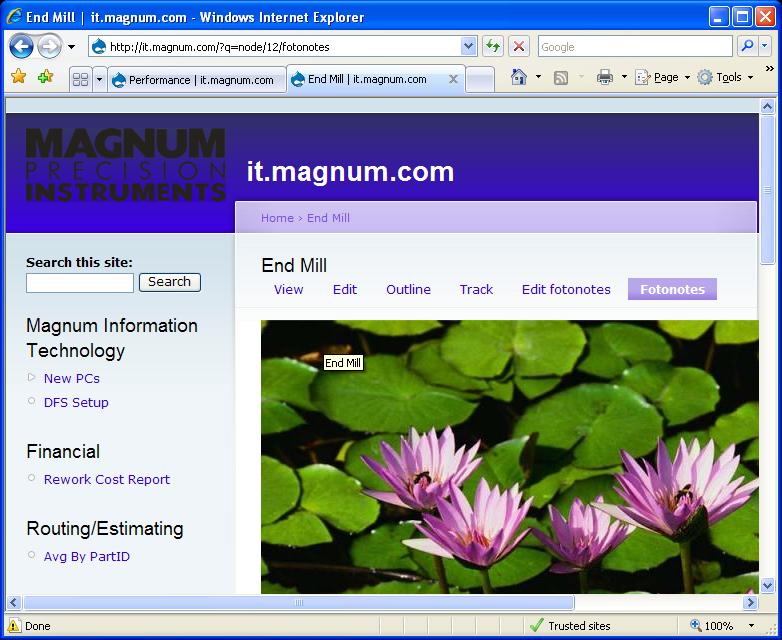
The attached pngs show what the new image node window looks like to node owners, admins and authenticated users.
| Comment | File | Size | Author |
|---|---|---|---|
| #7 | DebugAlert01.jpg | 5.21 KB | roydean |
| #7 | DebugAlert02.jpg | 5.6 KB | roydean |
| #7 | DebugAlert03.jpg | 10.69 KB | roydean |
| #7 | DebugAlert04.jpg | 10.73 KB | roydean |
| #7 | DebugAlert05.jpg | 10.59 KB | roydean |






Comments
Comment #1
markpenny commentedRevision! I'll post code later. For now, here's a complete patch (fotonotes.module) that inserts the fotonotes view tab only in image module nodes. Just upload and extract.
Comment #2
roydean commentedmarkpenny,
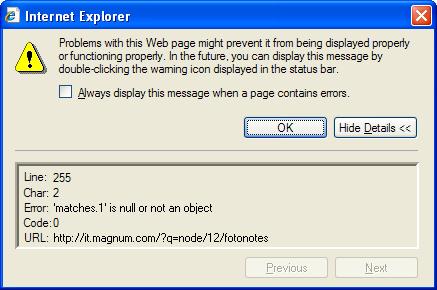
I get two tabs above an image page/node for Edit fotonotes and Fotonotes. I click either one of them and I receve the page with the image, but in the status bar the message Error on page displays. If I display the error text I see the window with the message contents as follows:
Line: 255
Char: 2
Error: 'matches. 1' is null or not an object
Code: 0 - URL: http://it.magnum.com/?q=node/12/editfotonotes
What do you suggest? I did install the patch you supplied above, but still not working.
Comment #3
markpenny commentedWow! My first support request. Now I've really made it.
Thanks for trying the patch, Roydean. It's nice to see the thing actually being used.
I attempted to view your site but got "Page cannot be displayed", for http://it.magnum.com/?q=node/12/editfotonotes, http://it.magnum.com/?q=node/12/fotonotes, http://it.magnum.com/?q=node/12, http://it.magnum.com/node/12 and http://it.magnum.com. Is the address correct?
Perhaps you could supply screen shots of http://it.magnum.com/?q=node/12, http://it.magnum.com/?q=node/12/editfotonotes, http://it.magnum.com/?q=node/12/fotonotes and the error text. I might notice something.
Which version of Drupal, Image and Fotonotes are you using? That's the kind of question people who know what they're doing always seem to ask, so I'll ask, too. Got to keep up appearances. I'm using Drupal 6.2, Image 1.274 and Fotonotes 1.3.2.3.
I take it you replaced the original fotonotes.module with the patched version I uploaded to drupal.org. There is no line 255 in that file, so the error must be referring to another file. Do you have any idea which one? The error might be referring to "matches[1]" in line 221, but that section of the file relates to embedding fotonotes in a separate node and should have nothing to do with displaying them in the original image node.
That's all I can think of for now. Sorry, no solution yet. I don't fully understand the problem. I look forward to more info.
Comment #4
roydean commentedSorry, the site is intranet and not published on net. Here is the status report and the updates report. I downloaded the latest from the fotonotes.net site. fotonotes.info says v 1.1.2.1 while the fnclient is 0.6.0. fotonotes.module says v 1.3.2.3. Image is at 6.x-1.0-alpha2 per .info file.
phpinfo is as follows:
Apache: Apache/2.2.3 (Win32) DAV/2 mod_ssl/2.2.3 OpenSSL/0.9.8d mod_autoindex_color PHP/5.2.0 mod_perl/2.0.2 Perl/v5.8.8
PHP 5.2.0
GD 2.1.9
I noticed there are some $fn variables in the fn_config.php file. Should those reflect my 'SERVER_NAME'? or are those set elsewhere?
Comment #5
markpenny commentedThanks for the info. Unfortunately, a lot of it doesn't mean much to me. I'm just slightly gray of a greenhorn when it comes to code and all.
The first thing I'd like to know right now is whether Fotonotes is actually working. Can you edit (Edit fotonotes) and display (Fotonotes)? Is the module not functioning in some way?
The second thing I'd like to know is which file the error report is referring to. Like I say, I doubt it's fotonotes.module.
It does look like you need to update Fotonotes. Try that, paste in the patch, and let me know what happens.
Meanwhile, you shouldn't have to mess with anything else in Fotonotes. I haven't and it works perfectly for me, tabs and all. In fact, Drupal is reporting no errors at all.
Comment #6
markpenny commentedI may have found the file in question: fotonotes/fotonotes/fnclientlib/js/fnclient.js. Line 254: fnDiv = matches[1]; // first matche pattern.
Try commenting it out (//fnDiv = matches[1]; // first matche pattern) and see if your error goes away. I've had to take this sort of action with the Views module. I just commented out on my system and Fotonotes still works fine.
In general, I would say that if Drupal is not reporting an error (by which I mean, if you're not getting a big white page with an error across the top) and the module functions, you're okay.
You might also try the site in Firefox, Flock or something else. Internet Explorer may be overreacting. I tried IE on my site and had no trouble, though.
Comment #7
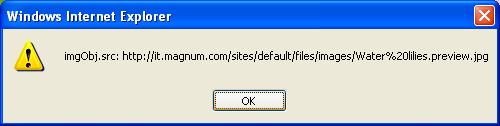
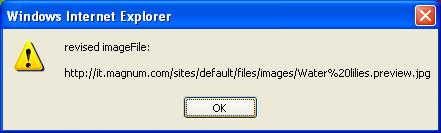
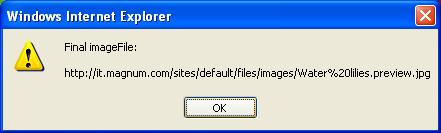
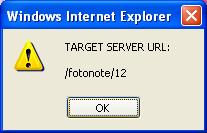
roydean commentedHere are images of the alerts presented when debugging is true:
Comment #8
markpenny commentedWow again. That's a lot of info. The only one I properly understand at the moment is DebugAlert09.jpg. It shows that the tab works. The question I have now is whether you can view any fotonotes. I don't see any in the attachment. Were there any to view?
We may be approaching this issue from different perspectives.
My main concern for now is whether my patch works as advertised: inserting a tab and allowing you to view your fotonotes right in the image module node. The way to test that would be to add fotonotes under Edit fotonotes and check the results under the Fotonotes tab.
Your main concern seems to be the errors reported by IE. If they matter to you, they matter to me, but I have some questions. Do they pop up of their own accord, or do you have to click an icon to get them? In other words, are the errors forcibly interfering with your enjoyment of the patch, or have you been acting on a quiet notification such as an altered icon?
Meanwhile, I'll attempt to understand the error reports and see if a solution suggests itself to me. I've had no trouble at all, as I say, so it's difficult to fathom the problems on your system.
Comment #9
markpenny commentedI will now display my ignorance.
You mentioned "when debugging is true". In Drupal? In IE? How did you set it for true? I haven't the foggiest how to do that or even where. Ncw you can be the teacher.
Comment #10
markpenny commentedI had an IT friend of mine take a boo at the alerts you posted. The only thing he could think of was possible trouble with the name of the image file. He thought the %2520 might be bothering something. He recommends 8-character (or less) names with 3- or 4-character suffixes. He admits, however, that he's not up on web servers.
Comment #11
roydean commentedDebugging mode is an option in the module itself. The file fnclient.js has a fnDebugMode = false on line 53. With this set to true, you get the alerts throughout the .js file displayed on the screen when you attempt to Edit fotonotes or view Fotonotes.
The alerts pop up when I click either of the tabs Edit fotonotes or just Fotonotes.
Comment #12
roydean commentedI am going to attempt this on another computer and see if it is because I am running under an instance of xampp that was installed with the OCSNG application.
Comment #13
markpenny commentedThanks for the tutorial. I've set fnDebugMode = true and still get no alerts, even in IE.
I'd still like to know whether you can edit and view, though. You may be implying that you can't, but it's not clear to me whether you can or not.
Comment #14
roydean commentedI cannot edit fotonotes nor view fotonotes. Both links produce the same error for me.
For the alerts, you may check to make sure IE or whatever is not disablinig alert popups. I don't even know if that is possible, because the code is peppered with the alert code like "if (fnDebugMode) alert('revised imageFile: \n\n' + imageFile);" on line 142, etc.
Comment #15
markpenny commentedI'll check that, sure, but, like I say, I'm having no trouble with either module or patch.
I guess the next thing is to find out how far up the chain the trouble begins. Were you able to edit fotonotes before adding the patch? You could try commenting out or deleting the patch and see if the module works with the patch out of the picture.
In any case, if both links are producing the same error, it seems unlikely that the patch is the problem. I'm not saying this to get out of dealing with the problem. It just doesn't look to me at this point as if the patch is to blame: Edit fotonotes gives you the same grief and there is no new code in the patch, except for two or three values in the tab generator ($item)--and those are working fine: you have the tab.
One thing that puzzles me is the reference in a couple of your errors to Water%20lilies.preview.jpg or Water%2520lilies.preview.jpg. Those look to me like Image module-generated previews. Why should any reference be made to a preview? When I right click my images and check contents under View, Edit fotonotes or Fotonotes, I get plain old jpgs. No previews (.preview.jpg). No thumbnails (.thumbnail.jpg).
Could you check the source of the images under Edit fotonotes and Fotonotes?
Comment #16
roydean commentedThat is reasonable. I was getting the error before the patch. There are several other issues on this site about the same matches.(1) error. This was the first node where someone offered a possible solution. Since using your patch did not solve the problem, I was looking to you for additional insight. I appreciate your time spent trying to help.
I did install the module to a test machine and it appears to work like it is supposed to. So, you can stop looking at your patch and other possible issues regarding fotonotes.
My problem seems to be related to the installation base of php, apache, mysql, etc. rather than the fotonotes module. Since I do not know anything about xampp's configuration then I will have to put this into a different troubleshooting stream. I may move the install to a whole new configuration, but not sure. If I knew enough about apache and php then I could verify the configuration so side-by-side websites will work properly.
Thank you for your time.
Comment #17
markpenny commentedThanks for the practice.
Comment #18
markpenny commentedRoydean,
It just happened to me. I navigated to page 2 of the default front page and started getting all those alerts. Anything to do with an image seemed to set it off.
Solution? Set debug to false.
I had just installed Organic Groups. Do you have OG on your site? I wonder if that had anything to do with it.
Comment #19
roydean commentedCorrect, setting fnDebugMode = 'false' does in fact turn off the display of alerts. But, that is not the problem I am trying to solve. I set fnDebugMode = 'true' myself in order to see what was being accomplished by the module. That setting did not help me figure out what the problem is.
I moved the code to another folder and that does not seem to help the problem. I still have the problem. I will keep trying to determine how to solve the issue and if I solve it then I will post my solution for all to read.
And, no, OG is not part of this install.
Comment #20
roydean commentedOk, problem solved! I moved the site like I said. I finally learned how to use the directory section in the httpd.conf file!
Once I added the new folder to a new directory section the site operates as if apache/php were only serving that site when in reality apache/php is serving, in my case, three different application sites.
I suppose the "Options Indexes FollowSymLinks Includes ExecCGI" in the directory section of the original httpd.conf was forcing apache to execute code specific to the other applications when I was looking at the drupal installation. Now, with its own directory section the drupal installation behaves like it was designed, clean urls and all.
Thank you for sticking with me through this and giving me courage to continue trying to resolve this issue. I doubt anyone else will encounter this type of problem, but you never know.
Comment #21
markpenny commentedNo problemo.
Also no comprendo. Well, a little.
Anyway, congratulations -- and let's hope you're right, but if you aren't, that your posts help.