

Closed (won't fix)
Project:
WYMeditor
Version:
5.x-2.x-dev
Component:
User interface
Priority:
Normal
Category:
Bug report
Assigned:
Unassigned
Reporter:
Created:
12 Jun 2008 at 11:07 UTC
Updated:
3 Feb 2013 at 14:42 UTC
Jump to comment: Most recent, Most recent file

Comments
Comment #1
magico commentedCheck the following steps:
1. Did you put the module in your modules directory?
2. Did you activate and installed the module?
3. Did it gave you any error, installing the module?
4. List here the input formats available at the "?q=admin/settings/filters"
Comment #2
martig commentedNo errors during the installation.
The available input formats are: Filtered HTML, PHP code, Full HTML, Foorum. The last one is a custom filter.
Comment #3
H3rnand3z commentedI do not get the toolbar either. My input formats are Filtered HTML, PHP code, Full HTML and WYMeditor.
Comment #4
magico commented@H3rnand3z: did you updated your jquery?
Comment #5
H3rnand3z commentedYeah, First I installed 5.x-2.0-rc1 then I tried 5.x-2.x-dev both times I ran update.php
Comment #6
EllenM1-1 commentedI killed mine also by attempting to upgrade to the newest version. I upgraded jquery as directed, and have tried both 5.x-2.0 and 5.x-2.x-dev. The module shows up in the admin/build/modules page as enabled. on the admin by module page (admin/by-module), WYMeditor shows up, but the only thing under it is "Configure permissions". And the editor no longer shows up in any node editing screens. Please assist!
I am not sure how to get debugging information out of drupal, but will be happy to try anything you suggest.
Ellen
Comment #7
magico commentedOk. Give me the versions of the files jquery, wymeditor.module
Also, was this an install from scratch or did you had an older WYMeditor version installed?
Comment #8
gba2008 commentedI have the same problem for a new clear installation of WYMeditor.
Comment #9
zmove commentedSame here
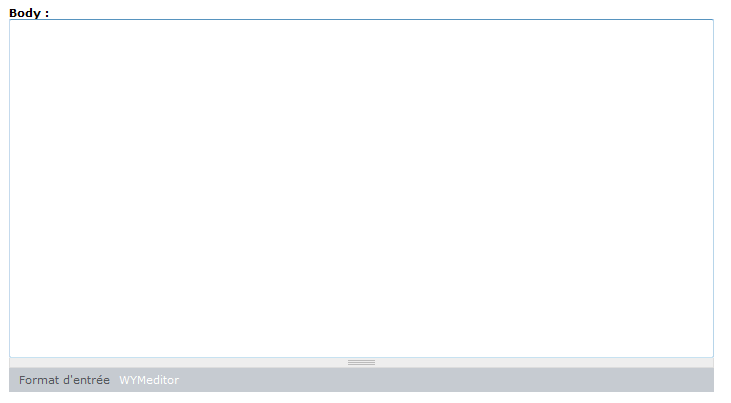
I have the dropdown input format, but no editor button at all, see my screenshot.
Comment #10
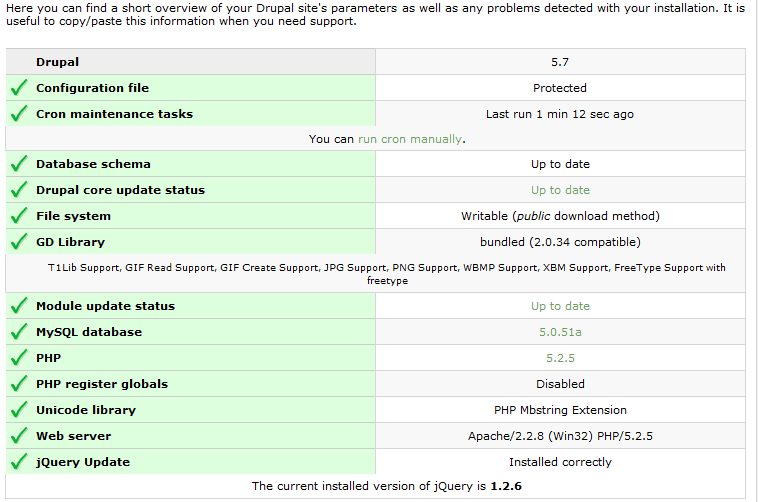
zmove commentedHere is a screen of my status report page, you can see that I correctly installed the latest version of jquery...
tested with both 2.0 and 2.x-dev, same problem
Comment #11
Moxide commentedHello,
have you enabled the search module and is the search box visible when you create or edit a node ?
Comment #12
zmove commentedHi,
Yes, the search box always displayed in the header of my website.
Is there a conflict with it ?
Comment #13
Moxide commentedI just quickly tested the module, and there is a problem when there is more than one form in a page :
when the WYM's form_alter function is fired several times, the drupal_add_js call which inserts javascript variables is executed several times too, whereas it should be executed only once.
I can't roll a patch for this, but you can try this quick-and-dirty fix:
In the beginning of wymeditor_form_alter function, add :
static $js_settings_inserted;then replace :
drupal_add_js(array('wymeditor_key' => $key, 'wymeditor_path' => drupal_get_path('module', 'wymeditor')), 'setting');with :
Comment #14
bfelix commentedI had the exact issues as zmove.
Your quick and dirty solution worked in that the editor toolbar and dropdowns now appear!
Current issues I see:
- Classes dropdown does not appear to function (hovering has no effect) (note there is no small right > indicator so perhaps it thinks itself as empty?)
- Containers dropdown does not reflect the options shown in the admin settings (contains items like H6, Preformatted, etc that are not in admin settngs)
- Making edits to a page SOMETIMES get saved when submitting, other times it does not. I have not pinpointed a pattern here yet.
This is a great editor that I am hoping can help us a lot. Hope this diagnostic info is helpful.
Comment #15
magico commented@Moxide: thanks for your feedback. By the way, what do you think about the new approach?
The work on this will be returned on the next week.
Comment #16
Noira commentedExactly the same with me, no buttons showing up.
Comment #17
Anonymous (not verified) commentedThe quick and dirty fix seemed to work but why are some people having to "patch" this and other people appear to be having no issues at all.
Comment #18
nextgengames commentedWhich file am I supposed to patch cant find that function anywhere?
Comment #19
dyardley commentedwymeditor.module is the file you want to patch. Line 11
Comment #20
Bèr Kessels commentedHaving the same issue.
A quick jquery/javascript debugging showed me that Drupal.settings returns wrong values.
instead of Drupal.settings.wymeditor_key returning an integer (e.g. 4) it returned a string, e.g. "4,4".
I am not sure what module or version causes this, but it seems to me that something goes wrong in the creation of the JS variables. They show up in the source as [ 4, 4 ] .
Comment #21
Flying Drupalist commented#13 doesn't fix it for me unfortunately. I don't see any buttons.
6.x
Comment #22
duaelfrThis version of WYMeditor is not supported anymore. The issue is closed for this reason.
Please upgrade to a supported version and feel free to reopen the issue on the new version if applicable.
This issue has been automagically closed by a script.