I created a node called "Contact us" and in the menu fieldset set the weight of the menu item in the Primary Links menu to "12" thinking that was a rather high number - and since I will never need to put a menu higher than "12" it would always place "Contact Us" at the end of the menu.
I noticed I was missing a "home" link in my primary links - so I added it in through the menu manager. I set it's weight to "0" knowing that my only other menu item has a weight of a positive integer - so this ensures my Home link will always be first.
Wrong. Back in the menu manager page the Home link comes second. So I dragged the Home link to be at the top. NOTE: I DID NOT TOUCH THE CONTACT US MENU IN THE MENU MANAGER SO WE CAN ASSUME IT STILL HAS A WEIGHT OF 12
Then I created a new node called "About us" and gave it a menu item weight of "4" - so it should go between "Home" and "Contact us".
"About us" came out after "Contact us".
I edit the node "Contact Us" only to discover the menu weight is now set as NEGATIVE FORTY SIX -- HOW DO YOU EXPLAIN THIS??
Obviously this is some kind of feature in drupal 6 where it modifies values that the user has explicitly set in an effort to be helpful. It's not helpful, because I have the menu weights in my mind how I like them.




Comments
Comment #1
Anonymous (not verified) commentedSubscribing
Comment #2
pwolanin commentedThe drag and drop sets weight automatically, so indeed they may not be what you set them to manually. So, there are potentially 2 different issues: is the ordering correct, and should the D-n-D code be doing something different.
In either case, the fix should go into 7.x first.
Comment #3
danielb commentedWhat is the algorithm used to sort the items in the Drag n Drop scenario? I'm guessing that's where the big shift to -46 happened. I could avoid the menu manager in the future, but unfortunatly for certain types of pages and views like the front page going through the menu manager is a sensible way of doing it.
I suppose I shouldn't blame the drag n drop system, it's great, but obviously mixing drag n drop and the 'weight' select has undesirable effects. Is there a chance of using drag n drop for the menu widget on the node add/edit page?
Comment #4
pwolanin commentedI think D-n-D makes the first item -50 (the limit of the delta on these items), and sorts from there.
Look at: http://cvs.drupal.org/viewvc.py/drupal/drupal/misc/tabledrag.js
Comment #5
aspilicious commentedI think this is fixed.
Just tested it in several browsers.
After testing with javascript enabled, i disabled javascript in firefox.
And the weights I gave were still correct.
So this is not an 7-dev issue anymore.
Can I close this?
Comment #6
danielb commentedProbably fine to close it, if it becomes a problem again for anyone I'm sure they'll post an issue.
Comment #7
aspilicious commentedsee #6
Comment #8
Jerome F commentedI have this menu items weight handle/dragging issue too.
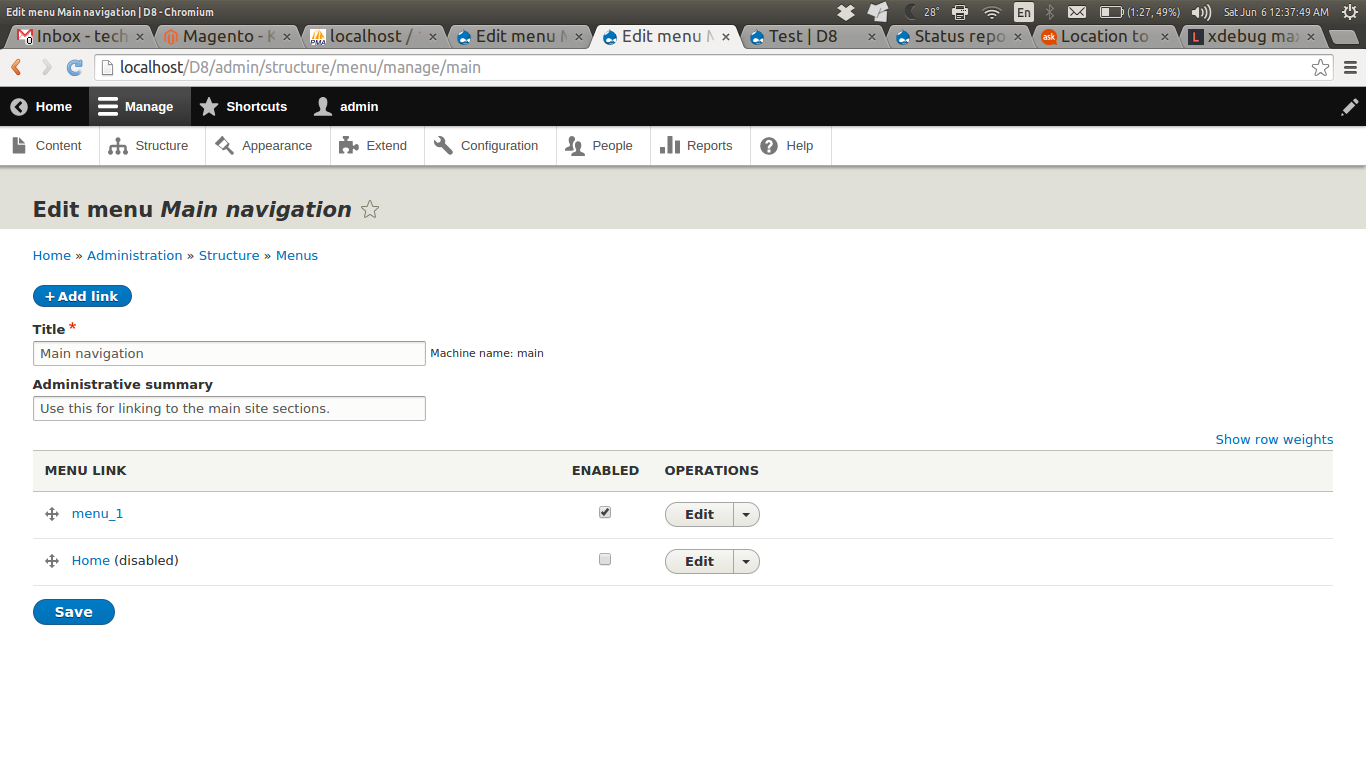
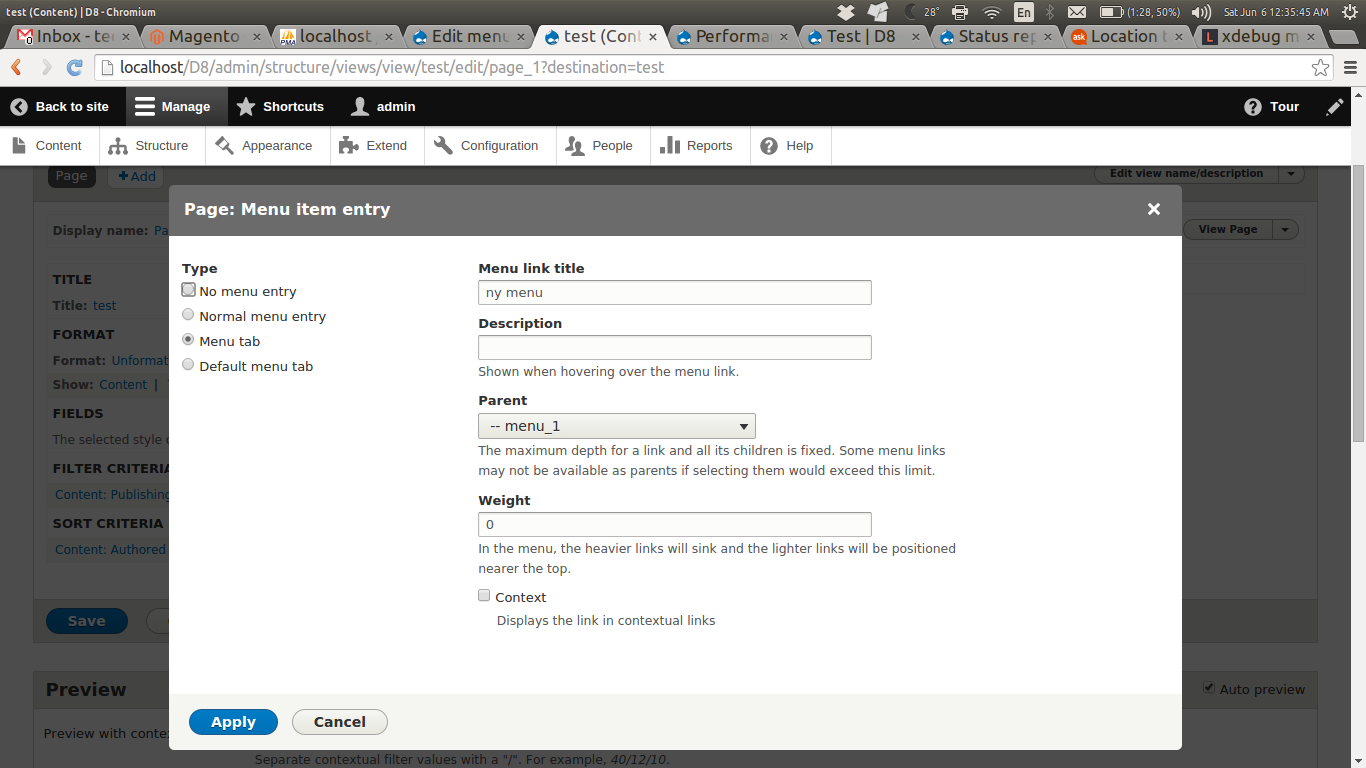
It's hard to reproduce in a test site. But I can provide some screenshots, where you may see how the menu items reordering and weights are not kept when you hit save configuration (admin/structure/menu/manage/your-menu). It only happens with menu items which belongs to a node (like a basic page content type).
I wonder if this is an internationalization issue, as these nodes are translated. However it isn't related to menu translation, as it happens, even without this module.
Comment #9
s@ilor commentedHi there,
I believe I ran my head against the very same issue today.
D 7.7, Bartik sub-theme
Main menu, secondary menu same source as main.
i18 module installed, 4 languages enabled
Most nodes are basic pages, not all translated yet.
When translating a node with enabled menu links, they all sit in a row in the main menu. With some, it is impossible to drag/drop into position. Changing weight (same thing, really) doesn't take, when saving.
Any ideas?
Comment #10
s@ilor commentedComment #11
Dashu commentedsubscribing
Comment #12
catchI can't believe this is the same bug as the one opened in June 2008, although menu drag and drop has not changed that much.
We need step by step instructions to reproduce this, even better would be a screencast showing the bug.
Comment #13
ayalon commentedI searched this for hours:
If you have a menu with 250 entries, any changes to menu items will not be savedwith php 5.3.9. Every menu item has 4 post variables = 4 * 250 = 1000 variables
Change the php.ini file
max_input_vars=50000
or someting like that and restart your server daemon.
See also #1517092: admin/structure/menu/manage/MENU_NAME cannot be submitted on PHP 5.3.9+ for large menus (>~1000 items)
Comment #14
jhedstrom#13 is a good start at describing how to reproduce. However, a recent test (and any relevant messages from the logs) would be great since much has changed in the past 2 years. The issue described in #13 sounds like a memory or timeout issue.
Comment #15
harings_rob commentedHi,
I think this problem lays a little deeper.
Steps to reproduce:
Also, if someone can reproduce this should be critical for the release.
Comment #16
shamsher_alam commentedNot able to reproduce.Tested it manually.
Comment #17
jhedstromThanks harings_rob! Given those steps, this is a duplicate of #2468713: Internal/custom menu links force-reset to the top of their menus on cache rebuild.