

 The 2026 Drupal Business Survey is open. Your response will help shape the future of the Drupal business ecosystem.
I'm tinkering a bit with all of the various drupal charting modules right now, and well, to be honest, Open flash chart seems to be the way to go.. :)
A huge part of my needs is going to be regurgitating various data in charts that look alot a like, so I decided to whip up little wrappers for my own use (yes, I know, a wrappers, around your API.. the levels of fun..)
Anyway, I have something such as:
function my_util_chart_pie($opts){
// My wrapper, function to make line charts a bit easier to manage in code..
// Build an array (passed here as $opts), containing all the various data/title/labels/etc
// and this does the rest.

$g = new open_flash_chart_api();
$g->set_title($opts['#title'], '{font-size: 14px; color: #ffffff}' );
if ($opts['#width']){ $g->set_width($opts['#width']); } else { $g->set_width(400); }
if ($opts['#height']){ $g->set_height($opts['#height']); } else { $g->set_height(200); }
$g->set_bg_colour('#2b477c');
$g->pie(75,'#ffffff','#6699cc');
$g->pie_values($opts['#values'],$opts['#labels'],$opts['#links']);
$g->pie_slice_colours($opts['#colors']);

return $g->render();
}
I've already done a few bar charts using a similar function, and that one works great. The problem I have with pie charts is, I cant seem to figure out how to set the font size for the labels that are passed as part of $g->pie_values. My pie charts all have very little teeny tiny labels in black text. :(
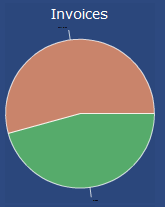
Attached is an example. The labels ("Past Due" and "Open") are there, but veeeery small and black.. I can't figure out how to change that (adjusting the size of the graph makes no difference).
I'm assuming there's a way to do this, but I'm not finding it in any of the documention, and the open flash docs just confuse me further when I try to look to them for guidance... :)
| Comment | File | Size | Author |
|---|---|---|---|
| #6 | pie5.patch | 1.59 KB | redndahead |
| #1 | piechart.gif | 3.57 KB | Alpha42 |

Comments
Comment #1
Alpha42 commentedGah, I forgot to attach. :)
Comment #2
redndahead commentedOn line 25 of the module see if this fixes it.
$this->title_style = '{font-size:20px;}';
There's a missing brace at the end of the font-size value.
Comment #3
Alpha42 commentedNo love, changed line 25 of open_flash_chart_api.module to:
$this->title_style = '{font-size:20px;}';
and same effect. :(
Comment #4
redndahead commentedOk on line 826 is the function for the pie chart. It doesn't work. You need to replace the function with this one.
Then your call to the pie should work the same.
I'll attach a patch to this issue and probably commit it if you verify it's working for you.
red
Comment #5
Alpha42 commentedreplacing function pie as shown in #4 seems to have done it for me. ;) Many thanks!
Comment #6
redndahead commentedattaching patches.
Comment #7
redndahead commentedWell looks like for some reason the d6 patch won't attach. argh look at the d5 and figure it out.
Comment #8
redndahead commentedComment #9
redndahead commentedComment #10
Anonymous (not verified) commentedAutomatically closed -- issue fixed for two weeks with no activity.
Comment #11
ionmedia commentedpatch works fine in d6
but how we can separetly change whis value in each pie chart, builded from view chart's function ?
Comment #12
pedrorocha commentedThe version you said to have this question are old(we are now in 2.12). Are you still needing support?