

 Come together with the global Drupal community in Rotterdam, 28 Sept – 1 Oct 2026. Sessions, contribution, connection, and Early Bird savings until 8 June.
Aaron, got an error on enabling the module and at various times throughout creating custom content types.
warning: Missing argument 1 for jquery_media_menu() in /Applications/MAMP/htdocs/sites/all/modules/jquery_media/jquery_media.module on line 32.
I don't know yet if it prevents the module from working but I'll reflect that in this issue priority as I test it out.
| Comment | File | Size | Author |
|---|---|---|---|
| #3 | jquery.png | 26.69 KB | seaneffel |
| #1 | cck_filefield_ok.png | 32.41 KB | seaneffel |
| #1 | node_theme_tpl.png | 13.48 KB | seaneffel |
| #1 | node_not_ok.png | 35.16 KB | seaneffel |


Comments
Comment #1
seaneffel commentedA little more testing and it seems I can't make it work as I did in D5. Lets walk through it:
I've installed the newest module versions of these for D6:
CCK
Filefield
jQ
jQuery Media
I have created a custom content type for "video" with a field called "field_video" configured to accept mov, mp4, and avi files. I have this situation working properly as far as creating the content, uploading the file through the field, and storing the file. See the screenshot #1.
Through the jQ admin area, I've got the jQ media plug-in enabled. I've made sure I'm using jquery 1.2.3.
When I first tried this in Drupal 5.7, it was a cinch to paste your sample theme element into a node-x.tpl.php and have it work out. But when trying this now I am not getting the theme to display the embed code, only the filename as a link.
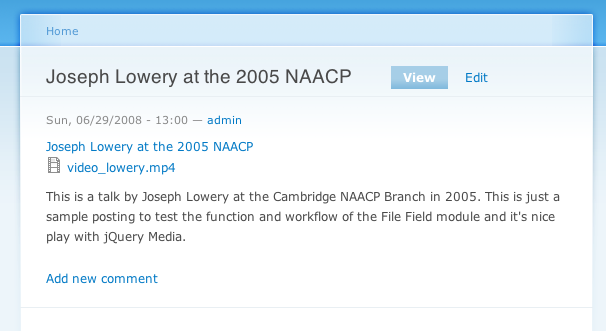
Screenshot of my node-x.tpl.php is attached, and the resulting node as well.
Throughout I am seeing various instances of the "missing argument" error from above.
Comment #2
aaron commentedodd. it all works fine for me. http://aaronwinborn.com/content/test-1
i have gotten no errors for the module. i configured a type to accept mp3 files. in the jQ/jQuery Media section, I enabled my file node type, and set the path for the media player. also set w/h. everything works automatically after that.
are you using the official d6 jquery release or the dev version (though they should both be the same at this point, i believe)? can you send some ID strings? you using the DRUPAL-6--1-0 version?
should be
// $Id: jquery_media.module,v 1.5 2008/06/16 15:32:07 aaron Exp $
i believe.
thanks,
aaron
Comment #3
seaneffel commentedFrom jquery_media.module:
// $Id: jquery_media.module,v 1.5 2008/06/16 15:32:07 aaron Exp $
All versions of the module are 6.x-1.0.
jQuery
jQuery Media
jQuery Bridge
I would give you access to the site if it were accessible, otherwise its running on a pretty standard Mac/MAMP environment.
Comment #4
aaron commentedThis is really odd. I made sure I'm running the latest of file field & cck as well. i'll set up a test dev with you tomorrow or tuesday if you're around, see if we can reproduce the problem.
aaron
Comment #5
aaron commentedcan you paste your settings screen for jquery media, with all the fields open too? and i'm assuming you have media player hooked in there? also, how about the html source of one of the node pages? you can e-mail it to me if you don't want to share private info. winborn at advomatic.
Comment #6
gerbrand commentedi am getting the same error when enabling the module:
* warning: Missing argument 1 for jquery_media_menu() in /var/www/drupal6-modules/jquery_media/jquery_media.module on line 32.
* warning: Missing argument 1 for jquery_media_menu() in /var/www/drupal6-modules/jquery_media/jquery_media.module on line 32.
this happens on a fresh drupal 6.2 site, with everything downloaded in the last 48 hours. I still have to install jQ.
i am also getting the error when running update.php, when visiting /admin and when visiting /admin/build/modules
Comment #7
aaron commentedline 32 reads 'file' => 'jquery_media.jq.inc',
there is no argument requirement in jquery_media_menu.
what's going on? :(
almost seems as though your module has jquery_media_menu($maycache) or something. let me look at the releases, and make sure i didn't screw up something during release.
Comment #8
aaron commentedhuh? seems like the release version has the d5 version for that module. but that's not what's in cvs.
ok, i'll try rerolling a new branch on this. sorry about that.
Comment #9
aaron commentedok, fixed now. sorry about that. you can run the update to fix the menus, and things should work properly now.
Comment #10
aaron commentedgrab the 6.x-1.1 version now, which should be available in a few minutes if not already
Comment #11
aaron commentedsean, by the way, things are easier now than they were when i last wrote up how to use the module.
you just need to set the node type to activate the plugin, and set the field's link class in the classes section of the configuration page, such as .filefield-item a. no theming required anymore.
i'll probably make things even easier in the future, perhaps with a 'use jquery media' check box when creating file fields, which is probably the place where it'll get used most.
Comment #12
seaneffel commentedThis is awesome work. I'm away from my desk atm but I'll try this out later today and report on the changes.
If I understand you correctly, it looks like editing tpl.php files is a thing of the past. And that is sexy.
If you haven't changed anything on the jQ Media D6 project page then maybe you should. The description suggests indirectly that I -must- theme the tpl files, though I could see in the plugin administration area that you were starting to route around this.
Comment #13
aaron commentedthanks, good idea. documentation is done.
Comment #14
aaron commentedand yes, latest change also automatically works with file field (although you still have to specify node type on config page).
Comment #15
seaneffel commentedAaron, I've got the module working as I expected it to from my testing with the D5 version. Thanks for your great work.
I didn't fully understand the note on the module project page about adding classes to the jQ admin settings. Does this mean that the default class value in the admin settings (was a.media) is defunct or is this a specific class value that has to be added because of the work with File Field? Or is a.media just the class left over from a prior version?
Comment #16
aaron commenteda.media is there for legacy support. should i just take it out? i was worried about breaking people's sites who upgrade. on the other hand, since it's just a variable_get, and probably 99.9% of the sites using the module have already submitted the configuration page, i imagine it won't hurt anything to remove it.
Comment #17
seaneffel commentedIf there is even a small chance of breaking sites after upgrading its a nice consideration not to mess with it. But at the same time, it was an undocumented step after installation to insert the value .filefield-item a in the media class field. Is it bad form to include both values by default?
I noticed there is no readme.txt or install.txt, but if there were one I would include a sentence or two on configuring this module to play with file field.
Going to concentrate on the screencast now, hopefully complete it and send you a draft in a day or two. Thanks again for the great (and prompt) work!
Comment #18
Anonymous (not verified) commentedAutomatically closed -- issue fixed for two weeks with no activity.