Closed (fixed)
Project:
Advanced Profile Kit
Version:
5.x-1.0-alpha5
Component:
Miscellaneous
Priority:
Normal
Category:
Support request
Assigned:
Unassigned
Reporter:
Created:
4 Jul 2008 at 17:51 UTC
Updated:
15 Nov 2008 at 03:03 UTC


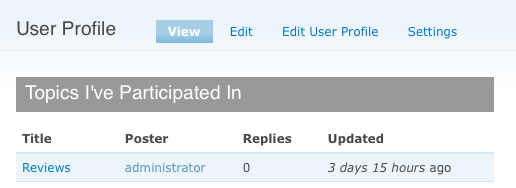
I am trying to use APK with nodeprofile but only My Posts are showing up on the User Profile pages.
Panels>Panel Pages>User Profile>Content page has all panels with the "Does not meet context requirements" message.
If I add a panel the information shows up for the new panel but I cannot see any of the in-built APK stuff like About User, Contact etc.
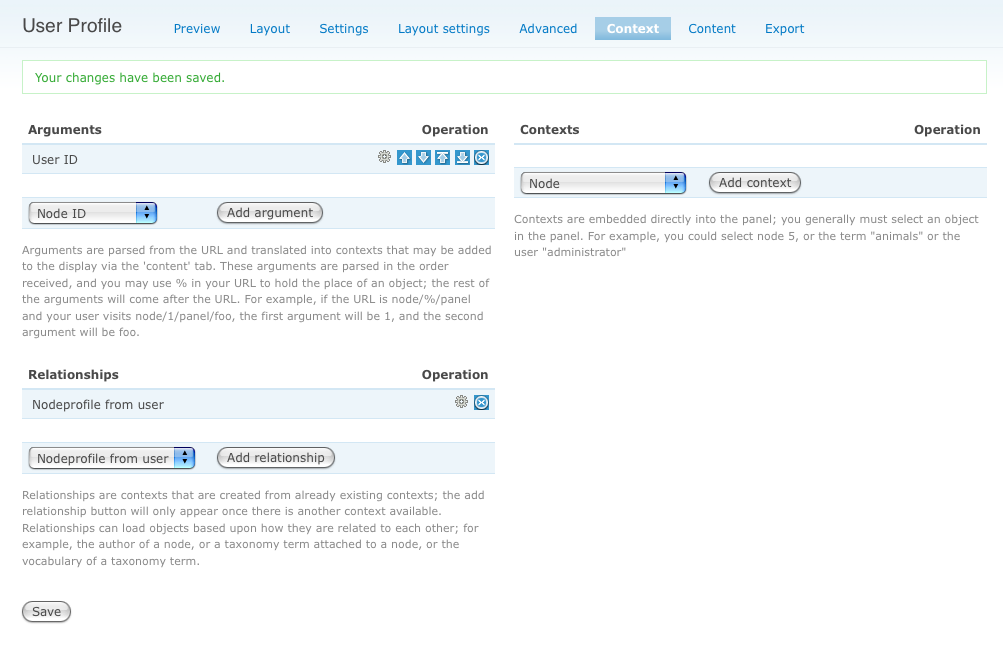
Screenshots of Content, Context and User Profile attached.
| Comment | File | Size | Author |
|---|---|---|---|
| userprofile.png | 18.37 KB | mistresskim | |
| context.png | 98.4 KB | mistresskim | |
| content.png | 95.75 KB | mistresskim |


Comments
Comment #1
alippai commentedIMHO you have to install the Bio module.
Comment #2
michelle@alippai - You don't need bio installed. APK works fine with nodeprofile.
@newkid85 - Please confirm you followed the instructions for using APK with nodeprofile. Your problem looks like not resetting the panes.
Michelle
Comment #3
mistresskim commentedI followed these instructions and those from the APK pages very meticulously although I must confess I don't really understand the whys and hows of instructions 8 to 13, which I guess is resetting the panes and fully understanding the nodeprofile stuff. Does resetting mean hitting the "configure" icon in each pane and then pressing save?
I can now see the profile page corresponding to user/1 at users/administrator (because author name is Administrator) but the panes in the Panels>Panel Pages>User Profile>Content page are still showing up the context requirement error.
The other problem is that I don't fully understand what the path/URL setting for the User Profile is supposed to be in the pathauto as well as the Panel Pages/User Profile section. Should they be the same? And if so, what? If I click on My Account or click on the View tab for the Administrator account I end up at the account details for user/1 but not at the User Profile page.
Thanks in advance.
Comment #4
kulfi commentedI too am getting this error. I am using core profiles, not bio/nodeprofile. Where do I tell Panels/APK this?
Comment #5
mouse77e commentedWatching this with interest... I too am having the self same issues
Comment #6
mouse77e commentedChaps, i think i found the problem / solution
in the "using Nodeprofile with Advanced Profile instructions" in part 8 it tells you to set the keyword to "Profilenode" BUT the default setting that comes up is "Nodeprofile"... the syllables are inversed - a point easily missed. So retype the keyword, click save, then on to part 10 easy!
Comment #7
ethanre commentedGood point. In my case I had to type 'profilenode' all in lower case, otherwise it wont work.
Comment #8
michelleClosing old issues that aren't applicable anymore with the rewrite.
Michelle