

Closed (works as designed)
Project:
Drupal core
Version:
6.9
Component:
javascript
Priority:
Normal
Category:
Bug report
Assigned:
Unassigned
Reporter:
Created:
23 Jul 2008 at 08:48 UTC
Updated:
9 Dec 2009 at 14:41 UTC
Jump to comment: Most recent file


Comments
Comment #1
stella commentedI can't reproduce it. I've enabled js compression on my site, so we'll see if it starts happening over the next week or so. Does it happen in all browsers?
Can you try out the latest dev release of the module? I did make some changes earlier in the week because the YUI compressor app gave errors whenever it tried to compress the lightbox.js file. I'm not totally sure this will help though, because the
svariable in question is just an alias ofDrupal.settings.Lightbox2which Drupal generates on behalf of the lightbox2 module. Ifsis undefined, then that meansDrupal.settings.Lightbox2is undefined too, which can't be right.Anyway try the latest dev version of the module to see if it helps. Can you send me a link to your site also? My contact form is enabled if you wish to do so privately.
Cheers,
Stella
Comment #2
stella commentedI still haven't encountered this issue. Is it still a problem for you? Have you tried using the latest dev version of the module?
Cheers,
Stella
Comment #3
reg commentedI'm running a site in 5.x but I think I can add some information here as I just started getting this error.
I took out the compression in the JavaScript but left in the code that joins all the JS files together and got the same error. However, when the files are loaded separately, no error.
I also never had this problem in FF2 so I am considering the possibility that it is an FF3 bug (no problem in IE7 either), it is a pretty new browser and may still have a the odd quirk we don't know about.
Looking at the loaded object, sure enough "Drupal.settings" does not exist. It is created with a small bit of inline JS which for some reason isn't doing that occasionally. If I was to make a guess on this issue I would say that when it's loading 15-20 JS files they don't have time to run any code so the inline JS code that creates the "Drupal.settings" always does it's job first but when just one JS file loads perhaps that is not always the case. I can't prove this, for one thing my JS troubleshooting isn't that great, but I'm hoping these ideas and what I have done so far helps someone else maybe take it another step.
Any page on my website such as: http://www.lightingatwillowglen.com/craftsman-pendant-small-17902 will produce this error in FF3... if it chooses to at the time...
I suspect this could be moved to be a core issue being that the creation of "Drupal.settings" is controlled by the core.
If anyone else has anything to add please do. Intermittent problems are tough to crack.
-Reg
Comment #4
stella commentedReg: I can reproduce the issue on your site.
It doesn't happen for the Lightbox2 javascript code, but on a js file from another module. I'm not quite sure which (since js compression is enabled), but it happens on line 13 of your compressed js file. So I'm confident that this isn't a problem with the lightbox2 module.
However, I think I've narrowed it down. I find that it only happens when firebug is enabled for a site. It has to be totally disabled in order for the error to not appear. By "totally disabled", I don't just mean that the firebug window isn't open, I mean that either the firebug add-on isn't installed or that all the panel options are disabled under the "Console" tab. If it's disabled, I never see the error, no matter how many page refreshes I do (clearing the cache each time). However if it's enabled, then the "Drupal.settings is undefined" error appears fairly regularly, but not on every page load.
I'm re-assigning this to the Drupal project, as it's definitely not a Lightbox2 issue. However I'm not sure if this is a Drupal or a Firebug issue. I'm leaning towards the latter however.
Cheers,
Stella
Comment #5
reg commentedYep, I came to the same conclusion before I wrote you and I agree that it is most likely a FF3 issue and more specifically a FF3 plugin issue. As for which module it happens for, I think that is simple, the first module that tries to access the "Drupal.settings" object triggers it which will probably be different for each website. I'll leave my website "as is" as best I can for the short term so the JavaScript team can have a look it at.
Comment #6
taqwa commentedWe have this issue on our site as well. It is most definitely a firefox 3 related issue and likely has something to do with Caching. It also only occurs when Javascript aggregation is turned on. The first page load works just fine, but when a user navigates to a second page, any variable that contains "Drupal.settings...." no longer functions.
We are using Drupal 5.7.
Comment #7
aerodog commentedI'm feelin your pain Lukas2000. Same exact issue here. If you google around you'll see some threads pertaining to this issue with post dates that coincide with the release of firefox 3. I don't know what exactly this is...any more info would be greatly appreciated...
Comment #8
taqwa commentedChanging the title so that it's more appropriate
Comment #9
Sam Dark commentedSame problem…
Comment #10
reg commentedI suspect the only solution is to wait until an update of an FF3 plug-in is available but it would be nice if someone from the JavaScript team would at least have a look at it.
Comment #11
davebv commentedI am writing a module which passes a variable through Drupal.settings.
My variable is called prueba so when I try to use it on the js file: Drupal.settings.prueba is undefined.
I happens when debuggin, when it tries to execute the script, the Drupa.settings hast not been extended yet so my variable is not defined, but then, I continue and, after that, my variable is present according to the dom.
What I do is:
in myjs.js
and the error: Drupal.settings.mymodule.prueba is undefined
Comment #12
Flying Drupalist commentedI'm getting this error too. I can't tell why.
Comment #13
reg commentedJust a thought, has anyone looked into adding some "if ready" code. I know in ExtJS you can do something like this:
Perhaps there is some equivalent for jQuery that's not being used ? Sorry I can't look into this now myself, I'm focused on an unrelated project but saw that this issue is still open and people still adding to it.
Comment #14
Gurpartap Singh commentedYou must request Drupal.settings.X after all other JS files have loaded. It's best to do it this way:
or this way:
Comment #15
Flying Drupalist commentedGurpartap Singh is the fix in 6.9?
Comment #16
Gurpartap Singh commentedI didn't make any change in Drupal 6.9 for this. I'm just suggesting about how to make proper use of Drupal.settings.X to prevent unwanted errors.
Comment #17
Flying Drupalist commentedThen should this be moved back to the LB queue to let stella fix it?
Comment #18
kenorb commentedThe same problem:
So any summary how to fix that problem? What should I update? And why is that?
Comment #19
stella commentedThis is not a problem with Lightbox2 - it does wait for the page to be finished loading (via
$(document).ready()) before executing any code, modifying the DOM or accessing Drupal.settings.X.Comment #20
Gurpartap Singh commented@kenorb It has nothing to do with this issue.
Comment #21
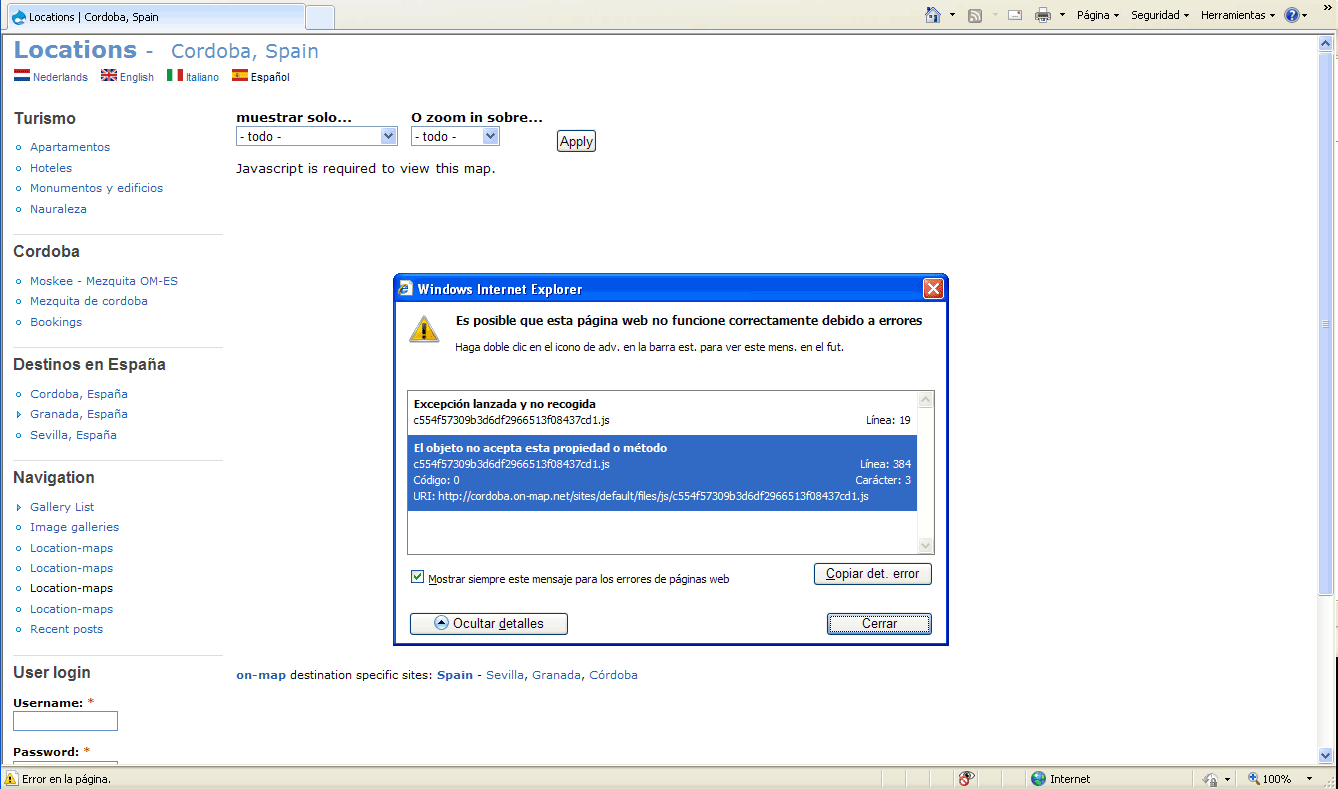
suffering drupal commentedHello, I don't know if it belongs here, but I have general Javascript problems when activating Lightbox2:
1 - maps don't show -> "javascript is required to view this map"
2 - administration menu disappears
3 - Collapsable content doesn't work (link to un-collapse disappears)
4 - WYSIWYG doesn't work
5 - disables hierarchical select
I checked cron, update, flush... just in case...
Any suggestions?