Hello:
The above code works fine for the default blocks provided by Drupal. i.e. Who's online
etc, but it breaks down for blocks that are created using Views.
To reproduce the problem do the following
1 - Install vanilla Drupal 5.9
2 - Install Block Refresh 5.x-1.x-dev
3 - Install Views 5.x-1.6.
4 - Enable the modules Views and Block Refresh
5 - Create 5 sample pages with title and body
(i created Page1-Body of Page1 ...)
6 - Create a Block View
http://www.example.com/admin/build/views/add
- Basic Information
- Block
- check "Provide Block"
- view type "List View"
- title "Test View 1"
- nodes per block "1"
- Fields
Filter
- Node: Type Is One Of Page (option - not exposed)
Sort Criteria
7 - Save view
8 - Admin - Blocks
9 - Enable block testview1 and who's online
10 - Configure block testview1 and who's online and enable manual refresh
11 - open a page - www.example.com to see both the blocks with the manual refresh links.
12 - please use firefox with firebug plugin enabled
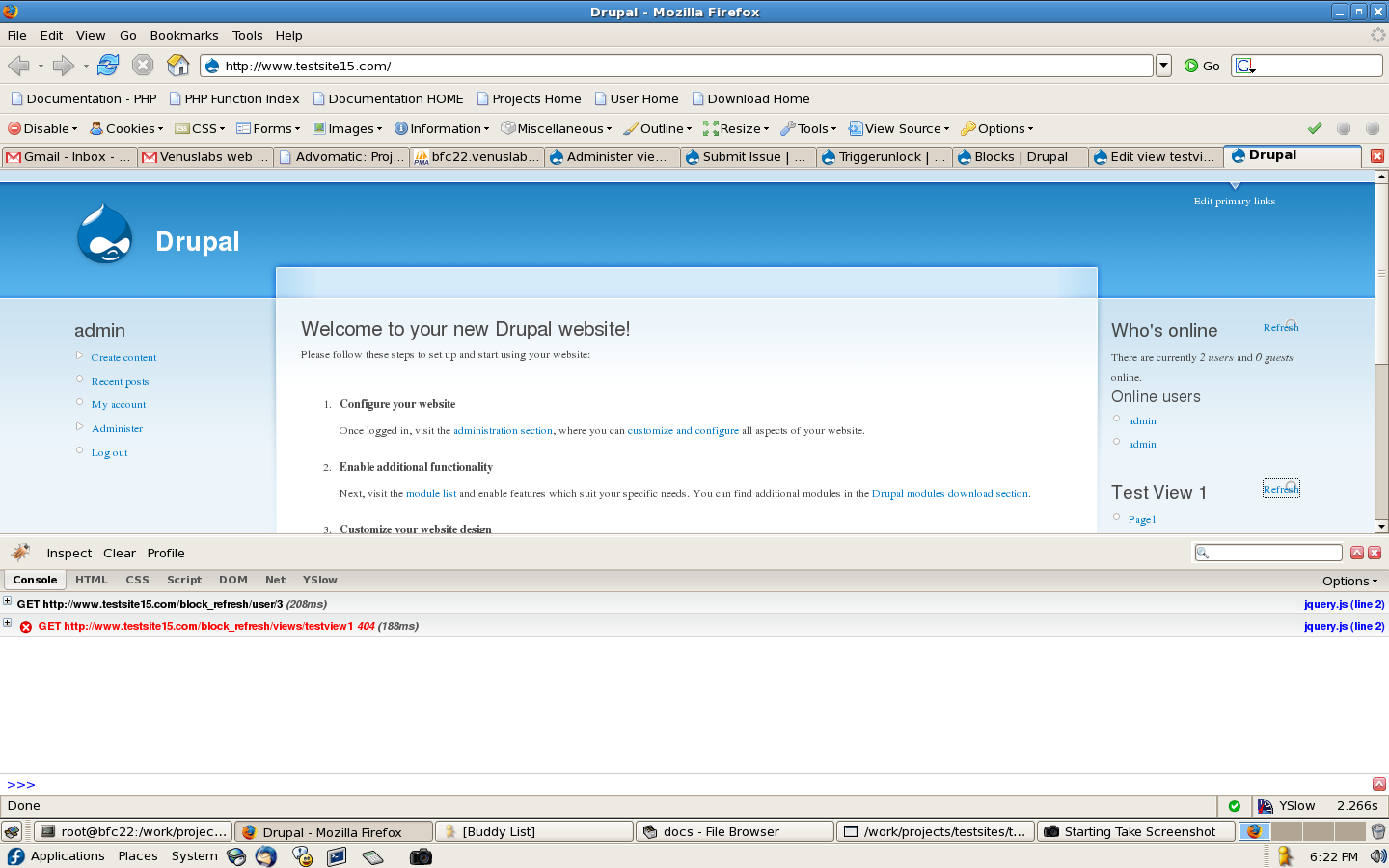
13 - open firebug and see console window
14 - click on refresh for Who's online
you'll see a message in the console window
"GET http://www.example.com/block_refresh/user/3 (208ms)"
and that response looks fine
15 - click on referesh for Test view 1
you'll see the failed request at
"GET http://www.example.com/block_refresh/views/testview1 404 (188ms)"
it's returning a 404 it seems.
Thanks
Yashesh Bhatia
Venuslabs.


Comments
Comment #1
venuslabs commentedI'm attaching the log file i created. specifically these are breakpoints and variable values in the callback function block_refresh_block_content() in block_refresh.module
Comment #2
Rysk commentedI'm getting the 404 issue as well, but if i navigate to the page itself, the block elements are listed after the < /html> tag. Not sure what I can do about it at this point, other than just say the module doesn't work in it's current release. (ex. http://kuroanime.blogsite.org/portal/block_refresh/avatar_blocks/0 )
Comment #3
bocaj commentedMarking as "won't fix" since there has been no activity on this forum in quite some time.
If someone happens to find this post though, 6.x branch should be able to handle views blocks.