

 Come together with the global Drupal community in Rotterdam, 28 Sept – 1 Oct 2026. Sessions, contribution, connection, and Early Bird savings until 8 June.
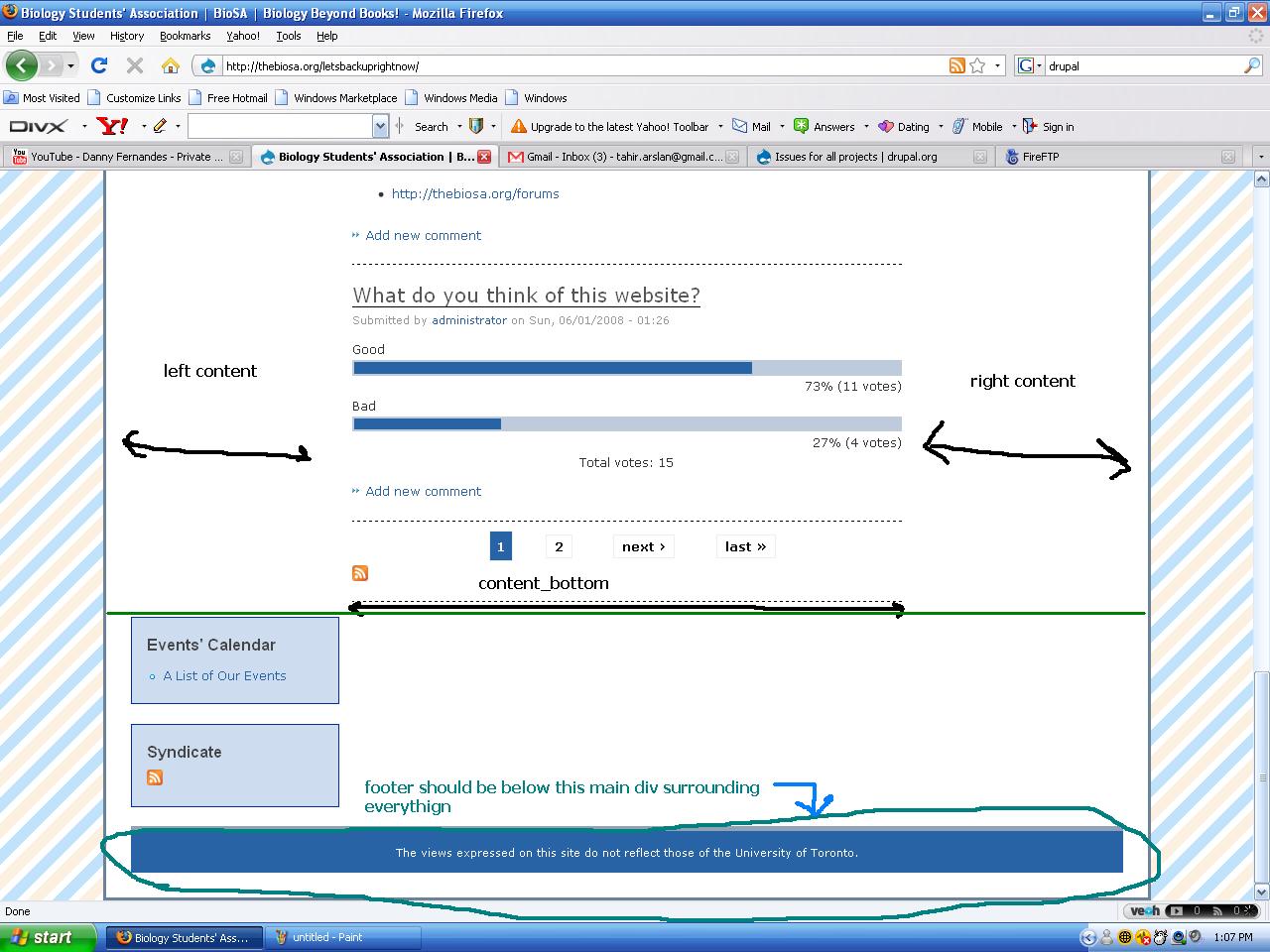
i was editing the taxonomy of my website and after i pressed save and pressed home my right block completely shifted from the right to the bottom under the content and is happening to ONLY the home page. any other page i visit for my site everything is completely normal and the right block is where it should be =S i have no idea what to do or how to fix this, all i could think of trying to do was
1) refresh (didnt work)
2) move the contents of the right block into a different block, save, go to home page and refresh, go back and move those contents back to the right block, save, go to home page and refresh (didnt work)
3) i have an original backup of the page.tlp.php which i reuploaded back to the drupal using the ftp program and replaced the page.tlp.php file i thought was corrupt, and the descripted problem still occurs
| Comment | File | Size | Author |
|---|---|---|---|
| #1 | screenshot_1.JPG | 206.05 KB | arslantahir |
| #1 | messedup_bottom.JPG | 159.52 KB | arslantahir |


Comments
Comment #1
arslantahir commentedsorry ok actually i just realized my footer is now also associated at the bottom with the main div surrounding the left block, center block, and where the right block should be (on the home page)
pictures attached (notice the screenshot_1.jpg is a picture of a link other than the home page and the messedup_bottom.jpg is a picture of the bottom of the home page)
also i havent played with the coding at all today, and after i saw that i checked the coding just in case and its perfectly fine,,,, and sorry the theme is zen_classic
Comment #2
arslantahir commentedum? anyone?
Comment #3
arslantahir commented...
Comment #4
jprieto commentedthe same thing happened to me -- but i did not touch anything before it did
any news on a fix?
Comment #5
thomasmurphy commentedI don't know what's happening with your site, but when this sort of things has happened to me, it because I've included an extra
tag in a block, which closes a div which was important for the site layout, which breaks the page. Are you sure that you're not including any blocks with an uneven number of
I can't think of any way this would be caused by taxonomy, unless you have a taxonomy theme thing going on but I am no expert