

 Come together with the global Drupal community in Rotterdam, 28 Sept – 1 Oct 2026. Sessions, contribution, connection, and Early Bird savings until 8 June.
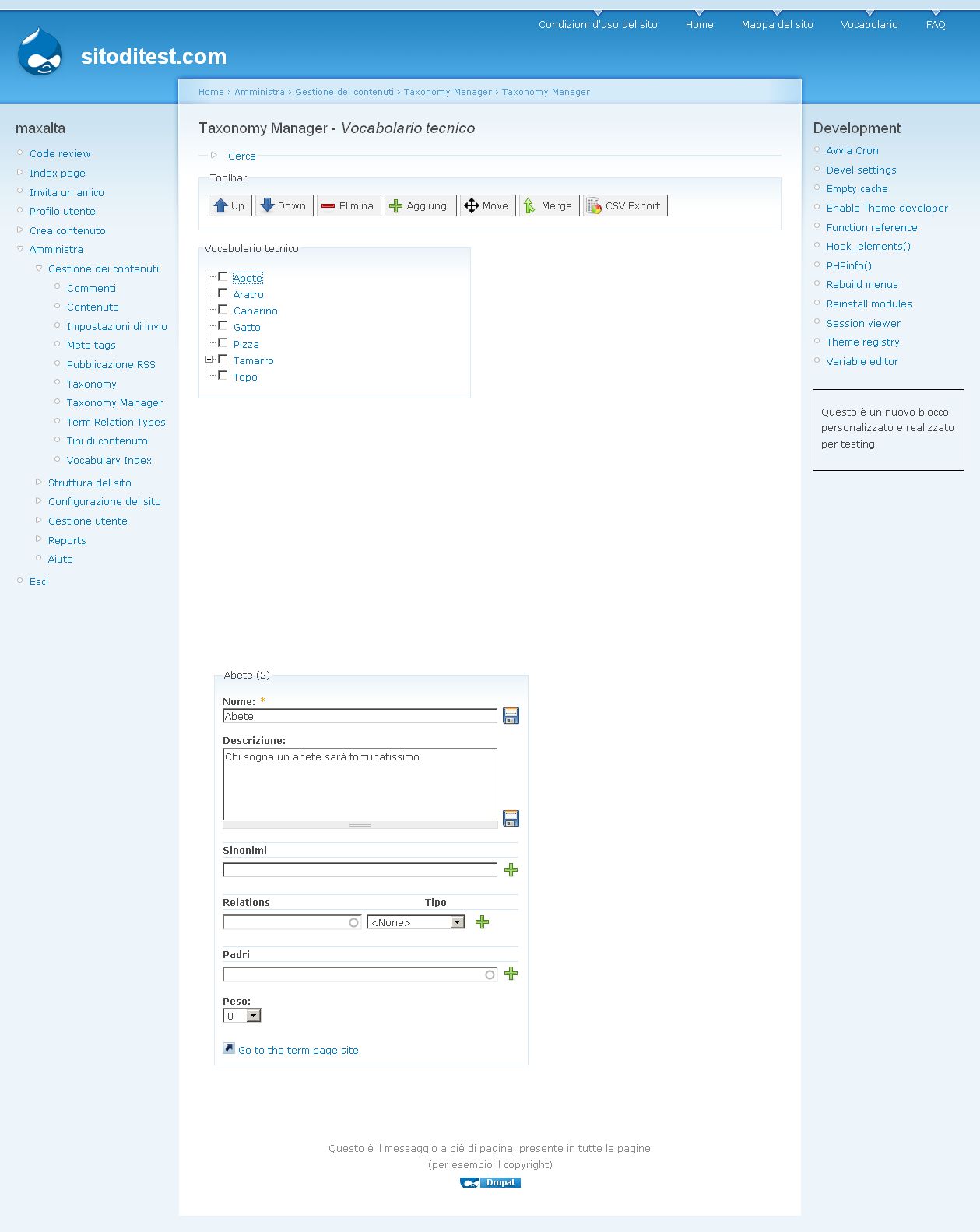
I have the tree view of my terms, but clicking on a term its editing form doesn't appear on the right.
In your demo is all ok but not in my site, why?
FYI I have vocabulary index module installed.
Thank you
MXT
| Comment | File | Size | Author |
|---|---|---|---|
| #2 | screenshot.jpg | 140.46 KB | mxt |

Comments
Comment #1
mh86 commentedhi!
my test site still runs on Drupal-5. The URL to an D6 installation is http://d6.mhutterer.at/?q=admin/content/taxonomy_manager/voc/1.
Please try out and report back.
and which browser are you using?
Comment #2
mxtOk, on your D6 installation DEMO it works correctly.
I'm using firefox 3.0.1 but i have the same issue on IE7.
SORRY, it's only a layout problem, i realized now that editing form appear, BUT AT THE BOTTOM OF THE PAGE (look at the screenshot)
(I'm using Garland theme)
Thank you for your work.
MXT
Comment #3
mh86 commentedhi!
I would recommend you disabling the right block on the taxonomy manager pages. The Taxonomy Manager need around 750px space (at least) to be perfectly displayed.
Maybe I'm going to do some optimization, when there isn't enough space in the main content, so that the term data editing form is displayed directly under the tree view.
Comment #4
Anonymous (not verified) commentedAutomatically closed -- issue fixed for two weeks with no activity.