

 Come together with the global Drupal community in Rotterdam, 28 Sept – 1 Oct 2026. Sessions, contribution, connection, and Early Bird savings until 8 June.
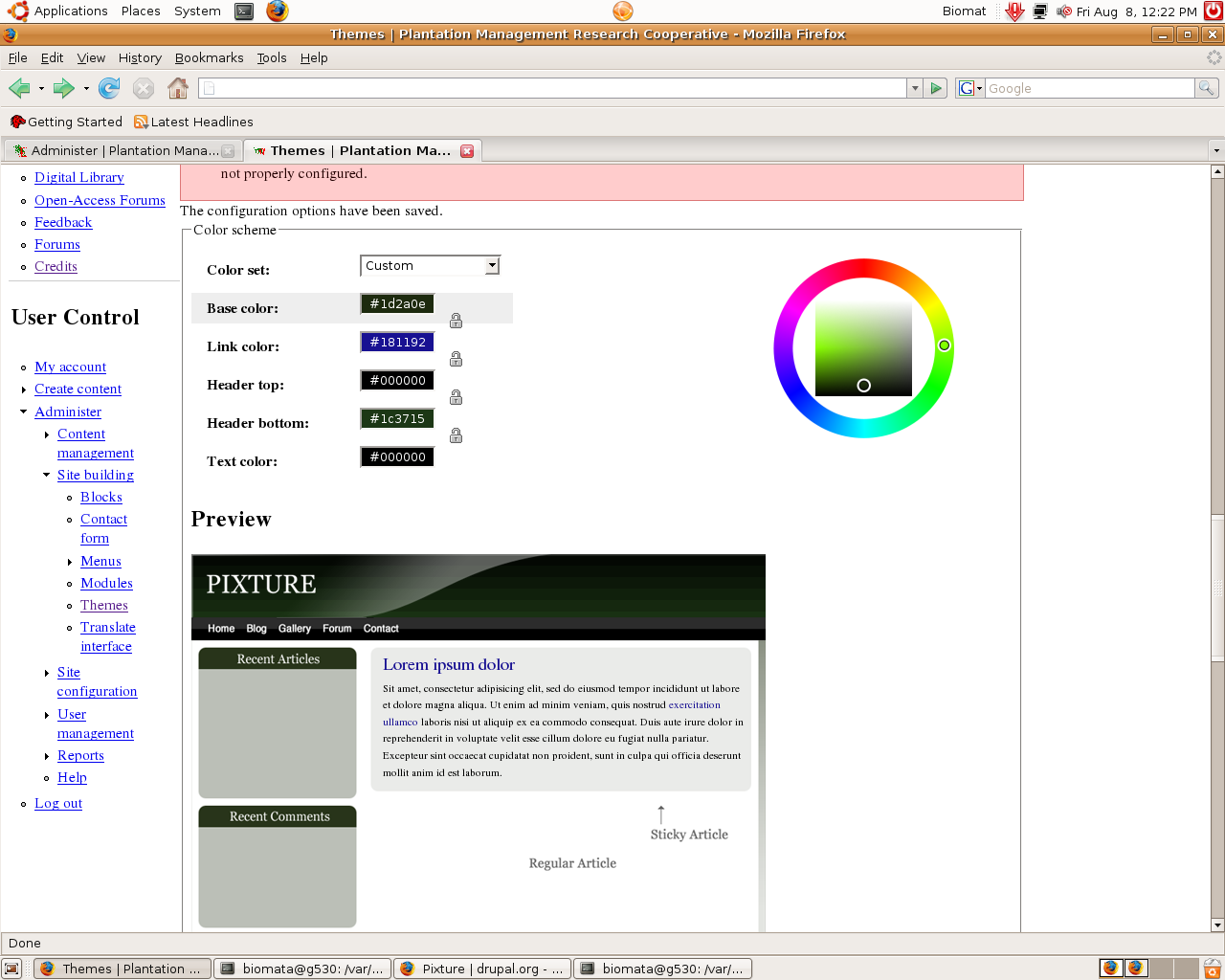
So I wanted to upload a new smaller resized logo for my website. So I went to Browse, then I clicked save.
I got all these errors:
* The selected file /tmp/PMRC_logo_resize.gif could not be copied.
* The selected file sites/all/themes/pixture/images/menu-collapsed.gif could not be uploaded, because the destination sites/default/files/color/pixture-c1d0c5eb/menu-collapsed.gif is not properly configured.
* The selected file sites/all/themes/pixture/images/menu-expanded.gif could not be uploaded, because the destination sites/default/files/color/pixture-c1d0c5eb/menu-expanded.gif is not properly configured.
* The selected file sites/all/themes/pixture/images/menu-leaf.gif could not be uploaded, because the destination sites/default/files/color/pixture-c1d0c5eb/menu-leaf.gif is not properly configured.
* The selected file sites/all/themes/pixture/images/button.gif could not be uploaded, because the destination sites/default/files/color/pixture-c1d0c5eb/button.gif is not properly configured.
* The selected file sites/all/themes/pixture/images/button-o.gif could not be uploaded, because the destination sites/default/files/color/pixture-c1d0c5eb/button-o.gif is not properly configured.
* The selected file sites/all/themes/pixture/images/teaser-tl.gif could not be uploaded, because the destination sites/default/files/color/pixture-c1d0c5eb/teaser-tl.gif is not properly configured.
* The selected file sites/all/themes/pixture/images/teaser-tc.gif could not be uploaded, because the destination sites/default/files/color/pixture-c1d0c5eb/teaser-tc.gif is not properly configured.
* The selected file sites/all/themes/pixture/images/teaser-tr.gif could not be uploaded, because the destination sites/default/files/color/pixture-c1d0c5eb/teaser-tr.gif is not properly configured.
* The selected file sites/all/themes/pixture/images/teaser-ml.gif could not be uploaded, because the destination sites/default/files/color/pixture-c1d0c5eb/teaser-ml.gif is not properly configured.
* The selected file sites/all/themes/pixture/images/teaser-mr.gif could not be uploaded, because the destination sites/default/files/color/pixture-c1d0c5eb/teaser-mr.gif is not properly configured.
* The selected file sites/all/themes/pixture/images/teaser-bl.gif could not be uploaded, because the destination sites/default/files/color/pixture-c1d0c5eb/teaser-bl.gif is not properly configured.
* The selected file sites/all/themes/pixture/images/teaser-bc.gif could not be uploaded, because the destination sites/default/files/color/pixture-c1d0c5eb/teaser-bc.gif is not properly configured.
* The selected file sites/all/themes/pixture/images/teaser-br.gif could not be uploaded, because the destination sites/default/files/color/pixture-c1d0c5eb/teaser-br.gif is not properly configured.
* The selected file sites/all/themes/pixture/images/logo.png could not be uploaded, because the destination sites/default/files/color/pixture-c1d0c5eb/logo.png is not properly configured.
* warning: imagepng() [function.imagepng]: Unable to open 'sites/default/files/color/pixture-c1d0c5eb/header.png' for writing: No such file or directory in /var/www/pmrc/modules/color/color.module on line 502.
* warning: imagepng() [function.imagepng]: Unable to open 'sites/default/files/color/pixture-c1d0c5eb/bg-header.png' for writing: No such file or directory in /var/www/pmrc/modules/color/color.module on line 502.
* warning: imagepng() [function.imagepng]: Unable to open 'sites/default/files/color/pixture-c1d0c5eb/bg-footer.png' for writing: No such file or directory in /var/www/pmrc/modules/color/color.module on line 502.
* warning: imagepng() [function.imagepng]: Unable to open 'sites/default/files/color/pixture-c1d0c5eb/bg-menu.png' for writing: No such file or directory in /var/www/pmrc/modules/color/color.module on line 502.
* warning: imagepng() [function.imagepng]: Unable to open 'sites/default/files/color/pixture-c1d0c5eb/bg-title.png' for writing: No such file or directory in /var/www/pmrc/modules/color/color.module on line 502.
* warning: imagepng() [function.imagepng]: Unable to open 'sites/default/files/color/pixture-c1d0c5eb/bg-wall.png' for writing: No such file or directory in /var/www/pmrc/modules/color/color.module on line 502.
* warning: imagepng() [function.imagepng]: Unable to open 'sites/default/files/color/pixture-c1d0c5eb/bg-bar-lite.png' for writing: No such file or directory in /var/www/pmrc/modules/color/color.module on line 502.
* warning: imagepng() [function.imagepng]: Unable to open 'sites/default/files/color/pixture-c1d0c5eb/bg-bar.png' for writing: No such file or directory in /var/www/pmrc/modules/color/color.module on line 502.
* warning: imagepng() [function.imagepng]: Unable to open 'sites/default/files/color/pixture-c1d0c5eb/bg-lbar-lite.png' for writing: No such file or directory in /var/www/pmrc/modules/color/color.module on line 502.
* warning: imagepng() [function.imagepng]: Unable to open 'sites/default/files/color/pixture-c1d0c5eb/bg-lbar.png' for writing: No such file or directory in /var/www/pmrc/modules/color/color.module on line 502.
* warning: imagepng() [function.imagepng]: Unable to open 'sites/default/files/color/pixture-c1d0c5eb/block-tl.png' for writing: No such file or directory in /var/www/pmrc/modules/color/color.module on line 502.
* warning: imagepng() [function.imagepng]: Unable to open 'sites/default/files/color/pixture-c1d0c5eb/block-tr.png' for writing: No such file or directory in /var/www/pmrc/modules/color/color.module on line 502.
* warning: imagepng() [function.imagepng]: Unable to open 'sites/default/files/color/pixture-c1d0c5eb/block-bl.png' for writing: No such file or directory in /var/www/pmrc/modules/color/color.module on line 502.
* warning: imagepng() [function.imagepng]: Unable to open 'sites/default/files/color/pixture-c1d0c5eb/block-br.png' for writing: No such file or directory in /var/www/pmrc/modules/color/color.module on line 502.
* warning: imagepng() [function.imagepng]: Unable to open 'sites/default/files/color/pixture-c1d0c5eb/sticky-tl.png' for writing: No such file or directory in /var/www/pmrc/modules/color/color.module on line 502.
* warning: imagepng() [function.imagepng]: Unable to open 'sites/default/files/color/pixture-c1d0c5eb/sticky-tr.png' for writing: No such file or directory in /var/www/pmrc/modules/color/color.module on line 502.
* warning: imagepng() [function.imagepng]: Unable to open 'sites/default/files/color/pixture-c1d0c5eb/sticky-bl.png' for writing: No such file or directory in /var/www/pmrc/modules/color/color.module on line 502.
* warning: imagepng() [function.imagepng]: Unable to open 'sites/default/files/color/pixture-c1d0c5eb/sticky-br.png' for writing: No such file or directory in /var/www/pmrc/modules/color/color.module on line 502.
* warning: imagepng() [function.imagepng]: Unable to open 'sites/default/files/color/pixture-c1d0c5eb/screenshot.png' for writing: No such file or directory in /var/www/pmrc/modules/color/color.module on line 502.
* The selected file /tmp/filenkEQLi could not be uploaded, because the destination sites/default/files/color/pixture-c1d0c5eb/style.css is not properly configured.
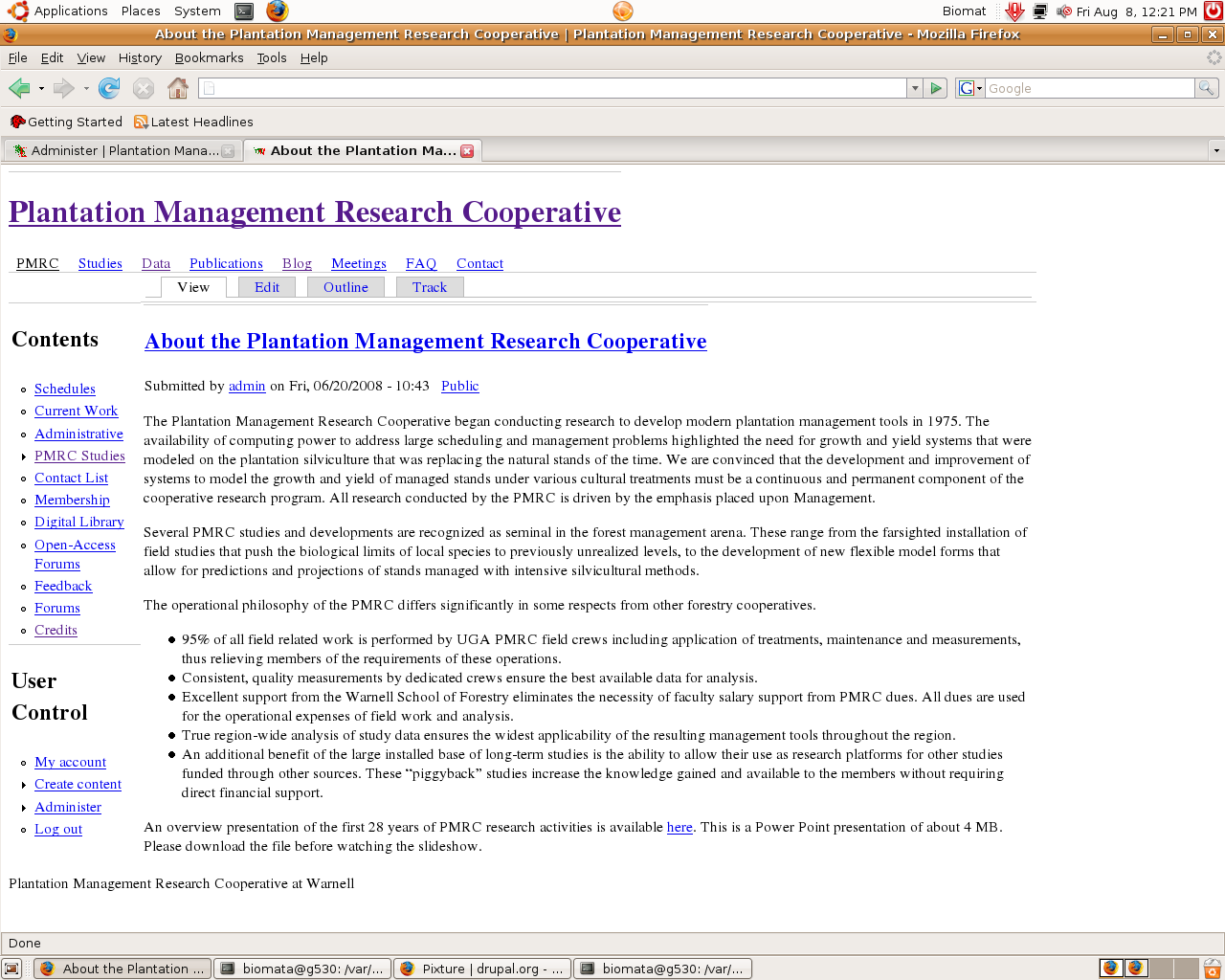
And then everything lost all color, and the curvy corners, etc.
How can I fix this. Any help is greatly appreciated!
I have attached two screenshots.
Thanks!-ROR
| Comment | File | Size | Author |
|---|---|---|---|
| problem_pixture2.png | 177.39 KB | root_of_roots | |
| problem_pixture1.png | 199.93 KB | root_of_roots |

Comments
Comment #1
Jeff Burnz commentedCheck to see if the directory where the color files are being saved is writeable.
sites/default/files/color
The files and color directories must be writeable (permissions/chmod 777).
See if that clears up the issue.
Comment #2
root_of_roots commentedHello.
Thank you VERY much for the response.
I have already done that. It still prevents me from uploading new logos.
Do you know what other folders I have to modify?
Thanks!
-ROR
Comment #3
Jeff Burnz commentedTry switching color profiles and clearing the cache, sorry but I am not sure 100% what is going on here as I don't have time to recreate the issue. I'll have some more time on Sunday if you don't get this sorted.
Comment #4
root_of_roots commentedHello jmburnz,
Thanks for the reply.
I have been looking through it again, and nothing after changing the "color" folder to "777".
I think perhaps I should go in depth on what I did.
When updating the core, I copied the /sites folder somewhere else. Then I deleted the WHOLE drupal installation folder - untarred the Drupal 6.3 tarball - and then copied the sites/all folder back in. Everything was working good - and the custom colors and logos were the same, until I tried to upload the new logo. Thats when evertything messed up.
Thank you very much,
-ROR
Comment #5
Jeff Burnz commentedOK, out of interest, what is the name of your logo? Is it logo.png or something different.
Also, have you checked (via ftp) that the sites/default/files/color/pixture-c1d0c5eb/ directory exists?
What it looks like is that the color module simply cant find the directory /pixture-c1d0c5eb/ so my advice so far has been a fairly simple attempt to get the color module to write a new set of color files.
I need a bit of time to mess about with the color module and pixture to really understand what is going on, but, I would assume your logo must be called logo.png, since that is the one that gets copied over to the new color profile directory.
Comment #6
root_of_roots commentedMy logo actually has the name: PMRC_logo_resized.gif .
The previous one was called PMRC_logo_new.gif (and it uploaded fine).
Right now I am going to check if the directory "sites/default/files/color/pixture-c1d0c5eb/" exists.
The color changing is now working fine. Just the custom logo upload is not working - and I am kind of worried about other things not working.
After giving the "color" directory permissions - the formatting and theme-colors, etc. came back.
Thanks,
-ROR
Comment #7
Jeff Burnz commentedIf you name the logo anything other than logo.png, you have to edit pixtures color.inc file.
Not so sure about the path, but i would think its just easiest to upload your logo the pixture folder via FTP.
Both the path & file name are important information set in color.inc
Comment #8
root_of_roots commentedThese are all the folders in the sites/default/color folder:
austere-29acaa5c
pixture-367c9c50
wabi-783e29f5
garland-3a414cb1
pixture-b07a447d
They are all green (777 permissions) except for pixture-b07a447d .
What do you make of that?
Comment #9
Jeff Burnz commentedNothing unusual. Color module will write a new profile for each theme, each time you change the settings.
Are your issues resolved? If so lets close this.
Comment #10
root_of_roots commentedNo - it still wont let me upload the logo.
Thats a problem.
Could there be other hidden problems?
Comment #11
level02 commentedWhat is the permissions setting for your sites/all/themes folder?
What version of PHP are you using, and is SAFE_MODE on?
Check these.
Comment #12
level02 commentedComment #13
Jeff Burnz commented@root_of_roots
How are you uploading the logo? Via Drupals theme settings or via FTP?
Whats not letting you upload it?
How do you know this?
Are you sure you have renamed it logo.png (in png format) and are you uploading it to the pixture theme directory, OR have you modified the color.inc file to reflect your new logo name and location?
Further help requires an improved feedback loop.
Comment #14
root_of_roots commentedI am running PHP 5. I have Ubuntu 8.04 server installated with the GNOME GUI. I am running a LAMP. I have no idea if SAFE_MODE is on...
When I try to upload a logo with the name "pmrc_logo_resized.gif" I get this error:
The selected file /tmp/PMRC_logo_resize.gif could not be copied.
Underneath it says:
* The configuration options have been saved.
* The directory sites/default/files/color/pixture-6d8635f9 has been created.
However when I try to upload a logo called "logo.png" - it work fine.
And I get this message:
* The configuration options have been saved.
* The directory sites/default/files/color/pixture-ec0a81bc has been created.
The permissions on the sites/all/themes folder is just the default color light blue color. I am not sure exavctly what the permissions are - but if you chmod 777 a folder it will turn green.
Is there some way I can just wipe all of the themes and start over. I dont mind losing a few theme configurations. I would just have to re-do the logos and custom colors, but thats not a problem for me.
Comment #15
level02 commentedWhat are the permissions on your tmp folder? And is it properly configured? The first error "The selected file /tmp/PMRC_logo_resize.gif could not be copied" seems to be the problem and all other errors are perhaps stemming from that.
Line 502 of color.module (imagepng() [function.imagepng]) is this:
there were other issues with color.module and safe_mode being on but I don't think that is an issue here. there were also other issues with the themes folder permissions and color.module. that's weird that it works for logo.png and not pmrc_logo_resized.gif, thanks for reporting this odd behavior but I think it has something to do with your file/folder permissions/ownership and color.module/pixture. I don't get an error when I upload a gif file. There are several other posts about this issue that relate to themes that use the color module, perhaps some of them might help out ROR http://drupal.org/search/node/imagepng+gif+logo+tmp
As a side note: thanks to jmburnz for tackling this issue.
Comment #16
root_of_roots commentedThe /tmp folder in below the server root. I shows up as green highlight with black text. It that how it is supposed to be? Should I chmod 777 it?
Thanks!
-ROR
Comment #17
Jeff Burnz commentedI've been mucking about with this and I wonder if your image file is corrupted? I ask this since it worked with logo.png and perhaps that file is good OR you havent un-checked "Use the default logo" in the Logo image settings - read on...
Here's what I found:
1) didnt matter if the tmp folder was below web root and chmod 644, worked regardless (using theme settings upload), looks like logo upload doesn't go anywhere near the tmp folder.
2) When using the theme upload field, a file called pixture_logo.png gets created i.e files/pixture_logo.png, worked with .gif also, ie files/pixture_logo.gif gets created. Doesnt matter what the file is called before its uploaded, it gets renamed.
Looking down at line 112 of the color.module is where that magic seems to happen (please correct me if I am wrong).
3) most times the new logo wouldn't show unless I cleared the browser cache and refreshed the page.
Be sure to un-check "Use the default logo" otherwise it will look for logo.png
Basically it worked every time a coconut, without issues, apart from having to clear the browser cache almost every time (oddly once or twice I did not, and I tried about 15 different gifs and png files).
If its writing the color profile to files/color then files dir is writable, thats a given, so the issue is either you need to refresh your browser (I was using FF2 with a nifty addon called Cache Status so I can clear cache in two clicks) or there is something up with your image.
@root_of_roots - I doubt you can delete the color profile folder since the server will own it, and it wont allow you to delete it or even change the permissions.
Comment #18
root_of_roots commentedOkay.
I went back and tried it with multiple logos. GIFs, JPEGs, PNGs, they all dont work. Same errors?
Any other suggestions?
I think its just those messed up permissions. If I could just find some document specifying what the different permissions on the different folders are supposed to be them I could probably fix it. ;(
Thank you VERY much!
-ROR
Comment #19
Jeff Burnz commented"they all don't work" gives us nothing to go on... In general folders that get uploaded to need to be chmod 777, be sure you are using public files (I assume you are since colourised themes by default won't work with the private method).
Comment #20
root_of_roots commentedjmburnz,
Sorry. What I meant to say is that all the different types of files don't work. Uploading a GIF gave me the same error as before. Uploading a JPG gave me the same error as before. The same with PNG. And I tried different images so I am pretty sure that it is not a corrupted logo or something like. However logo.png uploads very smoothly.
Thank you for all the help.
I will start experiment heavily with different functions to see if I can collect any more data.
Where can I check the error reports? In the admin menu all I see is the status report - which is all good.
-ROR
Comment #21
level02 commentedyou said /tmp? try changing the path of your Temporary directory: (admin > site config > file system) to just tmp (no slash). Drupal will create a new folder called tmp in the root of your Drupal installation if there isn't one already. And refresh the browser after uploading a new logo! cmnd(ctrl)+shift+r in FF, ctrl+F5 in IE, cmnd+r in safari! Compare the perms/ownership from the new tmp folder to color.inc and the other folders in question.
Clear your cache at admin > site config > performance to be sure.
Also, your not using pixture 5.x on Drupal 6.3 are you?
You might also want to copy menu-collapsed.gif, menu-expanded.gif, and menu-leaf.gif from garland/images over to pixture/images. Those files are missing from the pixture theme and it creates errors.
Comment #22
root_of_roots commentedI am using public files.
I refreshed the browser and cleared the cache. Many times
Okay, results of more experimenting.
Changed the tmp directory to "tmp" from "/tmp".
This gave me the error "tmp does not exists".
Then I created tmp in the Drupal root. This gave me the error:
"tmp is not writeable", so I changed tmp to chmod 777 and managed to successfully save the new tmp folder.
Then I went and tried to upload the logo again, this time I got the error:
The selected file /var/www/pmrc/htdocs/tmp/PMRC_logo_resize.gif could not be copied.
Something interesting is that the favicon uploads fine. Otherwise than that - I am lost at what to do :(
Thanks a lot,
-ROR
Comment #23
Jeff Burnz commentedYes, it looks like an issue with your system as I am unable to recreate it on mine.
Is this site live or on localhost, if its live I could take a look in person, if so contact me with details etc.
Comment #24
root_of_roots commentedOkay - I will configure the site to go live, but just one more thing. I will give a step-by-step to screw up like I did.
Step 1) Make a Drupal 6.2 installation (for consistensy) in folder called /var/www/exampledrupal
Step 2) Time to update /var/www/exampledrupal. Download Drupal 6.3. Go into the /var/www/exampledrupal directory and type "sudo mv -r sites /var/www/backups". (Disable custom modules and switch to Garland).
Step 3) Delete the /var/www/exampledrupal directory. "sudo rm -r exampledrupal".
Step 4) Extract the Drupal 6.3 tarball into /var/www/. You get /var/www/drupal_6.3
Step 5) Type "sudo mv drupal_6.3 exampledrupal".
Step 5) go to /var/www/backups and type "sudo mv sites /var/www/exampledrupal"
Step 6) Run update.php, switch back to pixture, enable modules.
Step 7) Try to change your pixture logo - and...
Thanks!
-ROR
Comment #25
Jeff Burnz commentedUse Drupal 6.4, new security release.
Comment #26
root_of_roots commentedRight, of course. But the error happened back when I was updating to 6.3 from 6.2
Comment #27
Jeff Burnz commentedCheck your mail, I beleive I have fixed it for you.
I uploaded the star logo after setting the tmp folder to be inside your files folder, ie
sites/default/files/tmp
Drupal created the folder and I was able to upload the test_logo.jpg
Let me know if you are able to upload your custom logo and we can finally close this:)
Comment #28
root_of_roots commentedHmmm....actually the logo still does not upload :(
Tied to upload the logo, and got the same error:
The selected file /var/www/pmrc/htdocs/sites/default/files/tmp/PMRC_logo_resize_2.gif could not be copied.
Sorry, :(
Comment #29
Jeff Burnz commentedDon't be sorry, it is what it is eh?
In your error logs I can see a lot of Duplicate Key errors for the systems table, all pertaining the themes, wondering if that may have anything to do with this, also, I can see at some stage the permissions were wrong (its in your logs).
You might want to clean up that Duplicate key error to see if that is contributing problem (not my area I'm afraid).
Comment #30
root_of_roots commentedDuplicate Key, hmm...
How can I clean up duplicate key errors?
Thanks a lot!
-ROR
Comment #31
Jeff Burnz commentedYou'll have get support that elsewhere, its a common issue, how about starting with a search?
Comment #32
root_of_roots commentedSure, definitely gonna search now.
Just out of curiosity... has anyone managed to duplicate this problem with the above instructions?
I think the same thing will happen with Drupal 6.4. Its an issues of using the "cp" (copy) command (which does not preserve permissions) versus using the "mv" (move) command, which does preserve permissions.
Comment #33
root_of_roots commentedYeah - still can't fix it.
I think I will just make a new Drupal installation and carry over the code for the websites - page by page and re-do some configured modules I had.
Comment #34
Jeff Burnz commented