
 Come together with the global Drupal community in Rotterdam, 28 Sept – 1 Oct 2026. Sessions, contribution, connection, and Early Bird savings until 8 June.
Configure a block
Last updated on
30 April 2025
Path to configuration page
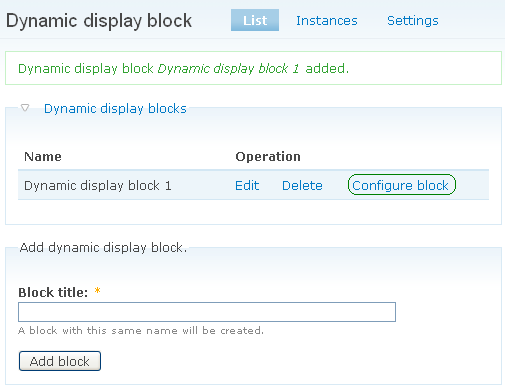
- Navigate to Administer > Site configuration > Dynamic display blocks in the admin menu.
Note: At the top of the page Drupal shows a status message (in green) that a new dynamic display block is added.
To configure the dynamic display block:
- Click the Configure block link in the "Dynamic display block" fieldset.
Help improve this page
Page status: Not set
You can:
You can:
- Log in, click Edit, and edit this page
- Log in, click Discuss, update the Page status value, and suggest an improvement
- Log in and create a Documentation issue with your suggestion
