
Deleting a block
Last updated on
30 April 2025
Path to delete dynamic display block page
- Navigate to Administer > Site configuration > Dynamic display block in the admin menu.
- Click the Delete link for a specific block.
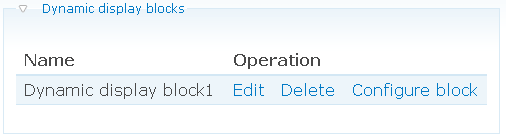
To delete a dynamic display block:
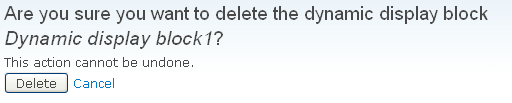
- Click the Cancel link if you don't want to delete the specific dynamic display block.
- Click the Delete button if you are sure to delete the specific dynamic display block.
Help improve this page
Page status: Not set
You can:
You can:
- Log in, click Edit, and edit this page
- Log in, click Discuss, update the Page status value, and suggest an improvement
- Log in and create a Documentation issue with your suggestion
