

Closed (works as designed)
Project:
Image FUpload
Version:
6.x-1.1-beta3
Component:
Miscellaneous
Priority:
Normal
Category:
Support request
Assigned:
Unassigned
Reporter:
Created:
13 Aug 2008 at 11:31 UTC
Updated:
31 Jan 2011 at 13:09 UTC
Jump to comment: Most recent file



Comments
Comment #1
grandcat commentedI can't understand your text!
Which button did you press exactly?
Screenshot if possible.
Which browser do you use? This is the most important question!!
Screenshot if possible.
Comment #2
chandubhai commentedHello ,
Grandcat the steps I am following is
1. --> Select images (For selecting images)
2. --> Upload Images (For uploading images)
3. --> Next Step (For Caption Editing)
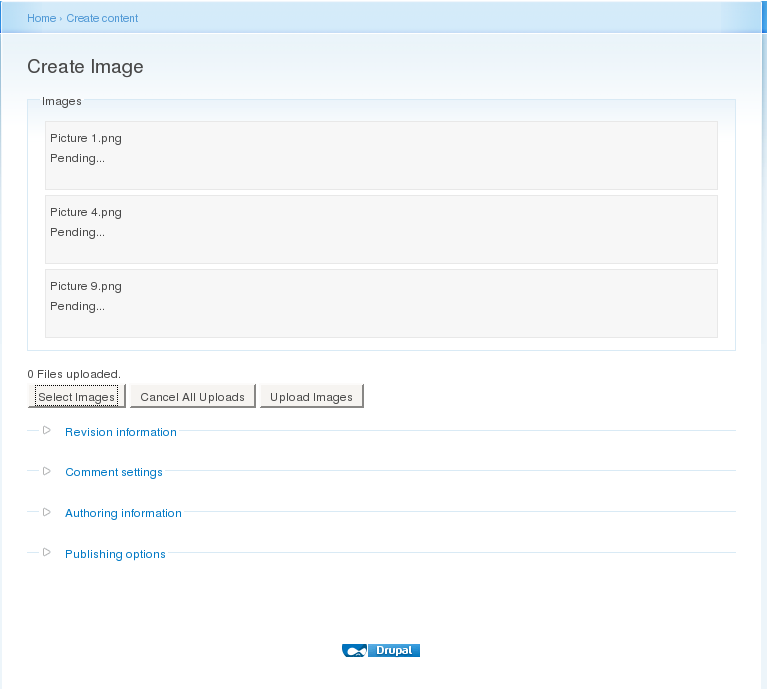
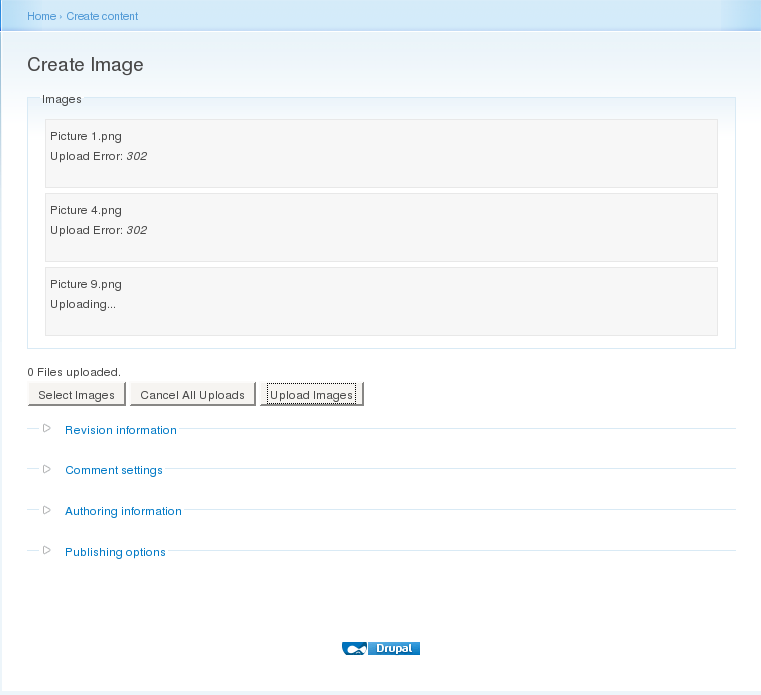
After this now I am getting message "Upload Error:302" earlier it was just showing message "uploading..." .
After this I am getting message "0 files uploaded in queue. Enter the next step to be able to edit all captions."
After Clicking next step it shows no images are uploaded.
I have tested this in browsers FireFox2 , FireFox3 , Seamonkey and IE 7 in all I am getting same Error Message.
I am using CentOs platform.
I have also attached screenshots of what I am doing please refer to screenshots also.
Thanks
Chandu
Comment #3
chandubhai commentedHi
Please also look into this link
http://code.google.com/p/swfupload/issues/detail?id=34&colspec=ID%20Type...
Seems like some flash player bug, its not able handle aliased path.
Thanks
Chandu
Comment #4
grandcat commentedYes, that's right, this is a bug of flashplayer which seems to be exist for your used OS, sorry for that, but I can't really do anything against.
But you can perhaps fix this case by using another webserver (apache or lighttpd). There can be huge differences.
Comment #5
grandcat commentedbetter title for further questions.
Comment #6
chandubhai commentedHello Grandcat,
Facing same problem in the Windows xp platform also.
Please suggest some solution.
Thanks
Chandu
Comment #7
grandcat commentedThis error also depends on used webserver. Try another webserver if possible. This is the only thing you can do at the moment =/
Comment #8
philipz commentedI had the same issue. Everything was working fine and after some time error 302 started to apear on upload.
I tried and switched to Uploadify but there was the same error. This lead me to some thread on Uploadify forum where someone suggested the problem could be related to session and login/security.
Finally I solved my problem after disabling Require Login module which was the cause of my problems.
I hope this will help someone :)